
Google Code Wiki: Free AI That Finally Understands Your Entire Codebase
Every developer knows the pain. You inherit a legacy codebase, open the documentation folder, and find markdown files last updated three years ago. The architecture diagrams show components that no longer exist. The README references deprecated APIs. You close the docs and resign yourself to spending the next two weeks reading raw code.
Google just solved this problem. And it's free.
The $50 Billion Problem Nobody Talks About
Studies estimate developers spend 58% of their time just trying to understand existing code—not writing new features, not fixing bugs, but simply reading and comprehending what's already there. For a company with 100 engineers, that's millions of dollars annually spent on cognitive overhead.
Traditional documentation fails because it's static. The moment you write it, it starts decaying. Code evolves daily; docs update quarterly (if you're lucky). This gap creates a trust problem: developers stop reading documentation because they've been burned too many times by outdated information.
Google Code Wiki changes this equation entirely.
What Google Code Wiki Actually Does
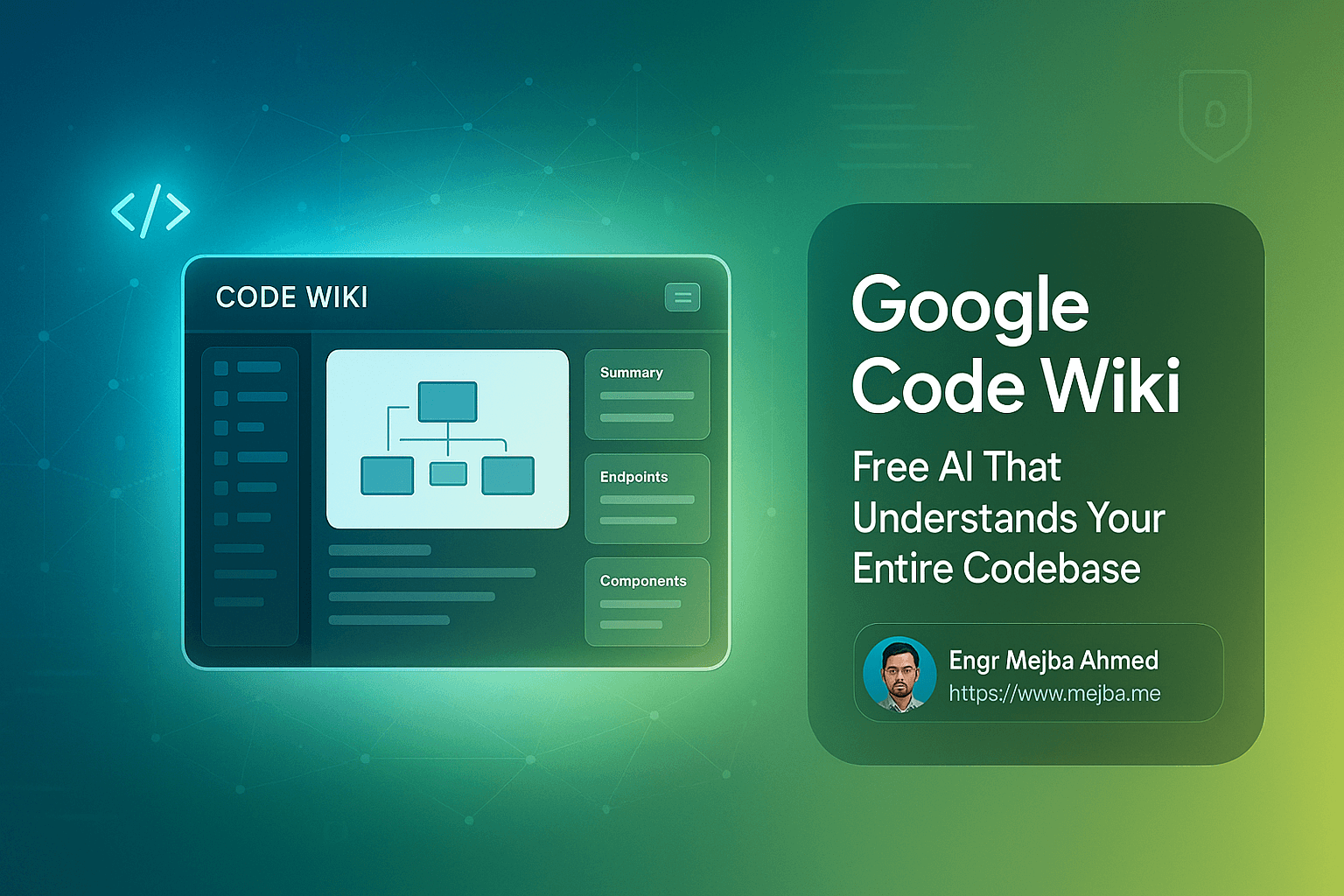
Code Wiki is an AI-powered documentation engine that treats your codebase as a living document. Here's what makes it different from every documentation tool you've tried before:
Automatic Regeneration
Every time your code changes, Code Wiki rescans the repository and updates the documentation. Not a manual trigger. Not a CI/CD step you'll forget to configure. Automatic. The architecture diagram you see today reflects the code that exists today—not the code from six sprints ago.
Gemini Chat Integration
This is where it gets interesting. Code Wiki doesn't just generate static pages—it builds a knowledge base that powers Gemini Chat. You can ask natural language questions about your codebase and get precise, context-aware answers.
Instead of grepping through folders wondering where authentication logic lives, you ask: "How does user authentication work in this project?" Gemini responds with not just an explanation, but direct links to the exact files and functions involved.
Deep Hyperlinking
Every class name, function reference, and component mention in the documentation is a clickable link. One click takes you to that exact location in the code. No more Ctrl+Shift+F hunting through directories. No more opening five files before finding the right one.
Auto-Generated Diagrams
Code Wiki produces architecture diagrams, class diagrams, and sequence diagrams automatically. These aren't generic flowcharts—they're accurate representations of your actual code structure, regenerated with every change.
Real-World Example: shadcn/ui Library
Google demonstrated Code Wiki using the popular shadcn/ui component library. The results show exactly why this tool matters:
The automatically generated documentation breaks down the entire library into logical sections. Component relationships are visualized in clean diagrams. Every mention of a component links directly to its source file.
But the Gemini Chat integration demonstrates the real power. When asked about button variants, it doesn't just list them—it provides:
- Complete code examples for each variant
- Explanation of when to use each style
- Integration patterns with other components
- Framework-specific guidance for Next.js implementations
Ask how to combine a button with a dropdown menu, and you get working code that follows the library's actual patterns—not generic examples from outdated tutorials.
The Enterprise Game-Changer: Private Repository Support
Public repositories are useful for demonstration, but the real pain lives in private company codebases. That legacy monolith nobody fully understands. The microservices architecture that's grown organically for five years. The codebase where the original architects left the company long ago.
Google is releasing a CLI extension that runs Code Wiki locally on private repositories. Your code never leaves your infrastructure. No external uploads. No security concerns.
This is the feature that transforms Code Wiki from "interesting demo" to "essential enterprise tool." A waitlist is currently open for early access.
Generating AI Coding Context Files
Here's a feature that shows Google thinking ahead: Code Wiki can generate context files for AI coding assistants.
You can prompt it to summarize your project's architecture standards, coding patterns, and conventions into a markdown file. Feed this to GitHub Copilot, Claude, or any AI coding tool, and it generates code that actually matches your project's style—not generic patterns that clash with your existing architecture.
This solves one of the biggest complaints about AI coding assistants: they write functional code that doesn't fit your codebase's conventions. With Code Wiki-generated context, AI tools understand your patterns before writing a single line.
How to Start Using Code Wiki Today
For Public Repositories:
Code Wiki is available now as a public preview. Visit the Code Wiki website, enter any public GitHub repository URL, and watch it generate comprehensive documentation. Test it on open-source projects you use. See how it handles complex codebases.
For Private Repositories:
Join the waitlist for the CLI extension. When it releases, you'll be able to run Code Wiki on any private repository without exposing your code externally. This is the version that will matter most for professional development work.
Why This Matters More Than You Think
Code Wiki addresses a problem that's been accepted as unsolvable for decades: keeping documentation synchronized with code. Every team has tried wikis, README conventions, documentation generators, and mandatory doc updates in PR reviews. All of them decay over time because they require human discipline to maintain.
Code Wiki removes humans from the maintenance loop entirely. Documentation becomes a computed artifact of the codebase itself—always accurate because it's always regenerated.
The Gemini Chat integration transforms documentation from something you read into something you converse with. Instead of scanning pages hoping to find relevant information, you ask questions and get answers. The cognitive load shifts from the developer to the AI.
For enterprise teams, the implications are significant:
- Onboarding time drops dramatically when new developers can ask questions about the codebase and get accurate answers
- Legacy code becomes accessible without requiring archaeological expeditions through git blame
- Knowledge silos dissolve when institutional knowledge is captured in an always-current documentation system
- Code review quality improves when reviewers can quickly understand context through AI-assisted exploration
The Bottom Line
Google Code Wiki represents a fundamental shift in how developers interact with codebases. It's not incremental improvement on existing documentation tools—it's a different approach entirely.
The public preview is free and available now. The private repository CLI is coming soon. If you've ever lost hours trying to understand unfamiliar code, this tool is worth your attention.
Documentation that updates itself. AI that understands your entire codebase. Deep links that eliminate navigation friction. These aren't future promises—they're available features you can test today.
The days of stale documentation and code archaeology may finally be ending.
🤝 Hire / Work with me:
- 🔗 Fiverr (custom builds, integrations, performance): fiverr.com/s/EgxYmWD
- 🌐 Mejba Personal Portfolio: mejba.me
- 🏢 Ramlit Limited: ramlit.com
- 🎨 ColorPark Creative Agency: colorpark.io
- 🛡 xCyberSecurity Global Services: xcybersecurity.io