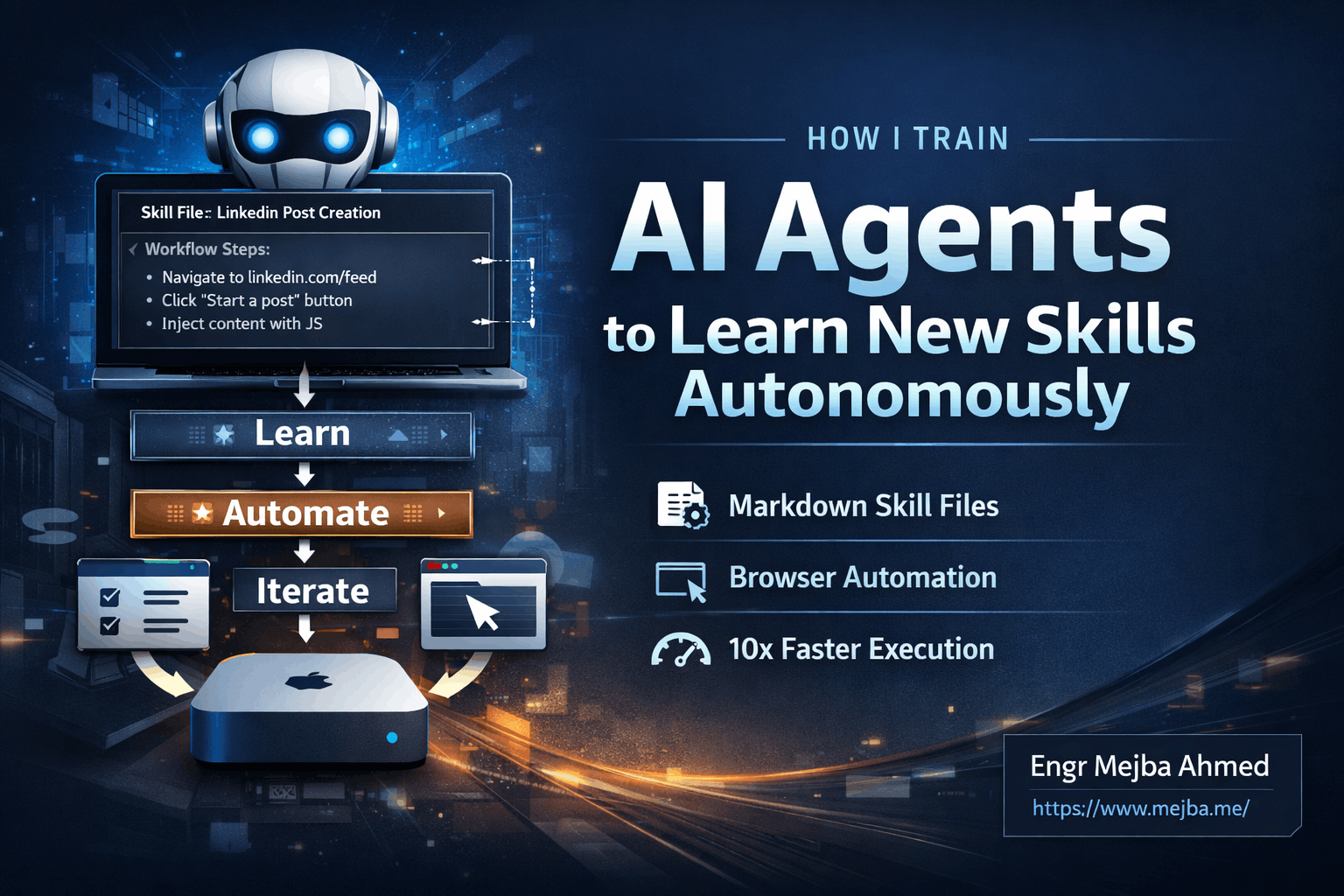
How I Train AI Agents to Learn New Skills Autonomously
Six minutes. That's how long my AI agent took to figure out how to draft a LinkedIn post the first time I asked it. The second time? Forty seconds. Same task, same agent, but with one crucial difference: I'd taught it to remember.
This isn't science fiction. This is my actual workflow. I've built a system where AI agents don't just execute tasks—they learn from them. Every failed attempt, every successful workaround, every edge case gets codified into reusable skill files. The result is an agent that gets faster and smarter with every interaction.
I've been running this setup on a dedicated Mac Mini, building what I call a "skill library" for my AI agents. The agents handle everything from social media automation to video production, and the efficiency gains compound over time. What started as curiosity has become a core part of how I build and ship projects.
Let me show you exactly how this works.
The Problem with One-Shot AI Interactions
Here's what frustrates me about how most people use AI assistants: every conversation starts from zero. You prompt, get a response, maybe refine it a bit, then close the tab. Next time you need the same task done, you're writing the same prompts, explaining the same context, hitting the same walls.
That's not intelligence. That's a very expensive search engine.
I wanted something different. I wanted agents that could:
- Remember successful approaches to specific tasks
- Skip the trial-and-error phase on repeat tasks
- Build upon previous learnings to handle more complex workflows
- Operate autonomously without constant hand-holding
The traditional approach of prompt engineering only gets you so far. You can craft the perfect prompt for a task, sure. But what about tasks that require real-time adaptation? Tasks that interact with external systems that might change? Tasks where the AI needs to troubleshoot its own failures?
That's where skill files come in.
What Are Skill Files and Why They Matter
A skill file is exactly what it sounds like: a markdown document that teaches an AI agent how to perform a specific task. Think of it as documentation, but written for machines instead of humans.
My skill files live in a dedicated folder on my Mac Mini. Each one follows a consistent structure:
# Skill: LinkedIn Post Creation

## Prerequisites
- Chrome browser open and logged into LinkedIn
- JavaScript injection script loaded

## Workflow Steps
1. Navigate to linkedin.com/feed
2. Locate the "Start a post" button
3. Click to open the post composer
4. Wait for text area to become active
5. Inject content using custom JavaScript selector
6. Verify content appears in text area

## Known Issues
- LinkedIn uses non-standard DOM elements
- Direct typing doesn't work—must use JS injection
- Post button may require scroll into view

## Troubleshooting
If text doesn't appear:
- Check if editor modal is fully loaded
- Try alternative selector: [data-test-id="post-editor"]
- Wait 2 seconds after modal opens before injection

## Success Criteria
Post content visible in composer, ready for manual review before publishing
This might look simple, but the power is in the specificity. Every line represents a lesson learned. The "Known Issues" section? That came from watching my agent fail repeatedly before discovering LinkedIn's quirky DOM structure. The troubleshooting steps? Each one was a dead end that I turned into a roadmap.
When the agent encounters a new LinkedIn task, it doesn't start from scratch. It loads this skill file, follows the documented workflow, and only experiments when something genuinely unexpected happens.
Building the Foundation: Agent Infrastructure
Before I could start training skills, I needed the right infrastructure. Here's what my setup looks like:
Hardware: A dedicated Mac Mini running 24/7. I chose this because AI agents can be resource-intensive, and I didn't want them competing with my development work. Separation of concerns applies to hardware too.
Browser Automation: The agents interact with websites through a Chrome instance connected via JavaScript. I wrote a small script that exposes browser controls to the agent, allowing it to:
- Navigate to URLs
- Click elements by selector
- Type text into inputs
- Read page content
- Wait for elements to load
Skill Storage: All skill files live in a single directory, organized by platform or task type. I've got files for X (formerly Twitter), Gmail, YouTube, video editing tools, and now LinkedIn. Each file follows the same template structure for consistency.
Agent Framework: I use Claude Code as my primary agent framework. The agent has access to read skill files, execute browser commands, and update skill files with new learnings. This bidirectional flow is critical—the agent isn't just following instructions, it's contributing to the knowledge base.
The beauty of this setup is modularity. Adding a new platform means creating a new skill file. Improving a workflow means editing existing documentation. There's no complex code deployment, no API changes, just markdown files that get more sophisticated over time.
The Training Loop: How Agents Learn
Let me walk you through how I actually train a new skill. I'll use LinkedIn as the example since it perfectly illustrates the iterative process.
Step 1: Create the Empty Skill File
I start with a blank template. Just a filename (linkedin.skill.md) and basic headers. The agent knows nothing about LinkedIn at this point.
# Skill: LinkedIn

## Prerequisites
[To be discovered]

## Workflow
[To be documented]
Step 2: Give the Agent an Exploratory Task
My first prompt is intentionally vague: "Draft a post on LinkedIn about AI automation trends."
The agent starts by doing what any intelligent system would do—it navigates to linkedin.com and starts exploring. It identifies the page structure, locates interactive elements, and attempts to accomplish the goal.
This is where things get interesting.
Step 3: Watch It Fail (Intentionally)
My agent's first attempt to type into LinkedIn's post composer failed. It found the text area, tried to input text, but nothing appeared. Standard browser automation wasn't working.
In a traditional setup, this would be where you manually debug, figure out the issue, and write new code. But I wanted the agent to solve its own problems.
So I gave it a nudge: "The text isn't appearing. Try using JavaScript injection instead of simulated typing."
The agent then explored JavaScript-based approaches. It tried various selectors. It experimented with event dispatching. After about fifteen attempts over six minutes, it found a working method using a custom JavaScript injection that LinkedIn's DOM actually responds to.
Step 4: Document the Success
Once the agent successfully drafted a post, I had it document what worked:
"Update the linkedin.skill.md file with the workflow you just discovered. Include the specific selectors, timing requirements, and any workarounds you used."
The agent wrote detailed instructions capturing everything it learned. The next time it—or any other agent using this skill file—needs to draft a LinkedIn post, it has a proven playbook.
Step 5: Validate and Refine
I ran the same task again. This time: 40 seconds. The agent loaded the skill file, followed the documented steps, and executed flawlessly. No trial and error, no wasted tokens, no uncertainty.
But I didn't stop there. I added more LinkedIn tasks:
- Searching for employees at a company
- Sending direct messages to connections
- Checking connection status before messaging
Each new capability went through the same loop: exploratory prompt, observed failures, successful workaround, documentation update. The skill file grew from a few lines to a comprehensive LinkedIn automation guide.
Real Results: Time and Cost Savings
Let me share some actual numbers from my LinkedIn training:
| Task | First Attempt | With Skill File | Improvement |
|---|---|---|---|
| Draft a post | 6 minutes | 40 seconds | 9x faster |
| Find 5 employees | 8 minutes | 1.5 minutes | 5x faster |
| Send a DM | 12 minutes | 2 minutes | 6x faster |
These improvements compound. A multi-step workflow that chains these tasks together sees even larger gains. And because the agent uses fewer iterations to accomplish tasks, token costs drop significantly. I estimate my agent costs roughly 80% less on trained skills versus untrained exploration.
But the real value isn't just speed—it's reliability. Trained skills have predictable outcomes. I know exactly what will happen when I ask my agent to post on LinkedIn. There's no anxiety about whether this attempt will work or fail spectacularly.
Expanding the Skill Library
Once I understood the training pattern, I started applying it everywhere. My current skill library includes:
Social Media Automation:
- X (Twitter): Posting threads, engaging with mentions, scheduling content
- LinkedIn: Posts, DMs, profile searches, connection requests
- YouTube: Video uploads, description optimization, comment responses
Content Production:
- Video editing: Cutting, transitions, audio syncing using automated tools
- Thumbnail generation: Template-based image creation with dynamic text
- Transcript cleanup: Converting raw transcripts to readable articles
Email Management:
- Gmail filtering: Automated categorization and response drafting
- Follow-up sequences: Tracking conversations, suggesting next steps
Research Workflows:
- Topic research: Aggregating sources, extracting key points
- Competitor analysis: Monitoring specific accounts and summarizing changes
Each skill file represents hours of initial training time that I'll never need to spend again. And because the files are just markdown, I can share them, sell them, or use them across multiple agents.
Building Compound Workflows
Individual skills are useful. Compound workflows are transformative.
Here's an example of what I mean. I have an AI agent that autonomously manages a YouTube channel. It doesn't just upload videos—it handles the entire pipeline:
- Research trending topics in a specific niche (using the research skill)
- Generate a video script (content production skill)
- Create the video using automated editing (video editing skill)
- Generate a thumbnail (thumbnail skill)
- Upload with optimized title, description, tags (YouTube skill)
- Post announcements on X and LinkedIn (social media skills)
Each step uses a trained skill. The agent chains them together, passing outputs from one stage as inputs to the next. The entire workflow runs with minimal intervention.
The results? That autonomous YouTube channel has generated over 87 subscribers and around 5,000 views. Not viral numbers, but entirely hands-off. The agent researches, creates, and publishes without me touching anything.
Troubleshooting and Edge Cases
Training agents isn't always smooth. Here are the common issues I've encountered and how I handle them:
Platform Changes: Websites update their interfaces constantly. A skill that worked last month might fail today because LinkedIn changed a class name. My solution: version skill files and maintain a troubleshooting section that grows with each new edge case. The agent checks common failure points first.
Rate Limiting: Automated interactions can trigger platform security measures. I've learned to build delays into skill files, randomize timing, and stay within reasonable usage patterns. This isn't about evading detection—it's about being a good citizen of these platforms.
Complex Decision Trees: Some tasks require judgment calls the agent can't make alone. For these, I include decision points in the skill file: "If the profile shows no mutual connections, skip. If mutual connections > 3, proceed." Clear rules reduce ambiguity.
Skill Conflicts: Occasionally, two skills will have conflicting instructions for similar situations. I handle this by creating specificity hierarchies—more specific skills override general ones, and I include explicit "when to use this skill" criteria in each file.
The Skill Store Concept
I've started thinking about skill files as products rather than just personal tools. If I can train an agent to master LinkedIn automation, that training has value to anyone else running similar agents.
This leads to an interesting idea: a skill store. Not an app store for humans, but a marketplace where AI agents "purchase" skills from other AI agents. The buyer gets a proven, tested skill file. The seller gets compensated for their training investment.
I haven't fully built this out yet, but the pieces are there. Skill files are portable. They're platform-agnostic. They capture genuine expertise in a format any compatible agent can use.
Imagine a future where you don't train your own agents from scratch. You browse a catalog, find the skills you need, and your agent becomes competent in minutes instead of hours.
Best Practices I've Learned
After months of training agents, here's what I'd tell someone just starting:
Start Small: Don't try to train a complex workflow on day one. Pick a single, repeatable task. Master it. Then expand.
Document Failures: Every failed attempt is valuable information. Don't just note what worked—note what didn't and why. Future debugging thanks you.
Use Consistent Templates: All my skill files follow the same structure. This consistency means agents know exactly where to find specific information, reducing parsing time.
Version Control Everything: Skill files should be in git. Track changes over time. Roll back when something breaks. This isn't optional.
Build in Human Checkpoints: Autonomous doesn't mean unsupervised. I include verification steps where the agent pauses for human review before taking irreversible actions. Post drafts get reviewed before publishing. DMs get approved before sending.
Test Regularly: Platforms change. Skills decay. Run your trained skills periodically to catch issues before they matter.
What This Means for AI Development
I see skill files as a bridge between current AI limitations and future capabilities. Right now, even the most advanced models lack persistent memory across sessions. They can't truly learn from experience the way humans do.
Skill files are an external memory system. They let agents accumulate knowledge over time without requiring architectural changes to the underlying models. It's a practical solution to a real problem.
As AI models improve, this approach will evolve too. Maybe future agents will maintain their own skill libraries internally. Maybe they'll dynamically generate skill files from few-shot examples. Maybe the whole concept becomes obsolete when we achieve true continual learning.
But that future isn't here yet. And in the meantime, markdown files and iterative training work remarkably well.
Getting Started Yourself
Want to try this? Here's your minimal starting point:
-
Choose your agent framework. I use Claude Code, but the concept works with any system that can read files and interact with external tools.
-
Create a skills directory. Keep all your skill files in one place. Name them consistently.
-
Write your first skill template. Include sections for prerequisites, workflow steps, known issues, troubleshooting, and success criteria.
-
Train through exploration. Give your agent a task, watch it struggle, and document what works.
-
Refine iteratively. Each time the skill is used, look for improvements. Update the file. Repeat.
The investment is front-loaded. Training takes time. But once a skill is trained, you reap the benefits indefinitely. It's like compound interest for automation.
The Bigger Picture
What excites me most about this approach isn't the efficiency gains—it's the possibility space it opens up.
I'm building AI agents that get better at their jobs over time. Agents that can handle increasingly complex tasks without proportionally increasing human oversight. Agents that turn my exploration into reusable assets.
This feels like a glimpse of how human-AI collaboration will work at scale. Not humans doing everything, not AI doing everything, but a continuous loop of humans training agents, agents executing tasks, and the lessons flowing back to improve future performance.
We're just scratching the surface. Every skill I train today becomes a foundation for more sophisticated workflows tomorrow. And the beautiful part? Anyone can start building this right now, with nothing more than a good AI model and a text editor.
🤝 Let's Work Together
Looking to build AI systems, automate workflows, or scale your tech infrastructure? I'd love to help.
- 🔗 Fiverr (custom builds & integrations): fiverr.com/s/EgxYmWD
- 🌐 Portfolio: mejba.me
- 🏢 Ramlit Limited (enterprise solutions): ramlit.com
- 🎨 ColorPark (design & branding): colorpark.io
- 🛡 xCyberSecurity (security services): xcybersecurity.io