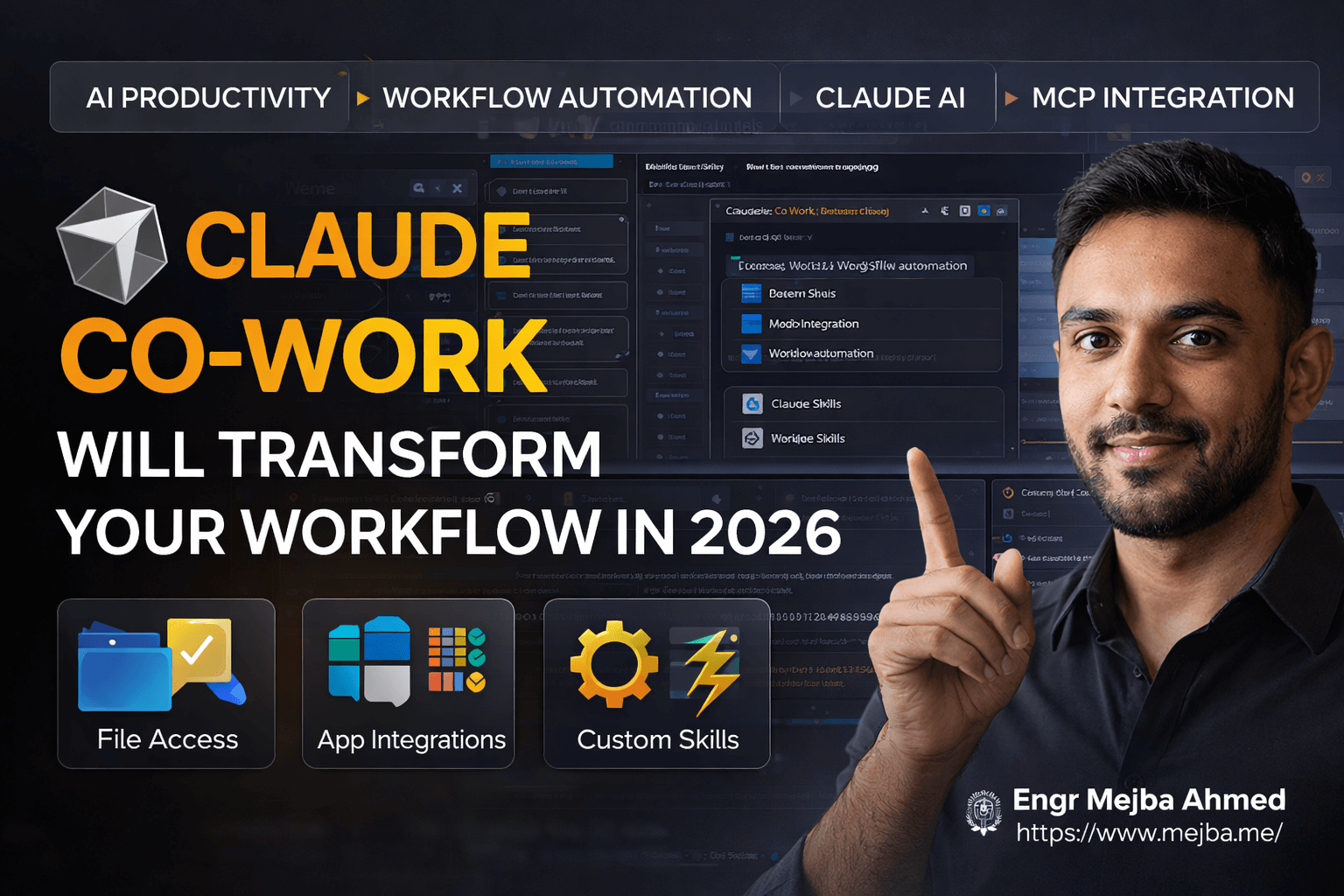
Claude Co-Work Will Transform Your Workflow in 2026
I've been building with Claude Code for over a year now, shipping production apps, automating content pipelines, and creating AI agent systems for clients across three continents. But when I started exploring Claude Co-Work on my desktop last month, I realized we're standing at the edge of something significantly bigger.
This isn't just another chatbot upgrade. Claude Co-Work represents a fundamental shift in how large language models integrate with our actual work environments. We're moving beyond conversation into execution—where the AI doesn't just tell you what to do, but actively does it alongside you.
The adoption curve here reminds me of the jump from GPT-3 to ChatGPT. One day it's a developer toy, the next day it's reshaping entire industries. By the end of 2026, I expect Claude Co-Work to become the default productivity layer for knowledge workers who take their output seriously.
Here's what I've learned after spending three weeks testing every feature, breaking workflows, and rebuilding them smarter.
The Problem With How We Use AI Today
Most people interact with AI like it's a magic 8-ball. Ask a question, get an answer, manually do everything else. Even power users who've mastered prompt engineering hit the same wall: the AI can think, but it can't act.
I ran into this constantly with client projects. A marketing agency needed weekly competitor reports. The workflow looked like this: manually download competitor posts, copy them into Claude, wait for analysis, manually paste insights into Notion, manually update their tracking spreadsheet, then manually write the summary email. Five tools, forty minutes, every single week.
The AI could analyze brilliantly. But the human had to do all the moving, copying, pasting, and organizing. That's not productivity—that's expensive copy-paste with extra steps.
Claude Code solved part of this for developers. I could build apps, automate deploys, and create entire systems without leaving my terminal. But Claude Code is optimized for production software development. When I needed to organize my downloads folder, manage my content calendar, or automate my newsletter research, reaching for Claude Code felt like using a sledgehammer to hang a picture frame.
The gap between "brainstorming assistant" and "production code generator" was massive. Where's the tool for everything in between? The daily tasks, the repetitive workflows, the context-dependent processes that eat three hours every day but never feel important enough to build a proper system around?
That gap is exactly where Claude Co-Work lives.
Understanding the Claude Product Hierarchy
Before diving into implementation, let me clarify how these tools differ. I see confusion about this constantly in developer forums.
Claude (chat interface) handles brainstorming, Q&A, writing assistance, and general thinking tasks. It's brilliant for exploration and ideation, but everything stays inside the chat window. No file access, no external connections, no persistent workflows. Perfect for: quick questions, draft writing, concept exploration.
Claude Code is the production development tool. Terminal-based, integrated with your development environment, capable of building and shipping real applications. It writes code, runs tests, manages git workflows, and creates production-ready software. Perfect for: software development, building apps, technical projects requiring code execution.
Claude Co-Work sits in the middle, optimized for daily productivity tasks. It accesses your file system, connects to your software stack, and executes workflows through a system called Skills. Perfect for: task automation, workflow management, content operations, data organization, anything that touches multiple tools and files.
The key insight: these aren't competing products. They're specialized tools for different contexts. I use all three depending on what I'm trying to accomplish.
Claude Co-Work specifically requires the desktop application (not available in browser) and a Pro or Enterprise subscription. This isn't arbitrary gatekeeping—file system access requires local execution that browsers can't provide safely.
File System Integration: Your Computer Becomes the Context
The first time Claude Co-Work organized my downloads folder, I understood why this matters.
I pointed it at my downloads directory—a disaster zone of 847 files accumulated over six months. PDFs mixed with screenshots, client assets buried under random installers, receipts from 2024 hiding next to contract drafts. I asked it to organize everything by file type and date, using a logical folder structure.
Within three minutes, it had created a categorized system: documents separated by type (contracts, receipts, research, personal), images sorted by project and date, installers quarantined to their own archive, and a "review needed" folder for anything it couldn't confidently categorize.
But here's what impressed me more than the organization itself: the planning approach. Before moving a single file, Claude Co-Work showed me its proposed structure, explained its reasoning for each category, and asked for confirmation. It didn't just execute—it collaborated.
This stepwise planning is crucial for file operations. One wrong assumption could scatter important documents across incorrect folders. The human-in-the-loop design means I maintain control while the AI handles execution.
I've since used this for:
- Reorganizing client project archives (saved 4 hours of manual sorting)
- Cleaning up my desktop screenshot collection by project
- Creating standardized folder structures for new client onboarding
- Batch renaming files with consistent conventions
The file system access works bidirectionally. Claude Co-Work can read files to understand context, and write files to produce outputs. For content work, this means I can point it at a folder of research documents, ask for synthesis, and have it produce organized notes directly into my knowledge base.
Software Connections: MCP Protocol and Beyond
File access is powerful alone, but the real leverage comes from connecting external software. Claude Co-Work handles this through multiple approaches, and understanding the options prevents frustration later.
Built-in connectors cover popular productivity tools out of the box. These are pre-configured integrations that work immediately after authentication. The experience is seamless—you authorize once, and the connection persists across sessions.
Manual MCP setup extends capabilities to tools without built-in support. MCP (Model Context Protocol) is Anthropic's standardized approach to AI-tool integration. If a service has an API, you can likely create an MCP server for it.
I configured MCP connections for my specific stack:
- Notion (for content databases and project management)
- GitHub (for repository context beyond what Claude Code handles)
- Linear (for issue tracking integration)
- Airtable (for client data management)
The configuration involves editing JSON files that define server connections, but the documentation has improved significantly. For most popular tools, community configurations exist that you can adapt to your setup.
For tools without MCP support, two fallback options exist:
First, platforms like NAN allow creating custom automation servers. If you're comfortable with low-code automation tools, you can bridge almost any API into MCP-compatible format. I used this approach for a client's legacy CRM that had an API but no existing MCP server.
Second, Claude Co-Work can interact with web applications through browser automation. This is slower and more fragile than direct API connections, but it means virtually any web-based tool becomes accessible. I've used this for platforms that either lack APIs or hide them behind enterprise pricing tiers.
The practical impact: I can ask Claude Co-Work to check my GitHub notifications, summarize any relevant issues, draft responses in my Notion inbox, and update my Linear board—all from a single conversation without switching contexts.
Skills: The Workflow Revolution
Skills transformed how I think about AI productivity. If you only learn one thing from this post, let it be this section.
A Skill is essentially a saved workflow: instructions, context, and knowledge sources packaged into a reusable unit. Think of it as a mini-expert that knows exactly how to handle a specific type of task.
Before Skills, my approach to complex workflows involved:
- Open Claude with a massive system prompt
- Paste in relevant context documents
- Hope the context window could hold everything
- Re-explain the workflow every single session
Skills eliminate this friction. Each Skill carries its own context, its own instructions, and its own knowledge sources. They activate on demand, receive only relevant information, and execute consistently.
Here's my YouTube-to-newsletter workflow as a concrete example:
Step 1: Transcript Skill - Downloads the video transcript, cleans formatting, extracts key timestamps
Step 2: Subject Line Skill - Analyzes the transcript against my newsletter style guide, generates five subject line options optimized for open rates
Step 3: Hook Skill - Creates opening paragraphs using my brand voice documentation, incorporates specific hooks that perform well with my audience
Step 4: Newsletter Draft Skill - Assembles the full newsletter, structures content around my template, integrates my standard calls-to-action
Step 5: Distribution Skill - Formats for my email platform, creates social media excerpts, generates promotional thread ideas
Each Skill focuses on one task. Each carries specific context for that task only. The full workflow runs in sequence, with me reviewing outputs at each stage before proceeding.
I've built Skills for:
- Blog post generation with brand-specific style guides
- Client communication templates with project context
- Code review checklists with my standards
- Meeting note processing with action item extraction
- Invoice generation with client-specific terms
The compound effect is significant. Tasks that required 30 minutes of context-loading now start in seconds. Workflows that depended on my memory now execute consistently regardless of my mental state.
Building Your First Custom Skill
Three approaches exist for creating Skills, ranging from simple to sophisticated.
Option 1: Built-in Skills Claude Co-Work ships with starter Skills for common workflows. They're limited but functional for basic use cases. I'd recommend starting here to understand the interaction model before building custom versions.
Option 2: Community Marketplaces Platforms like Smithy.ai, SkillHub, and SkillsMPP host thousands of community-built Skills. Quality varies, but filtering by ratings and downloads surfaces genuinely useful options. I found several research and writing Skills that I adapted for my specific needs.
Option 3: Custom Building The most powerful approach: building Skills tailored to your exact requirements. Two methods work well.
The walkthrough method: Perform your workflow once with Claude Co-Work, explaining each step as you go. "First I download the transcript from this URL. Then I need to identify the three main arguments. Then I want to find supporting quotes for each argument." Once complete, ask Claude to save this workflow as a reusable Skill. It will package the instructions, note required inputs, and create an executable template.
The documentation method: Write out your workflow as a clear process document. Include your style guide, example outputs, quality criteria, and edge cases. Provide this documentation when creating the Skill. This approach produces more robust Skills because you've explicitly defined success criteria.
For my newsletter workflow, I used the documentation method with 12 pages of brand guidelines, 20 example newsletters, and explicit rules about tone, structure, and calls-to-action. The resulting Skill produces drafts that need minimal editing.
The critical insight: Skills work best when they do one thing well rather than attempting comprehensive workflows. Chain multiple focused Skills together rather than building monolithic process automations.
Code Execution Within Co-Work
Beyond file management and software integration, Claude Co-Work can execute code for specific task automation. This differs from Claude Code's full development environment—it's targeted at operational tasks rather than software projects.
I use code execution within Co-Work for:
Data visualization: When analyzing spreadsheet exports or API responses, I can generate charts and graphs directly without switching to separate tools. The code runs in an isolated environment, produces visual outputs, and integrates them into my workflow.
File transformations: Batch image resizing, format conversion, metadata extraction. Instead of opening Photoshop or writing one-off scripts, I describe the transformation and let the code execution handle implementation.
Data processing: Cleaning CSVs, merging datasets, calculating aggregates. Common data tasks that don't warrant a full script but benefit from programmatic handling.
Quick calculations: Complex formulas, statistical analysis, anything beyond basic spreadsheet capabilities.
The key distinction: Claude Code builds applications. Claude Co-Work's code execution accomplishes immediate tasks. I use Claude Code when I need persistent, reusable software. I use Co-Work when I need something done right now, once.
This boundary occasionally blurs. If I find myself requesting the same code execution repeatedly, that's a signal to either create a Skill (for workflow integration) or build a proper tool with Claude Code (for technical reuse).
Practical Results After Three Weeks
Let me share specific outcomes from integrating Claude Co-Work into my daily operations.
Content production: My blog post drafting time dropped from 4 hours to 90 minutes. The Skills handle research synthesis, outline generation, and first-draft creation. I focus on editing, perspective, and the pieces that require genuine human insight.
Email management: A morning email Skill processes my inbox overnight, categorizes by priority, drafts responses for routine items, and summarizes anything requiring attention. I review in 15 minutes what previously took an hour.
Client deliverables: Report generation combines data exports (via MCP), analysis (via Skills), and formatting (via file access) into a single workflow. Weekly client reports now take 20 minutes instead of 2 hours.
File organization: My systems stay organized because maintenance happens automatically. Screenshots get filed, downloads get sorted, project archives stay current.
Research workflows: When exploring new topics, I can point Claude Co-Work at source materials, have it extract key insights, organize findings into my note system, and generate summary documents—all while I focus on understanding rather than clerical processing.
The time savings compound. It's not just about individual task acceleration—it's about cognitive overhead reduction. When I'm not tracking file locations, managing context windows, or manually orchestrating tool switching, I can focus on thinking about problems rather than managing processes.
When Claude Co-Work Isn't the Answer
Honest assessment matters more than hype. Here's where I don't use Claude Co-Work:
Deep technical development: Claude Code remains superior for software projects. The terminal integration, git workflow, and development-specific tooling make it the right choice for building applications.
Simple questions: For quick lookups, brainstorming, or general discussion, the standard Claude interface is faster. No need to invoke file access or Skills for casual conversation.
Highly sensitive operations: File system access is powerful and therefore risky. I don't point Claude Co-Work at directories containing credentials, financial records, or client-confidential materials without careful consideration.
Tasks requiring real-time external data: While software connections help, Claude Co-Work isn't a real-time monitoring system. For live dashboards or instant notifications, dedicated tools remain necessary.
Creative writing requiring extended voice: My personal essays and opinion pieces still flow better when I write them directly. The Skills help with structure and research, but the actual creative expression benefits from direct human drafting.
Understanding these boundaries prevents disappointment and ensures you're choosing the right tool for each context.
Getting Started This Week
If you're ready to explore Claude Co-Work, here's my recommended progression:
Day 1-2: Install the desktop application, authenticate your Pro subscription, and spend time with file organization tasks. Start with a messy folder and experiment with the planning interface. Learn how the stepwise approach works before connecting external tools.
Day 3-4: Configure one MCP connection for a tool you use daily. Notion, GitHub, or your project management system work well as starting points. Experience how software integration extends capabilities beyond file management.
Day 5-6: Explore community Skills from the marketplaces. Try three or four that relate to your work. Observe how they handle context, what inputs they require, and how outputs integrate with your workflow.
Day 7: Build your first custom Skill using the walkthrough method. Choose a simple, repetitive task you perform weekly. Document the workflow once, save it as a Skill, and test the execution.
From there, expand gradually. Add more software connections as needs arise. Build Skills for specific workflows as you identify repetitive patterns. The system becomes more valuable as your library of connections and Skills grows.
The Shift We're Witnessing
Claude Co-Work represents something I've been waiting for since I started building with language models: the transition from AI as advisor to AI as collaborator.
Previous tools could think with us but couldn't act with us. The context window held our conversation but couldn't touch our actual work environment. Integration required manual bridging—copying, pasting, switching, and orchestrating.
This new paradigm collapses that barrier. The AI sees my files. It connects to my tools. It executes my workflows. The thinking and the doing happen together.
I don't know exactly what the productivity landscape looks like in two years. But I'm confident that the professionals who master these integrated workflows will operate at a fundamentally different level than those still treating AI as a sophisticated search engine.
The technology is here. The question is how quickly we adapt our processes to leverage it.
My advice: start experimenting now. The learning curve exists but isn't steep. And the compound benefits of mastering these systems early will pay dividends long after the initial investment.
Let's Work Together
Looking to build AI systems, automate workflows, or scale your tech infrastructure? I'd love to help.
- Fiverr (custom builds & integrations): fiverr.com/s/EgxYmWD
- Portfolio: mejba.me
- Ramlit Limited (enterprise solutions): ramlit.com
- ColorPark (design & branding): colorpark.io
- xCyberSecurity (security services): xcybersecurity.io