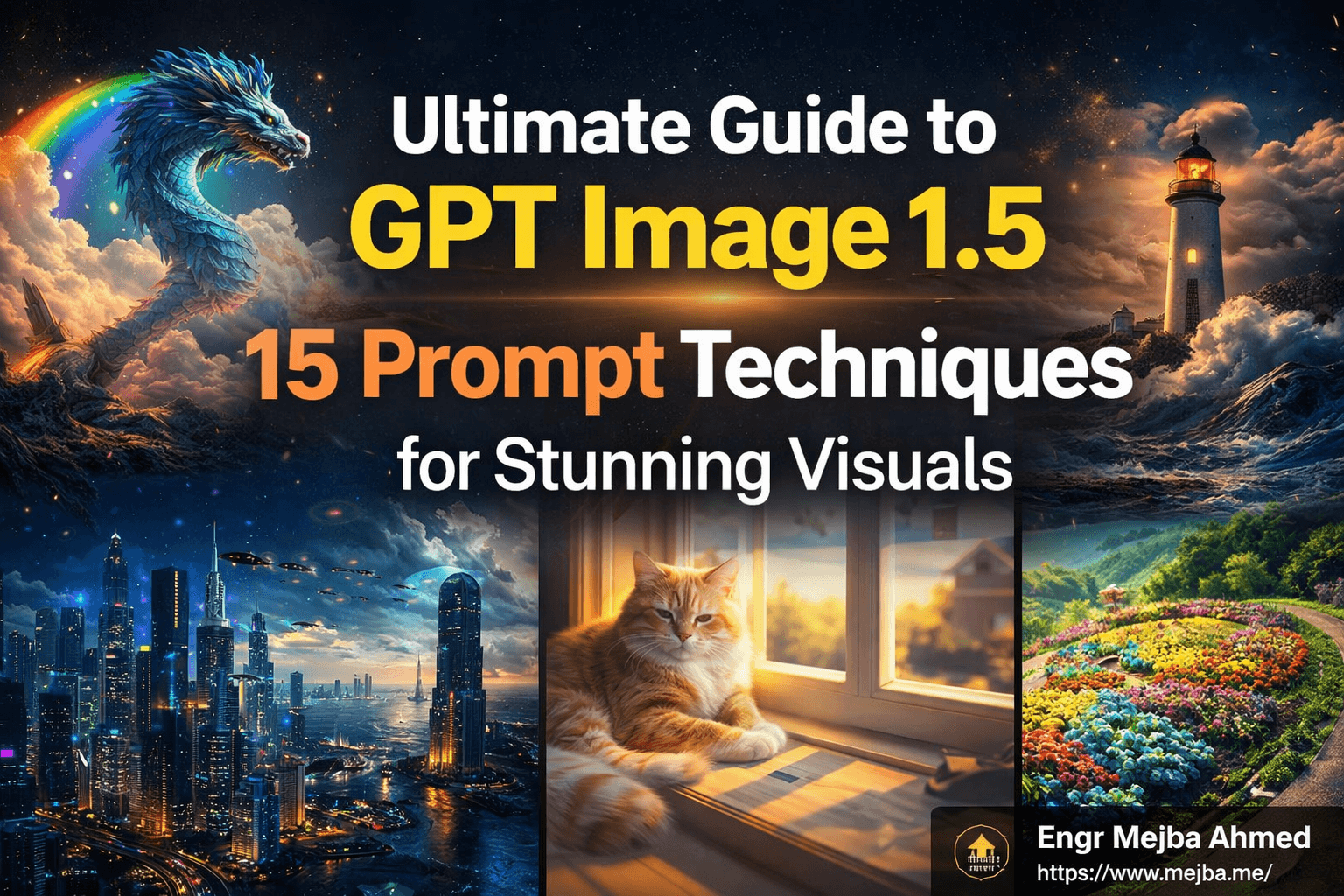
Ultimate Guide to GPT Image 1.5: 15 Prompt Techniques for Stunning Visuals
In the world of artificial intelligence, the ability to generate images through text prompts is rapidly evolving. One of the standout tools in this domain is GPT Image 1.5, which empowers users to create striking visuals based on their descriptions. Whether you're a designer, a marketer, or simply curious about the possibilities of AI-generated imagery, mastering prompt techniques can significantly enhance your results.
In this comprehensive guide, we will explore 15 prompt techniques that can help you unlock the full potential of GPT Image 1.5. From understanding the basics to crafting advanced prompts, this tutorial will equip you with the knowledge you need to create stunning visuals effortlessly.
Understanding GPT Image 1.5
Before diving into the prompt techniques, it’s essential to grasp what GPT Image 1.5 is and how it works. This AI model leverages deep learning to generate images based on textual descriptions. It interprets the nuances of language, allowing for the creation of highly detailed and contextually relevant images.
Key Features of GPT Image 1.5
- Text-to-Image Generation: Convert descriptive text into visuals.
- Contextual Awareness: Understands context, style, and emotional tone.
- Customizability: Tailor prompts to achieve specific styles or themes.
Crafting Effective Prompts
Creating effective prompts is crucial for generating high-quality images. Here are some techniques to improve your prompt crafting skills:
1. Be Descriptive
The more detailed your prompt, the better the output. Instead of saying "a cat," try "a fluffy orange cat lounging on a sunlit windowsill." This specificity helps the AI understand your vision.
2. Use Adjectives
Incorporate adjectives to enrich your descriptions. For example, "a majestic mountain range during sunset" provides a clearer image than simply "mountains."
3. Specify Style
If you want a particular artistic style, include it in your prompt. Terms like "impressionist," "surreal," or "photorealistic" guide the AI towards a specific aesthetic.
4. Include Context
Providing context can enhance the relevance of the generated image. For instance, "a futuristic city skyline at night with flying cars" sets a scene that the AI can visualize.
Advanced Prompt Techniques
Once you've mastered the basics, try these advanced techniques to take your prompts to the next level:
5. Combine Concepts
Mixing different concepts can lead to unique visuals. For example, "a dragon made of clouds flying over a rainbow" combines fantasy and whimsy.
6. Use Action Verbs
Incorporating action verbs can create dynamic images. Instead of "a dog," use "a dog jumping joyfully in a field." This adds life to the scene.
7. Play with Perspectives
Altering the perspective can yield interesting results. Consider prompts like "a bird's-eye view of a bustling marketplace" for a unique angle.
8. Incorporate Emotions
Emotional language can evoke a stronger connection. Try prompts like "a lonely lighthouse standing tall against a stormy sea" to capture a mood.
9. Utilize Analogies
Analogies can help the AI understand complex ideas. For example, "a garden that looks like a painter’s palette" conveys a vivid image through comparison.
10. Ask for Variations
Requesting variations can provide multiple outputs. For instance, "generate three versions of a fantasy castle at dawn" allows for exploration of different interpretations.
Practical Applications
Understanding these techniques can significantly impact various fields. Here are a few practical applications:
11. Graphic Design
Designers can use GPT Image 1.5 to brainstorm concepts or create mockups based on client descriptions.
12. Marketing
Marketers can generate visuals for campaigns by crafting prompts that align with their brand messaging and target audience.
13. Content Creation
Bloggers and content creators can enhance their articles with custom images generated from relevant prompts.
14. Social Media
Social media managers can create eye-catching posts tailored to specific themes or events, increasing engagement.
15. Education
Educators can use GPT Image 1.5 to create illustrative materials that make learning more engaging and visual.
Conclusion
Mastering GPT Image 1.5 through effective prompt techniques can elevate your creative projects to new heights. By being descriptive, utilizing action verbs, and combining concepts, you can generate stunning visuals that resonate with your audience. Whether for personal use or professional endeavors, the possibilities are endless with AI-generated imagery.
As you experiment with these techniques, remember to keep honing your skills and exploring new ideas. The more you practice, the more adept you will become at crafting prompts that yield exceptional results.
Call to Action
Ready to elevate your AI image generation skills? Start experimenting with the techniques discussed and watch your creative visions come to life!
🤝 Hire / Work with me:
- 🔗 Fiverr (custom builds, integrations, performance): https://www.fiverr.com/s/EgxYmWD
- 🌐 Mejba Personal Portfolio: https://www.mejba.me
- 🏢 Ramlit Limited: https://www.ramlit.com
- 🎨 ColorPark Creative Agency: https://www.colorpark.io
- 🛡 xCyberSecurity Global Services: https://www.xcybersecurity.io