How I Built a SaaS MVP in 12 Hours with Claude Code
The Secret Isn't Speed—It's Preparation
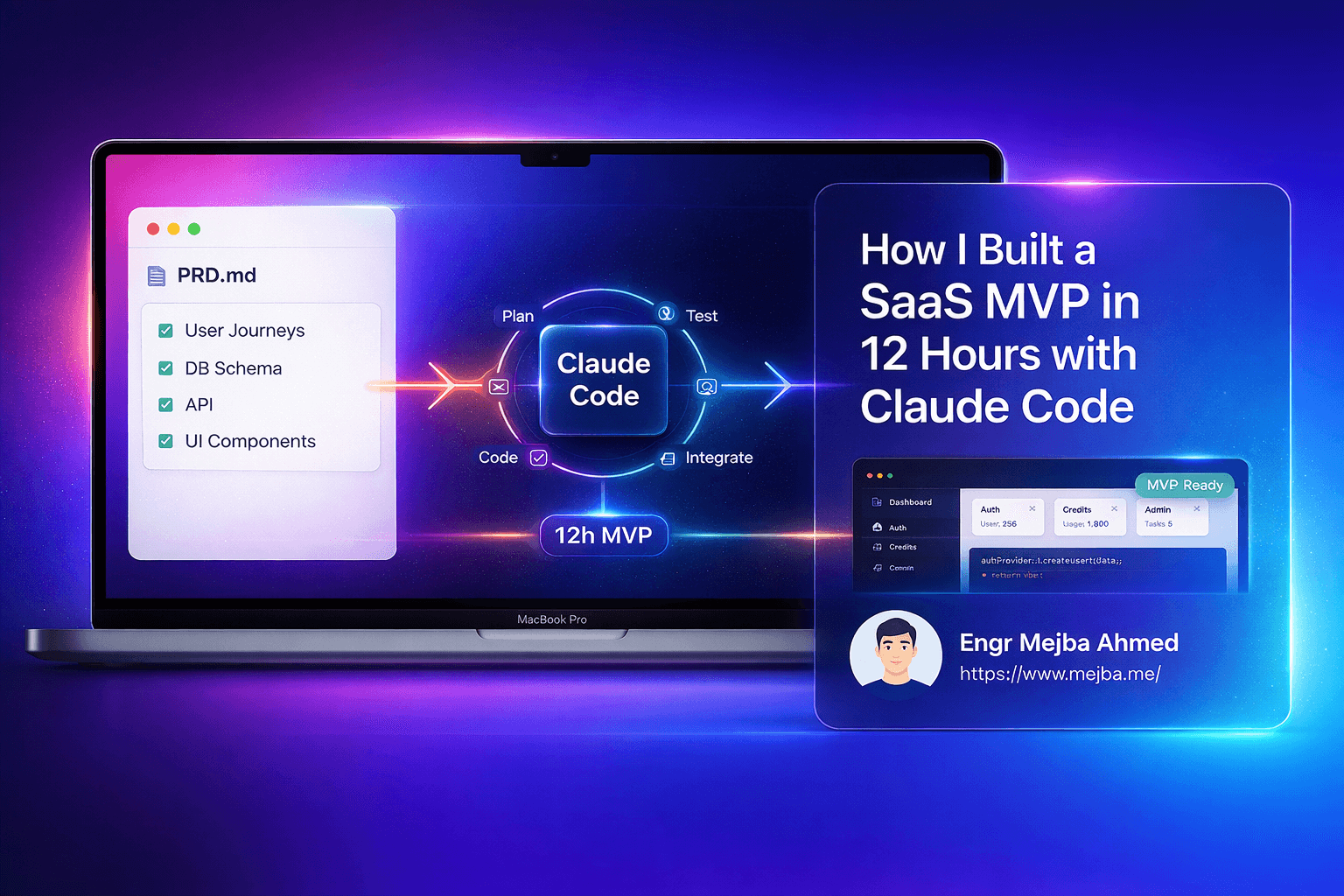
Last week, I shipped a fully functional AI-powered content creation platform called PromptPal. Complete with user authentication, credit-based payments, admin dashboards, and a ChatGPT-style interface. Total development time: 12 hours.
Before you scroll away thinking this is another "I built X in Y hours" hype post, let me tell you what made it possible. It wasn't some superhuman coding marathon. It wasn't cutting corners on features. And it definitely wasn't magic.
It was a 55-page Product Requirements Document.
I know—documentation sounds boring. It sounds like the opposite of moving fast. But here's what I've learned after building dozens of projects with Claude Code: the hours you invest in preparation pay back tenfold during implementation. A comprehensive PRD transforms Claude from a helpful assistant into a precise execution engine that rarely needs clarification.
The real bottleneck in AI-assisted development isn't the AI's capability—it's context. When Claude has to guess your intentions, infer your architecture decisions, or make assumptions about business logic, you get code that technically works but doesn't fit your vision. You end up in an endless loop of "no, I meant this" and "actually, change it to that."
PromptPal had zero of those moments. Every feature, every database relationship, every API endpoint was specified upfront. Claude executed. I reviewed. We shipped.
Why Most AI-Assisted Projects Fail
I've watched developers jump into Claude Code or Cursor with nothing but a vague idea and a lot of enthusiasm. They ask for "a user authentication system" and get something functional. Then they ask for "a dashboard" and get something else functional. But when they try to connect the pieces? Chaos.
The authentication tokens don't match the dashboard's expectations. The database schema from the auth system conflicts with the dashboard's user model. The API endpoints use different naming conventions. Small inconsistencies compound into architectural nightmares.
This happens because the AI doesn't have a unified vision of your project. Each request exists in isolation, optimized for that specific ask but disconnected from the whole. You're essentially building Frankenstein software—technically alive, but stitched together from incompatible parts.
The other failure mode is scope creep through conversation. You start with "build me a simple todo app" and three hours later you're discussing microservices architecture for real-time collaboration features. The AI is happy to engage with complexity—that's what it's good at. But without constraints, every project becomes an enterprise system.
A PRD solves both problems. It gives Claude the full picture upfront, so every component is built with awareness of everything else. And it defines explicit boundaries, so you ship the MVP instead of architecting the ultimate version.
The PRD-First Framework
My approach treats the PRD as the single source of truth for the entire build. Not a suggestion document. Not a rough outline. A comprehensive specification that leaves no room for interpretation.
Here's what goes into a 55-page PRD that actually works:
Vision and Scope
Start with the 30-second pitch. PromptPal's was simple: "An AI-powered content creation platform where users purchase credits, generate content using multiple AI models, and manage their history through a chat-style interface."
Then define what's explicitly NOT in scope. For PromptPal, I ruled out: team collaboration, real-time co-editing, custom model training, and mobile apps. Not because these are bad features—they're genuinely useful. But they're not MVP features.
User Journeys
Map every path a user takes through your application. Not wireframes—those come later. Written narratives that describe the experience:
"A new user lands on the homepage, sees pricing tiers, and clicks 'Get Started.' They're presented with email/password registration. After verification, they're redirected to the dashboard. The dashboard shows their credit balance (starting with 50 free credits), a prominent 'New Chat' button, and a sidebar with their conversation history..."
I had 14 user journeys for PromptPal. Customer registration, content generation, credit purchase, history management, prompt suggestions, admin user management, admin analytics, and more. Each one documented from first click to final state.
Database Schema
Define every table, every column, every relationship. Use proper data types, specify indexes, note foreign keys. Here's a sample:
CREATE TABLE users (
    id BIGINT UNSIGNED AUTO_INCREMENT PRIMARY KEY,
    name VARCHAR(255) NOT NULL,
    email VARCHAR(255) UNIQUE NOT NULL,
    password VARCHAR(255) NOT NULL,
    role ENUM('customer', 'admin') DEFAULT 'customer',
    credits INT UNSIGNED DEFAULT 50,
    email_verified_at TIMESTAMP NULL,
    created_at TIMESTAMP DEFAULT CURRENT_TIMESTAMP,
    updated_at TIMESTAMP DEFAULT CURRENT_TIMESTAMP ON UPDATE CURRENT_TIMESTAMP,
    INDEX idx_email (email),
    INDEX idx_role (role)
);

CREATE TABLE conversations (
    id BIGINT UNSIGNED AUTO_INCREMENT PRIMARY KEY,
    user_id BIGINT UNSIGNED NOT NULL,
    title VARCHAR(255) NOT NULL,
    created_at TIMESTAMP DEFAULT CURRENT_TIMESTAMP,
    updated_at TIMESTAMP DEFAULT CURRENT_TIMESTAMP ON UPDATE CURRENT_TIMESTAMP,
    FOREIGN KEY (user_id) REFERENCES users(id) ON DELETE CASCADE,
    INDEX idx_user_created (user_id, created_at DESC)
);
I specified 8 tables for PromptPal with full schema definitions, including the messages table with its JSON metadata field for storing model parameters and token counts.
API Endpoints
Every endpoint documented with method, path, authentication requirements, request body, and response format:
POST /api/v1/conversations/{id}/messages
Auth: Bearer token required
Request:
{
    "content": "string, required, max 4000 chars",
    "model": "string, optional, default: 'mistral-7b'",
    "temperature": "float, optional, range 0.1-2.0, default: 0.7"
}
Response (201):
{
    "data": {
        "id": "integer",
        "role": "assistant",
        "content": "string",
        "model": "string",
        "tokens_used": "integer",
        "created_at": "ISO 8601"
    },
    "meta": {
        "credits_remaining": "integer"
    }
}
PromptPal had 34 endpoints documented this way. Authentication (6), conversations (8), messages (6), credits (4), admin users (5), admin analytics (5).
UI Components
Not full designs, but specific component definitions. What data does each component display? What actions can users take? What states does it have?
ChatInput Component:
- Textarea with auto-resize (min 1 row, max 6 rows)
- Model selector dropdown (positioned left of send button)
- Temperature slider (appears on hover/focus of model selector)
- Send button (disabled when textarea empty or credits = 0)
- Character counter (appears when > 3000 chars)
- Keyboard shortcuts: Ctrl+Enter to send
- Loading state: Shows typing indicator, disables input
Third-Party Integrations
PromptPal uses Hugging Face's Inference API for AI generation. The PRD specified exactly which models to support, rate limiting strategies, error handling for API failures, and fallback behavior.
Primary Models:
1. mistralai/Mistral-7B-Instruct-v0.3 (default, 1 credit)
2. meta-llama/Llama-3.2-1B-Instruct (fast, 1 credit)
3. Qwen/Qwen2.5-72B-Instruct (advanced, 3 credits)

Error Handling:
- 429 Rate Limited: Queue request, retry after delay header
- 503 Service Unavailable: Show user-friendly message, offer retry
- Timeout (>30s): Refund credits, log for analysis
The 12-Hour Build: Hour by Hour
With the PRD complete, execution becomes mechanical. Here's exactly how those 12 hours broke down.
Hours 0-2: PRD Finalization and Project Setup
The first two hours weren't coding—they were the final PRD review and project initialization. I use a Next.js frontend with Laravel backend because I know this stack inside out. Familiarity matters when you're moving fast.
# Frontend
npx create-next-app@latest promptpal-frontend --typescript --tailwind --app
cd promptpal-frontend
npm install @tanstack/react-query axios zustand

# Backend
composer create-project laravel/laravel promptpal-backend
cd promptpal-backend
composer require laravel/sanctum
php artisan vendor:publish --provider="Laravel\Sanctum\SanctumServiceProvider"
I fed Claude the entire PRD and said: "This is PromptPal. You have the complete specification. We're building this over the next 10 hours. Acknowledge you understand the full scope."
Claude summarized the key points back to me. Correct understanding confirmed.
Hours 2-4: Backend Foundation
Database migrations first. I gave Claude the schema section of the PRD and asked for Laravel migrations:
// conversations migration
Schema::create('conversations', function (Blueprint $table) {
    $table->id();
    $table->foreignId('user_id')->constrained()->onDelete('cascade');
    $table->string('title');
    $table->timestamps();
    $table->index(['user_id', 'created_at']);
});
Then models with relationships, then authentication controllers using Sanctum. Claude generated everything consistent with the PRD specifications. No surprises, no conflicts.
The API endpoints came next. Because the PRD specified exact request/response formats, Claude produced controllers that matched perfectly:
public function store(Request $request, Conversation $conversation)
{
    $validated = $request->validate([
        'content' => 'required|string|max:4000',
        'model' => 'nullable|string|in:mistral-7b,llama-3.2,qwen-72b',
        'temperature' => 'nullable|numeric|min:0.1|max:2.0',
    ]);

    // Credit check, message creation, AI generation...
}
Hours 4-8: Frontend Development
This was the bulk of the work. Landing page, authentication forms, dashboard layout, chat interface, settings pages, credit purchase flow.
I use a specific technique here: component-by-component generation with immediate integration. Instead of having Claude generate all components and then connecting them, I build vertically:
- Generate ChatSidebar component
- Integrate into dashboard layout
- Test navigation works
- Generate ChatWindow component
- Integrate alongside sidebar
- Test message display works
- Continue...
This catches integration issues immediately rather than discovering them at the end.
The chat interface was the most complex piece. Real-time message streaming, auto-scroll behavior, optimistic updates for sent messages. The PRD specified all these behaviors, so Claude implemented them exactly as described:
const sendMessage = async (content: string) => {
  // Optimistic update
  const tempId = Date.now();
  addMessage({ id: tempId, role: 'user', content, isOptimistic: true });

  try {
    const response = await api.post(`/conversations/${conversationId}/messages`, {
      content,
      model: selectedModel,
      temperature,
    });

    // Replace optimistic with real, add assistant response
    replaceMessage(tempId, response.data.user_message);
    addMessage(response.data.assistant_message);
    updateCredits(response.data.meta.credits_remaining);
  } catch (error) {
    removeMessage(tempId);
    showError('Failed to send message');
  }
};
Hours 8-10: Integration and AI Layer
Connecting frontend to backend is where poorly planned projects fall apart. Because both sides were built from the same PRD, everything just... worked.
The Hugging Face integration was straightforward. The PRD specified exactly which API calls to make:
class HuggingFaceService
{
    public function generate(string $prompt, string $model, float $temperature): string
    {
        $response = Http::withToken(config('services.huggingface.token'))
            ->timeout(30)
            ->post("https://api-inference.huggingface.co/models/{$model}", [
                'inputs' => $prompt,
                'parameters' => [
                    'temperature' => $temperature,
                    'max_new_tokens' => 1024,
                    'return_full_text' => false,
                ],
            ]);

        if ($response->failed()) {
            throw new AIGenerationException($response->status(), $response->body());
        }

        return $response->json()[0]['generated_text'];
    }
}
Credit deduction, error handling, retry logic—all implemented per the PRD specifications.
Hours 10-12: Polish and Deployment
The final push: responsive design fixes, loading states, error boundaries, environment configuration, and deployment to production.
I use Vercel for Next.js frontends and a simple VPS with Laravel Forge for backends. Deployment took about 45 minutes including DNS propagation.
The remaining time went into testing user flows manually—registration, content generation, credit purchase simulation (I hadn't integrated a real payment processor yet, just credit packages for testing).
The Ralph Loop: Autonomous Iteration
I mentioned the Ralph Loop in the title. This is a technique I've developed for extended autonomous coding sessions with Claude Code.
The standard Claude Code workflow is conversational: you ask for something, Claude does it, you review, repeat. This works well for complex decisions but creates friction for straightforward tasks.
The Ralph Loop changes the dynamic. You give Claude a set of tasks from the PRD and explicit permission to work through them autonomously, checking in only when genuinely stuck or when reaching predefined milestones.
Here's what a Ralph Loop prompt looks like:
You have the PRD for PromptPal. Your task is to implement the following
section: Admin Analytics Dashboard (pages 42-47).

Work autonomously through these requirements:
1. Create admin-only middleware
2. Build analytics API endpoints
3. Create dashboard components with charts
4. Integrate Chart.js for visualizations
5. Add date range filtering

Rules:
- Follow existing code patterns in the project
- Don't ask for clarification on items specified in the PRD
- Only pause if you encounter a genuine blocker
- Commit after each major component is complete

Begin.
Claude then works through the entire section, making decisions based on the PRD specifications and existing code patterns. I review commits rather than individual changes. The result is fewer context switches, faster progress, and code that's more consistent because it's written in longer, focused sessions.
This only works with a detailed PRD. Without comprehensive specifications, autonomous operation leads to autonomous wrong decisions.
What PromptPal Actually Does
Let me describe the product that came out of this process.
For Users:
- Sign up with email/password
- Start with 50 free credits
- Create conversations (like ChatGPT threads)
- Choose between three AI models with different capabilities
- Adjust temperature for creativity control
- View full conversation history
- Smart prompt suggestions based on common use cases
- Purchase credit packages (100, 500, 1000 credits)
For Admins:
- User management dashboard
- Analytics on credit usage, popular models, active users
- Ability to manually adjust user credits
- System health monitoring
The tech stack:
- Frontend: Next.js 14, TypeScript, Tailwind CSS, React Query, Zustand
- Backend: Laravel 11, MySQL 8, Redis for caching
- AI: Hugging Face Inference API
- Deployment: Vercel + Laravel Forge on DigitalOcean
It's not revolutionary technology. It's not a paradigm shift in AI applications. It's a solid, functional SaaS product built in 12 hours because the preparation was thorough.
The ROI of PRD Investment
Let's do some math.
Writing PromptPal's PRD took approximately 6-8 hours. That's significant—nearly as long as the build itself.
But consider the alternative. Without a PRD, I estimate the same build would take 40-60 hours. You'd spend time explaining requirements repeatedly, debugging integration issues, refactoring inconsistent code, and making architectural decisions mid-stream that cascade through the entire codebase.
6 hours of PRD writing saved 30-50 hours of chaotic development. That's a 5-8x return on investment.
There's also a quality factor. PRD-driven development produces more consistent code because every component is built with full system awareness. There's less technical debt because you're not making rushed decisions. And you can hand off the project to other developers (or future you) with comprehensive documentation already complete.
Your PRD Template
Here's a simplified template to get started:
# [Product Name] PRD

## 1. Overview
- 30-second pitch
- Target users
- Core value proposition
- Explicit non-goals

## 2. User Journeys
- Registration flow
- Primary feature flow
- Secondary features
- Admin flows (if applicable)

## 3. Database Schema
- Complete table definitions
- Relationships
- Indexes

## 4. API Specification
- Endpoint listing
- Request/response formats
- Authentication requirements
- Error codes

## 5. UI Components
- Page layouts
- Component specifications
- States and interactions

## 6. Integrations
- Third-party services
- API credentials management
- Error handling

## 7. Deployment
- Infrastructure requirements
- Environment variables
- CI/CD considerations
The key is specificity. Vague PRDs produce vague results. Every section should be detailed enough that implementation requires no further clarification.
Beyond the MVP
PromptPal works. Users can sign up, generate content, and manage their accounts. But it's an MVP—the minimum viable product.
The PRD actually contains sections for future phases that I explicitly marked as out of scope for the initial build:
- Phase 2: Stripe payment integration, usage analytics for users
- Phase 3: Team accounts, shared conversations
- Phase 4: Custom model fine-tuning, API access for developers
These are documented but not implemented. When I'm ready to build Phase 2, I expand that section of the PRD with the same level of detail and run another focused build session.
This is sustainable product development. Not endless scope creep, not features built without context, not technical debt accumulating because "we'll figure it out later."
What This Means for Your Projects
You don't need to build SaaS products to benefit from PRD-driven development. Any project with enough complexity to benefit from AI assistance will benefit from comprehensive specifications.
Building a personal blog? Document your content model, page templates, and deployment pipeline.
Creating an internal tool for your team? Specify user roles, data flows, and integration points.
Working on a client project? The PRD becomes your contract—what's included, what's excluded, what the deliverable looks like.
The investment in preparation scales with project complexity. A weekend hack might need only a one-page outline. An enterprise application might need that 55-page document.
The principle remains constant: give the AI everything it needs to work autonomously, and it will produce consistent, high-quality results. Hold back context, and you'll spend your time in an endless clarification loop.
Start Building Smarter
PromptPal took 12 hours to build. The PRD took 6-8 hours before that. Total investment: roughly 20 hours for a functional SaaS product.
Without the PRD approach, the same product would have taken 40-60 hours minimum, and the codebase would be messier.
The question isn't whether you can afford the time to write detailed specifications. The question is whether you can afford the time you'll waste without them.
Pick your next project. Write the PRD. Then let Claude Code execute while you focus on decisions that actually require human judgment.
That's how you ship faster.
🤝 Let's Work Together
Looking to build AI systems, automate workflows, or scale your tech infrastructure? I'd love to help.
- 🔗 Fiverr (custom builds & integrations): fiverr.com/s/EgxYmWD
- 🌐 Portfolio: mejba.me
- 🏢 Ramlit Limited (enterprise solutions): ramlit.com
- 🎨 ColorPark (design & branding): colorpark.io
- 🛡 xCyberSecurity (security services): xcybersecurity.io