Ralph Wiggum: The AI Coding Loop That Builds Features While You Sleep
I remember the exact moment everything changed. It was 2 AM, I'd been debugging the same authentication flow for six hours, and my coffee had gone cold three times. The feature was 80% done, but that last 20% felt like climbing Everest in flip-flops.
Then I discovered Ralph Wiggum.
Not the Simpsons character — though the name is a perfect tribute to persistence despite setbacks. I'm talking about the autonomous AI coding loop that's fundamentally changed how I ship software. Last month, I went to sleep with a half-finished REST API and woke up to a fully tested, committed, production-ready feature. Cost: $3.47 in API calls. Time saved: roughly 12 hours of manual coding.
This isn't hype. This is the new reality of AI-augmented development, and if you're not using autonomous loops yet, you're leaving serious productivity on the table.
The Problem With Traditional AI Coding Assistants
Here's what most developers experience with AI coding tools: you prompt, you wait, you get code, you test it, it breaks, you prompt again, you wait again. It's an endless ping-pong match where you're the one doing all the running.
The traditional workflow looks something like this. You write a prompt describing what you want. Claude or GPT generates some code. You copy it into your project. You run it and discover three bugs. You describe those bugs. You get fixes that introduce two new bugs. Rinse and repeat until you're questioning your career choices.
This approach works for small tasks — a utility function here, a quick regex there. But for anything substantial, you become the bottleneck. Every iteration requires your attention, your context switching, and your patience.
I tracked my workflow for a week before discovering Ralph. For a medium-complexity feature, I was spending 40% of my time waiting for AI responses and re-prompting. The AI was fast. I was the slow part.
Enter Ralph Wiggum: Autonomy by Design
Ralph Wiggum flips the script entirely. Instead of you managing the loop, the loop manages itself.
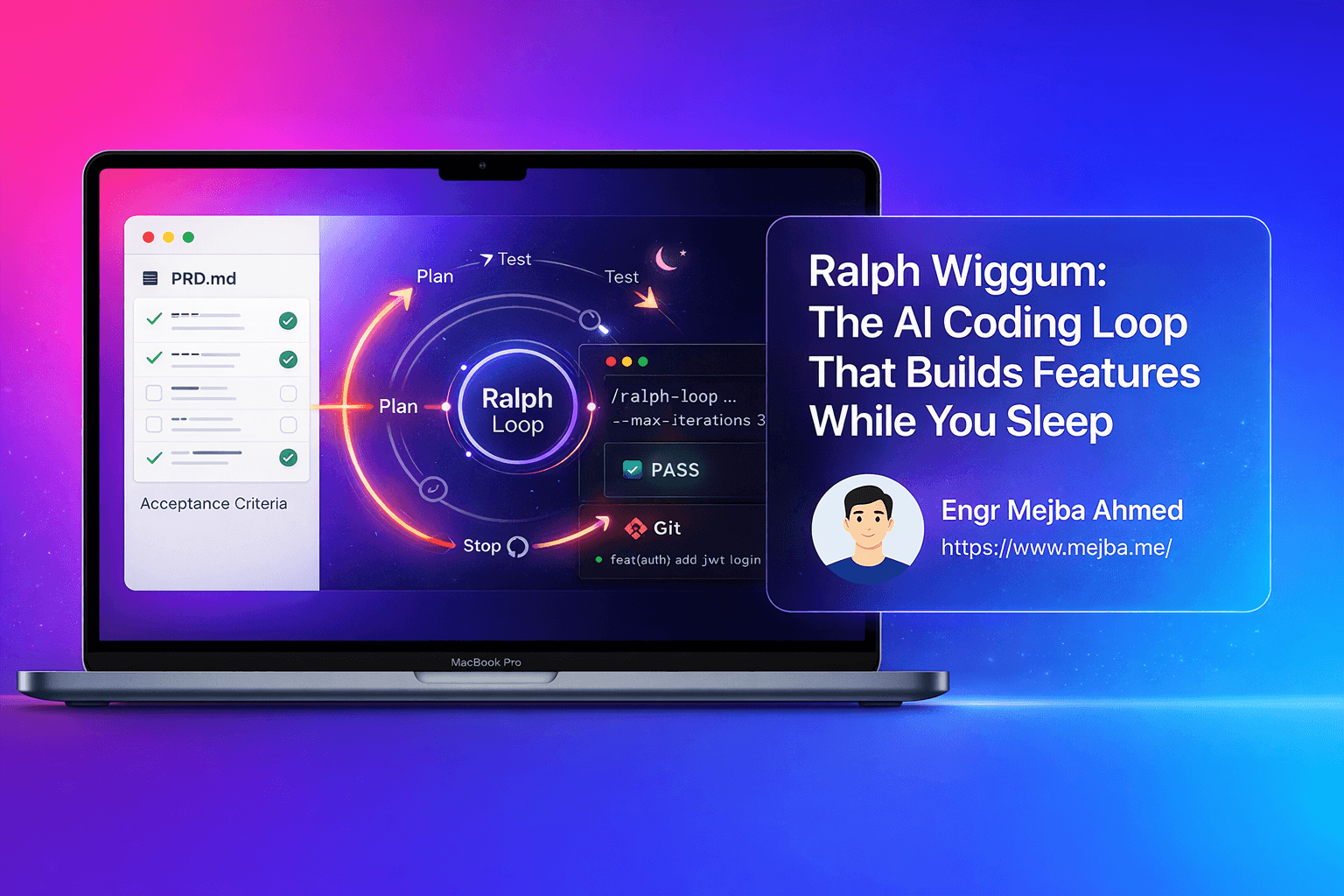
The concept is beautifully simple. You give Claude Code a task with clear completion criteria. The AI works on it. When it tries to exit, a Stop hook intercepts that exit and feeds the same prompt back in. But here's the key insight: the prompt stays the same, but the codebase changes. So each iteration, the AI reads its previous work, sees what's done, identifies what's left, and continues.
It's like having a developer who never gets distracted, never needs coffee breaks, and never forgets context between sessions.
The system runs through a predictable cycle. First, it picks an incomplete task from your requirements. Then it implements the code needed for that task. Next, it tests against your acceptance criteria. If tests pass, it commits the changes and marks the task complete. Finally, it moves to the next task and repeats until everything is done.
This isn't science fiction. This is available today in Claude Code as an official plugin.
The Anatomy of a Ralph Wiggum Setup
Let me break down the components that make Ralph work. Understanding these pieces is crucial for getting results instead of running up API bills with nothing to show.
The Product Requirement Document (PRD)
Everything starts with your PRD — a markdown file describing what you want built. But not just any description. The PRD needs to be structured in a way that the AI can parse, verify, and systematically complete.
A bad PRD says "Build me a todo app." A good PRD breaks that down into atomic user stories with acceptance criteria that can be automatically verified.
Here's what a proper user story looks like:
## User Story: Create Todo Item

As a user, I want to create a new todo item so that I can track tasks.

### Acceptance Criteria
- [ ] POST /api/todos accepts { title: string, description?: string }
- [ ] Returns 201 with created todo including generated ID
- [ ] Returns 400 if title is missing or empty
- [ ] Todo is persisted to database
- [ ] Created todo appears in GET /api/todos response

### Test Command
npm run test -- --grep "create todo"
Notice the specificity. Each criterion is binary — it either passes or fails. The test command tells Ralph exactly how to verify completion. This is what enables autonomous operation.
The PRD-to-JSON Conversion
Ralph works best with a JSON representation of your PRD. This gives it structured data to track progress across iterations.
{
  "feature": "Todo API",
  "stories": [
    {
      "id": "create-todo",
      "title": "Create Todo Item",
      "status": "incomplete",
      "passes": false,
      "acceptanceCriteria": [
        "POST /api/todos accepts { title, description }",
        "Returns 201 with created todo",
        "Returns 400 if title missing",
        "Persisted to database"
      ],
      "testCommand": "npm run test -- --grep 'create todo'"
    }
  ]
}
When Ralph completes a story and all tests pass, it updates passes: true and moves on. When you wake up, you can see exactly what got done by checking this JSON file.
The Memory System
This is where Ralph gets genuinely clever. The system maintains two types of memory.
Short-term memory lives in progress.txt. This file captures what happened in the current session — which stories were attempted, what errors occurred, what approaches worked or failed. Each iteration reads this file to avoid repeating mistakes from ten minutes ago.
Long-term memory lives in agents.md files scattered throughout your codebase. These are markdown notes in specific folders that give Ralph context about that area of code. If Ralph kept making the same mistake in your authentication module, you'd add a note to auth/agents.md explaining the gotcha. Next iteration, Ralph reads that note and avoids the pitfall.
This dual-memory approach mimics how human developers work. We have working memory for the current task and institutional knowledge built up over time. Ralph gets both.
Setting Up Your First Ralph Loop
Let me walk you through a real setup. I'm going to show you exactly what I run when I want Ralph to build something overnight.
Step 1: Install and Enable the Plugin
If you're using Claude Code, the Ralph Wiggum plugin is already available. Enable it with:
claude plugins enable ralph-wiggum@claude-plugins-official
Verify it's active:
claude plugins list | grep ralph
Step 2: Write Your PRD
Create a prd.md file in your project root. Here's a template that works:
# Feature: User Authentication System

## Overview
Implement JWT-based authentication with login, registration, and protected routes.

## User Stories

### Story 1: User Registration
**As a** new user
**I want to** register with email and password
**So that** I can access the application

**Acceptance Criteria:**
- POST /api/auth/register accepts { email, password, name }
- Password is hashed with bcrypt (min 10 rounds)
- Returns 201 with user object (no password)
- Returns 409 if email already exists
- Returns 400 for invalid email format

**Verification:** npm test -- --grep "registration"

### Story 2: User Login
[... continue for each story ...]

## Completion Signal
When all stories pass their tests, output: <promise>AUTH_COMPLETE</promise>
Step 3: Initialize Memory Files
Create your memory files before starting:
# Short-term memory
echo "# Progress Log\n\nSession started: $(date)" > progress.txt

# Long-term memory for key areas
echo "# Authentication Notes\n\n- Use bcrypt, not sha256\n- JWT secret from env var AUTH_SECRET" > src/auth/agents.md
Step 4: Launch the Loop
Now the magic command:
/ralph-loop "Read prd.md and implement all user stories. For each story: implement the code, run the verification test, and only mark complete if tests pass. Update progress.txt after each iteration. If stuck after 3 attempts on one story, document blockers and move to next. Output <promise>AUTH_COMPLETE</promise> when all stories pass." --completion-promise "AUTH_COMPLETE" --max-iterations 30
Breaking down the key parameters:
- --completion-promise: The exact string that signals "I'm done." Without this, Ralph runs forever.
- --max-iterations: Your safety net. Even if Ralph never outputs the promise, it stops after this many cycles.
Step 5: Monitor (Optional) or Sleep
You can watch Ralph work in real-time, or you can close your laptop and check results tomorrow. I usually do a hybrid — watch the first few iterations to make sure it's on track, then let it run unattended.
When you come back, check:
progress.txtfor the session history- Your PRD JSON for which stories passed
git logfor what got committed- Your test suite to verify everything actually works
Real Results: What I've Built With Ralph
Let me share some concrete outcomes from my Ralph Wiggum experiments.
Project 1: REST API for a SaaS Dashboard
- 12 user stories, including CRUD operations, authentication, and rate limiting
- Completed in 47 iterations over one night
- API cost: $4.23
- Manual time equivalent: ~16 hours
Project 2: React Component Library
- 8 components with TypeScript types, Storybook stories, and unit tests
- Completed in 31 iterations
- API cost: $2.87
- Required 2 manual fixes post-completion (edge cases Ralph missed)
Project 3: Data Migration Script
- Transform 50K records from legacy schema to new format
- Completed in 19 iterations with full rollback capability
- API cost: $1.54
- Zero manual intervention needed
The pattern I've noticed: Ralph excels at well-defined, test-driven tasks. It struggles with ambiguous requirements or anything requiring aesthetic judgment.
Common Pitfalls and How to Avoid Them
After running dozens of Ralph loops, here are the mistakes I made so you don't have to.
Pitfall 1: Vague Acceptance Criteria
"Make it work well" is not an acceptance criterion. Neither is "should be fast." Ralph needs binary pass/fail conditions. If you can't write an automated test for it, Ralph can't verify it.
Fix: Every criterion should complete the sentence "The test passes if..."
Pitfall 2: Stories That Are Too Large
If a single story requires 500+ lines of code changes, Ralph might timeout or lose context mid-implementation. Token limits are real.
Fix: Break stories down until each is completable in 2-3 iterations. A story that takes 10 iterations is too big.
Pitfall 3: No Escape Hatch
Sometimes Ralph gets stuck in a loop — same error, same fix attempt, same failure. Without an escape hatch, you're burning API credits on a hamster wheel.
Fix: Always use --max-iterations. Include in your prompt: "If stuck after 3 attempts on one story, document blockers in progress.txt and move to next story."
Pitfall 4: Missing Test Infrastructure
Ralph can only verify what it can test. If your project doesn't have a test runner configured, Ralph has no way to confirm success.
Fix: Set up your test infrastructure before starting. Even basic Jest or Pytest setup is enough.
Pitfall 5: Forgetting the agents.md Files
Without long-term memory, Ralph makes the same mistakes every session. That obscure environment variable requirement? Ralph will forget it by tomorrow.
Fix: After each session, review what went wrong and add notes to relevant agents.md files.
Advanced Techniques: Getting More From Ralph
Once you've mastered the basics, here are techniques that push Ralph further.
Technique 1: Browser Integration for Frontend Work
Ralph struggles with frontend features because it can't see the UI. The dev browser skill connects Ralph to a headless browser, enabling visual verification.
/ralph-loop "Implement login form. After implementation, use browser skill to navigate to /login, fill form with test credentials, submit, and verify redirect to /dashboard." --max-iterations 20
Technique 2: Parallel Story Execution
For independent stories, you can run multiple Ralph loops simultaneously in different terminal sessions. Just make sure they're working on different files to avoid conflicts.
Technique 3: Progressive PRDs
Instead of one massive PRD, break your feature into phases. Complete Phase 1 with Ralph, review, then write Phase 2 based on what exists.
This catches architectural issues early and keeps each Ralph session focused.
Technique 4: The "Night Shift" Pattern
My favorite workflow:
- Morning: Write PRD and stories for tomorrow's feature
- Afternoon: Manual coding on today's priorities
- Evening: Launch Ralph on tomorrow's feature
- Next morning: Review Ralph's work, fix edge cases, repeat
This effectively doubles your output. You're building one feature manually while Ralph builds another autonomously.
The Economics of Autonomous AI Coding
Let's talk money, because this matters.
Claude Opus 4.5 pricing means a typical Ralph session costs $2-5 for a medium feature. Compare that to:
- Your hourly rate (probably $50-200+)
- The opportunity cost of manual coding
- The context-switching tax of traditional AI assistance
One developer I know completed a $50K freelance contract using primarily Ralph loops. His API costs: $297 total. That's a 167x return on the AI investment.
But it's not just about money. It's about what you can build. Features that seemed too tedious to implement become trivial. That "nice to have" admin dashboard? Ralph can build it overnight while you focus on core product.
The Future: Where This Is Heading
Ralph Wiggum is just the beginning. We're seeing the emergence of AI development patterns that seemed impossible two years ago.
The trend is clear: AI agents are moving from assistants to autonomous workers. The developers who thrive will be the ones who learn to manage AI teams, not just write prompts.
I'm already experimenting with multi-agent setups — one Ralph for backend, another for frontend, a third for testing. They work on the same codebase, coordinated through shared progress files.
This isn't replacing developers. It's amplifying them. The developer of 2026 ships 10x more than the developer of 2023, not because they code 10x faster, but because they've learned to orchestrate AI systems that code alongside them.
Getting Started Today
If you've read this far, you're ready to try Ralph yourself. Here's your action plan:
- Enable the Ralph Wiggum plugin in Claude Code
- Pick a small, well-defined feature in your current project
- Write a PRD with 3-5 atomic stories and testable criteria
- Set up your test infrastructure if you haven't already
- Launch your first loop with --max-iterations 10
- Watch, learn, and iterate on your prompt strategy
The first few sessions will be bumpy. Your prompts won't be specific enough. Your acceptance criteria will have gaps. That's normal. Each failure teaches you how to write better PRDs.
After a week of practice, you'll have calibrated your expectations and refined your approach. After a month, you'll wonder how you ever shipped software without autonomous loops.
The AI revolution in coding isn't coming. It's here. Ralph Wiggum is your on-ramp.
Let's Work Together
Looking to build AI systems, automate workflows, or scale your tech infrastructure? I'd love to help.
- Fiverr (custom builds & integrations): fiverr.com/s/EgxYmWD
- Portfolio: mejba.me
- Ramlit Limited (enterprise solutions): ramlit.com
- ColorPark (design & branding): colorpark.io
- xCyberSecurity (security services): xcybersecurity.io
FEATURED IMAGE PROMPT: Create a premium tech blog hero image with these specifications:
- Background: Dark gradient flowing from deep navy (#0F172A) to slate (#1E293B)
- Central element: A stylized infinite loop symbol made of glowing code streams, with the loop appearing to build/construct a 3D application interface
- Floating elements: Terminal windows showing iteration counts, checkmarks appearing on completed tasks, AI brain icon connected to code symbols
- Color scheme: Purple (#8B5CF6) to blue (#3B82F6) to cyan (#06B6D4) gradient on the loop and glowing elements
- Style: Futuristic, tech-forward aesthetic with subtle neon glows and depth
- Additional elements: Small "Ralph" text integrated subtly into the design, clock showing nighttime, coffee cup with steam
- Mood: Productive autonomy, overnight success, AI-powered development
- Aspect ratio: 16:9 for blog header
- Quality: High detail, professional, modern SaaS aesthetic