Ralph Loop for Claude Code: The Autonomous AI Coding Framework That Saves $49,700 on Development Projects
You know that feeling. You've just given Claude Code a complex task—maybe building out a REST API with full CRUD operations, tests, and validation. Claude gets 70% of the way there, declares the output "good enough," and stops. Now you're spending the next hour manually re-prompting, coaxing, and nudging the AI to finish what it started.
What if Claude never stopped until the job was actually done?
That's exactly what Ralph Loop does. It's an autonomous iteration framework that transforms Claude Code from a single-pass assistant into a persistent, self-correcting development machine. And the results aren't just impressive—they're borderline absurd. We're talking about a $50,000 development project completed for under $300, and a fully functional programming language built during a 30-hour unattended loop.
Let me show you how this works, why it matters, and how to set it up yourself.
The Single-Pass Problem Every Developer Knows
Claude Code is genuinely impressive. It reasons well, writes clean code, and handles complex tasks better than most AI coding assistants on the market. But it has one fundamental limitation that drives developers up the wall: it operates on a single-pass default mode.
Here's what that means in practice. You give Claude a task. It works through the problem, generates code, maybe runs a few tests. Then it evaluates its own output, decides it's "sufficient," and stops. The AI isn't lazy—it's just designed to avoid unnecessary token consumption. From Anthropic's perspective, this makes sense. From yours, sitting there staring at code that still has three failing tests, it's infuriating.
This single-pass limitation means:
- Bugs slip through because there's no iterative self-correction
- Features remain half-implemented because the AI stopped at "workable" instead of "complete"
- You become the loop, constantly re-prompting and babysitting the process
According to experiments documented on Martin Fowler's site, AI models often "declare success even when tests were failing" and generate features that weren't asked for. The model makes shifting assumptions around gaps in requirements. Without forced iteration, these problems compound.
Enter Ralph Loop: Childlike Persistence for AI Coding
Ralph Loop—officially called the Ralph Wiggum plugin—is named after the perpetually earnest character from The Simpsons. Ralph Wiggum isn't clever. He's not strategic. But he keeps trying, over and over, with the kind of persistence that eventually gets results.
That's the philosophy here. As Geoffrey Huntley describes it: "Ralph is a Bash loop"—a simple while true that repeatedly feeds Claude a prompt file, allowing it to iteratively improve its work until completion.
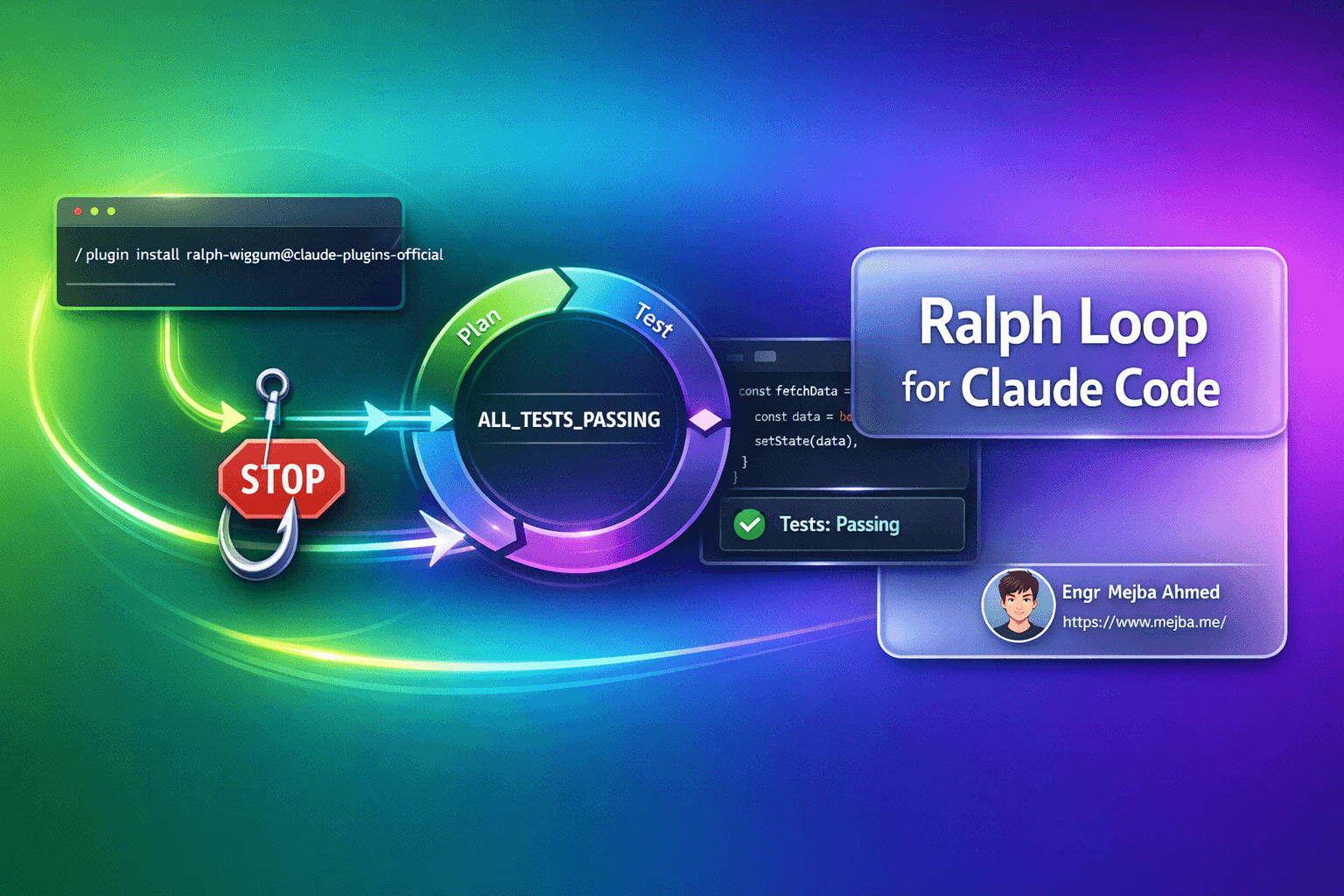
But it's smarter than a dumb loop. The framework uses Claude Code's hooks system—specifically the stop hook—to intercept the moment Claude attempts to end a session. Instead of terminating, the hook scans the final output for a "safe word" or completion promise. If that promise isn't found, Claude gets sent back to work.
Here's the magic: each iteration isn't starting fresh. Claude sees what it built in the last round. It reviews its own code, notices what's broken, and fixes it. The loop creates a self-correcting feedback system that mirrors the "plan-act-verify" pattern described in the Three Developer Loops framework.
Real Results That Make You Do a Double-Take
Let's talk numbers, because the case studies here are wild.
The $50,000 Project Completed for $300
A development project that was originally quoted at $50,000—typical for a complex business application—was completed using Ralph Loop for under $300 in API costs. That's a 99.4% cost reduction. The task completion rate jumped from less than 10% (what you'd get with standard single-pass Claude) to near-full completion with persistent iteration.
The Gen Z Programming Language
Geoffrey Huntley ran a 30-hour unattended loop that built a complete, functional programming language from scratch. Not a toy implementation—a working language with syntax, parsing, and execution. This is the kind of project that would normally take a team weeks or months of focused effort.
YC Hackathon Teams Shipping Overnight
YC hackathon participants have used Ralph Loop to ship 6+ repositories overnight for approximately $297 in API costs. When you're racing against a deadline and need volume, autonomous iteration is a force multiplier.
These results align with broader industry findings. According to Claude Code success stories, teams report 60% faster development, 85% better code quality, and significant cost savings—with companies seeing an average ROI of 400% within the first quarter of implementation.
How Ralph Loop Actually Works
The technical implementation is elegant in its simplicity. Here's what happens under the hood:
- You start a loop with a task and a completion promise (a specific phrase that signals "done")
- Claude works on the task as normal, writing code, running tests, making changes
- When Claude tries to stop, the stop hook intercepts the exit
- The hook checks for the completion promise in Claude's output
- If the promise isn't found, Claude is fed back into the loop with its previous context
- This repeats until the completion promise appears or max iterations is reached
The stop hook is the key innovation. It's a user-defined shell command that triggers at specific points in Claude Code's lifecycle. When Claude attempts to end a session, the hook executes, evaluates the output, and decides whether to allow termination or force continuation.
This creates what The Agentic Engineering Loop describes as "machine-to-machine collaboration"—a self-improving system where code quality improves with each iteration without requiring human intermediaries for routine debugging.
Installation: Two Minutes to Autonomous Coding
Getting Ralph Loop running is straightforward. You have two options:
Option 1: Official Anthropic Plugin (Recommended)
This is the cleanest approach. From within Claude Code, run:
/plugin install ralph-wiggum@claude-plugins-official
Verify the installation with:
/plugin
You should see ralph-wiggum listed among your active plugins.
Option 2: Community Version
If you want more control or want to modify the implementation:
git clone https://github.com/frankbria/ralph-claude-code
cd ralph-claude-code
./install.sh
Requirements:
- Claude Code version 2.0.76 or later
- Sufficient API credits (loops can consume tokens rapidly)
Using Ralph Loop: Commands and Configuration
The basic syntax is simple:
/ralph-loop "<your-task>" --completion-promise "<done-phrase>"
For example, to build a REST API:
/ralph-loop "Build a REST API for todos with CRUD operations, input validation, and tests" --completion-promise "ALL_TESTS_PASSING"
Practical Examples
Fix all TypeScript errors:
/ralph-loop "Fix all TypeScript errors in the codebase" --completion-promise "DONE" --max-iterations 20
Make all tests pass:
/ralph-loop "Make all tests pass" --completion-promise "DONE" --max-iterations 15 --verbose
Fix build errors:
/ralph-loop "Fix the build so pnpm build succeeds" --completion-promise "DONE" --max-iterations 10
Configuration Flags
| Flag | Description | Example |
|---|---|---|
--max-iterations N |
Limit total iterations (critical for cost control) | --max-iterations 20 |
--timeout N |
Set timeout in minutes (1-120) | --timeout 30 |
--verbose |
Enable detailed progress logging | --verbose |
--monitor |
Display live dashboard of loop status | --monitor |
Stopping a Running Loop
If you need to bail out mid-loop:
/cancel-ralph
This immediately terminates the current loop and returns control to you.
The Output Difference: Basic vs. Ralph Loop Enhanced
Let me give you a concrete example of what Ralph Loop produces compared to standard Claude Code. Both tests used Claude Opus 4.5 for the same prompt: "Build me a paint application."
| Feature | Regular Claude Code | Ralph Loop Enhanced |
|---|---|---|
| Canvas | Basic drawing surface | Multi-layer canvas with history |
| Brush Tool | Single brush with size adjustment | Multiple brush types, opacity control |
| Additional Tools | None | Spray can, paint fill, eraser, shapes, lines, text tool, emoji support |
| File Operations | None | Image upload, export to PNG/JPG |
| User Experience | Minimal, functional | Full toolbar, keyboard shortcuts, color picker |
| Code Quality | Works, some edge cases unhandled | Comprehensive error handling, tests included |
The standard version produced a working but bare-bones paint tool. The Ralph Loop version kept iterating, adding features, fixing edge cases, and refining until it had built something you could actually ship.
This matches the pattern described in research on autonomous code agents: "AI coding agents plan, write, test, and debug full features with minimal human input."
Best Practices: Getting the Most from Ralph Loop
After extensive testing, here's what separates successful Ralph Loop runs from expensive failures:
1. Define Strict, Binary Completion Criteria
Vague goals like "make it better" or "improve the code" are loop killers. Claude has no clear endpoint, so it either stops too early or runs forever.
Bad: "Improve the authentication system" Good: "All authentication tests pass and no TypeScript errors remain"
The best completion criteria are binary: either the condition is met or it isn't. "All tests pass." "Build succeeds." "Zero linter errors." These give Claude a clear target.
2. Use Incremental Phases for Complex Tasks
Don't ask Ralph Loop to build an entire application in one go. Break it into phases:
# Phase 1
/ralph-loop "Set up project structure with routing" --completion-promise "PHASE1_DONE" --max-iterations 10

# Phase 2
/ralph-loop "Implement user authentication" --completion-promise "PHASE2_DONE" --max-iterations 15

# Phase 3
/ralph-loop "Add API endpoints with tests" --completion-promise "PHASE3_DONE" --max-iterations 20
Each phase builds on the previous one, and you maintain control between stages.
3. Build in Self-Correction Cycles
The most effective Ralph Loop tasks include built-in verification. The classic pattern:
- Write tests for the feature
- Implement the feature
- Run tests
- If tests fail, fix and repeat
This creates a natural feedback loop within the loop. Claude knows the tests exist, knows it needs to make them pass, and has clear signals when something breaks.
4. Always Set Max Iterations
This cannot be overstated: always set --max-iterations.
Autonomous loops consume tokens rapidly. A typical 50-iteration loop on a medium-sized codebase can cost $50-100+ in API usage, according to Awesome Claude's documentation. The --max-iterations flag isn't just a safety mechanism—it's cost control.
Start conservative. You can always run another loop if the first one hits the limit before completion.
5. Monitor Your Costs
During long loops, periodically check your spending:
/cost
If you're burning through credits faster than expected, you might need to refine your completion criteria or break the task into smaller chunks.
When Ralph Loop Shines (and When to Skip It)
Ralph Loop isn't the right tool for every task. Here's when it excels:
Ideal Use Cases:
- Fixing all tests in a test suite
- Resolving all TypeScript/linter errors
- Large-scale refactoring with verification
- Building features with clear acceptance criteria
- Batch documentation generation
- Support ticket triage and resolution
Skip Ralph Loop For:
- Quick one-off questions
- Simple code explanations
- Tasks without clear completion criteria
- Exploratory coding where you want to stay hands-on
- Time-sensitive work where you need results in minutes, not hours
The technique shines for batch operations: large refactors, comprehensive test coverage, and repetitive tasks that benefit from persistence rather than speed.
The Bigger Picture: AI Coding Is Entering a New Phase
Ralph Loop represents a broader shift in how we work with AI coding assistants. We're moving from assistants that help with individual tasks to agents that can own entire workflows.
As noted in the Three Developer Loops framework, "AI coding is entering a new phase—one defined by agents that can plan, act, and verify their own work." The inner loop, that moment-to-moment collaboration with AI, transforms from a request-output cycle that takes minutes into one that can cycle in seconds and run unattended for hours.
Enterprise deployments are already showing dramatic results. TELUS, serving 57,000 employees, reported over 500,000 staff hours saved through Claude-powered workflow automation. Companies using Claude for development report 70% reduction in time-to-market and 50% fewer bugs in production.
Ralph Loop is a glimpse of where this is heading: AI that doesn't just assist but autonomously executes, with humans setting direction and reviewing results rather than managing every step.
Getting Started Today
Here's your action plan:
- Update Claude Code to version 2.0.76 or later
- Install the plugin:
/plugin install ralph-wiggum@claude-plugins-official - Start small: Pick a task with clear completion criteria, like fixing failing tests
- Set conservative limits: Use
--max-iterations 10for your first run - Monitor and learn: Watch how Claude approaches the problem, note where it gets stuck
- Scale up gradually: As you understand the tool's behavior, tackle larger tasks
The learning curve is minimal, but the productivity gains are substantial. Once you've experienced autonomous iteration that actually completes tasks, going back to single-pass AI assistance feels like regression.
Final Thoughts
Ralph Loop isn't magic. It's still Claude underneath, with all its strengths and occasional quirks. But by forcing persistence—by refusing to let the AI stop at "good enough"—you unlock capabilities that simply aren't possible with single-pass execution.
The $49,700 savings on a development project isn't a fluke. It's what happens when AI can iterate autonomously, self-correct, and keep pushing until the work is genuinely done.
Give it a try. Start with something small—maybe a test suite that's been failing, or a refactoring task you've been putting off. Watch Claude work through it, iteration by iteration, until that completion promise finally appears.
Then ask yourself why you ever did it the other way.
🤝 Hire / Work with me:
- 🔗 Fiverr (custom builds, integrations, performance): fiverr.com/s/EgxYmWD
- 🌐 Mejba Personal Portfolio: mejba.me
- 🏢 Ramlit Limited: ramlit.com
- 🎨 ColorPark Creative Agency: colorpark.io
- 🛡 xCyberSecurity Global Services: xcybersecurity.io