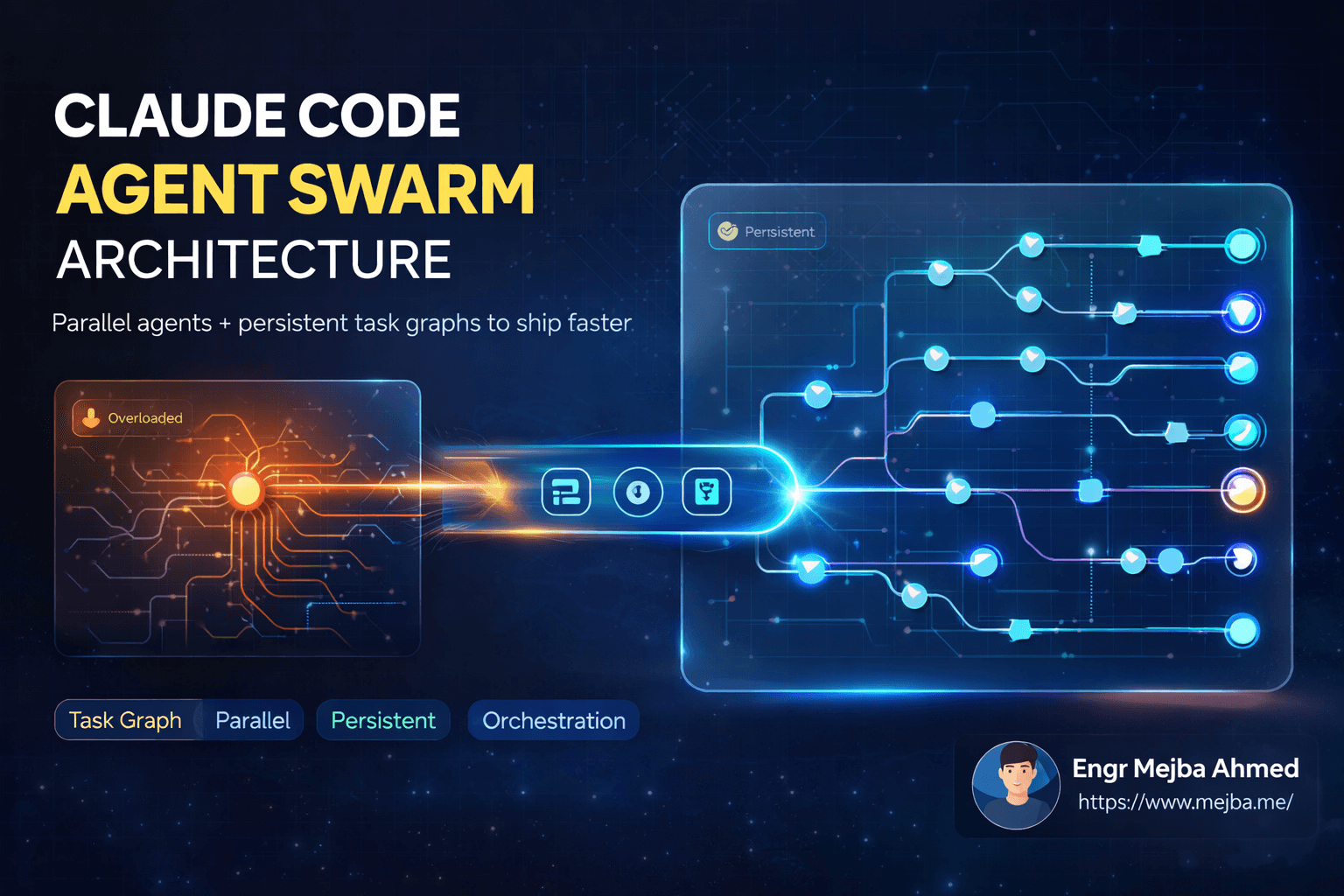


KODA Framework: Ship Code 100x Faster with Claude Code
Last Tuesday at 2 AM, I shipped a complete SaaS dashboard that would have taken me two weeks to build manually. The entire project—authentication, database schema, API endpoints, frontend components, and deployment pipeline—went from idea to production in 11 hours. Not because I suddenly became a 10x developer, but because I finally understood how Boris, the creator of Claude Code, structures his own workflow.
When I first heard that Claude Code had grown from a 2024 side project to generating over a billion dollars in annual recurring revenue, I assumed Boris had some secret sauce I couldn't replicate. Turns out, the secret isn't magical—it's methodical. Boris has personally written 40,000 lines of code in the last month using a five-step framework he calls KODA: Configure, Outline, Deploy in Parallel, Automate, and Review. After implementing this system for three weeks, my shipping velocity has completely transformed.
Here's the thing most developers miss about AI-assisted coding: it's not about finding the perfect prompt. It's about building systems that let AI agents handle the grunt work while you focus on architecture and decisions. Let me walk you through exactly how KODA works and how I've adapted it for my own projects.
Why Traditional AI Coding Workflows Fail
Before diving into KODA, let's acknowledge why most developers aren't seeing dramatic productivity gains from AI coding tools. The typical workflow goes something like this: open Claude, paste some code, ask for help, copy the response back into your editor, realize it doesn't quite fit, debug for an hour, and repeat. Sound familiar?
This approach treats AI as a fancy autocomplete—useful for snippets but not transformative. You're still doing the cognitive heavy lifting of context-switching, file management, and keeping the whole system in your head. The AI has no memory of your project structure, no understanding of your coding standards, and no awareness of how different components connect.
Boris realized early that the bottleneck isn't Claude's capability—it's the interface between human intention and AI execution. KODA solves this by front-loading the thinking work and then letting multiple AI agents execute in parallel while you review results.
The framework acknowledges a fundamental truth: thinking about what to build costs more mental energy than actually building it. By separating these phases explicitly, KODA lets you batch the expensive cognitive work upfront and then cruise through implementation.
Configure: The Foundation That Makes Everything Else Work
The first step of KODA is creating a project-specific configuration file that acts as ground truth for all AI agents working on your codebase. Boris calls this the claude.md file, and it lives in your project root.
Here's why this matters: every time you start a new Claude Code session, the AI reads this file first. It contains your tech stack, directory structure, naming conventions, testing requirements, and most critically—your success criteria. Without this file, you're repeating context in every conversation. With it, Claude already knows that your project uses TypeScript with strict mode, that your API endpoints follow RESTful conventions, and that no code ships without passing tests.
A minimal claude.md might look like this:
# Project: InvoicePro

## Tech Stack
- Frontend: Next.js 14 with App Router, TypeScript, Tailwind CSS
- Backend: Supabase (Postgres, Auth, Edge Functions)
- Testing: Vitest for unit tests, Playwright for E2E
- Deployment: Vercel

## Directory Structure
- `/src/app` — Next.js pages and layouts
- `/src/components` — Reusable UI components
- `/src/lib` — Utility functions and API clients
- `/src/types` — TypeScript type definitions
- `/supabase/functions` — Edge Functions

## Commands
- `pnpm dev` — Start development server
- `pnpm test` — Run all tests
- `pnpm lint` — Check code quality
- `pnpm build` — Production build

## Coding Standards
- Use named exports for components
- Prefer server components unless client interactivity needed
- All API responses follow { data, error } pattern
- Database queries use Supabase typed client

## Success Criteria
A task is complete when:
1. Code compiles without TypeScript errors
2. All existing tests pass
3. New code has test coverage >80%
4. No ESLint warnings
5. Feature works as specified in manual testing
The success criteria section is what separates good configuration from great configuration. Boris emphasizes that Claude needs explicit definitions of "done" to avoid the infinite loop of over-engineering or premature completion. When Claude knows that success means "tests pass and no lint warnings," it stops when those conditions are met rather than continuing to refactor forever.
I've found that updating this file weekly as your project evolves pays dividends. New patterns emerge, dependencies get added, and your success criteria might tighten as the codebase matures. Think of claude.md as living documentation that also happens to supercharge your AI assistant.
The model choice also matters here. Boris recommends using Opus 4.5 for all substantial coding tasks. The reasoning capability and context handling justify the cost difference when you're building production features. Save Sonnet for quick questions and code review; use Opus when you need genuine problem-solving.
Outline: Where You Actually Spend Your Brain Cycles
The Outline phase is counterintuitive for developers who want to jump straight into code. Boris spends the majority of his time here—often 60-70% of total project time—defining exactly what needs to be built before writing a single line of implementation.
In Claude Code, you activate Plan Mode by pressing Shift+Tab. This switches the agent into a collaborative planning state where it helps you think through requirements, identify edge cases, and surface technical decisions that need human input. Plan Mode explicitly avoids generating code; it generates specifications.
The workflow looks like this: you describe what you want to build in plain English, Claude asks clarifying questions, you answer them, and together you produce a detailed specification that any developer (human or AI) could implement. The spec includes data models, API contracts, component hierarchies, state management approaches, and acceptance criteria for each feature.
For example, when I was building an invoice dashboard, my initial prompt to Plan Mode was simply: "I need a dashboard where users can see all their invoices, filter by status and date range, and click to view details." Claude came back with twelve clarifying questions:
- What invoice statuses exist in the system?
- Should filters persist across sessions?
- Is there pagination, infinite scroll, or load-all?
- What data appears in the invoice detail view?
- Can users take actions from the detail view (mark paid, send reminder)?
- Are there role-based permissions affecting what users see?
- Should the dashboard show summary statistics?
- What's the expected invoice volume per user?
- Is real-time updating required?
- What happens when a user has zero invoices?
- Is there a mobile layout requirement?
- What export functionality is needed?
Each question forced me to make a decision I would have otherwise made mid-implementation, probably inconsistently. By answering all twelve upfront, the resulting spec was tight enough that implementation became almost mechanical.
The key insight here is that Plan Mode prevents the classic "I'll figure it out as I go" trap that leads to refactoring cycles. Every question Claude asks represents a potential rabbit hole you'd otherwise fall into during coding. Surface them all early, make decisions once, and execution becomes fast.
Boris suggests being specific about technical constraints during this phase. If you know you need to use a particular API, mention the authentication method. If there's a performance requirement, state it explicitly. The more context Claude has during planning, the better the implementation spec it produces.
Deploy in Parallel: The Velocity Multiplier
Here's where KODA diverges dramatically from typical AI-assisted development. Once you have a solid outline, you don't feed it to one Claude instance—you deploy multiple agents simultaneously, each handling different parts of the implementation.
Boris typically runs five or more agents in parallel on his desktop, each working on a distinct subtask derived from the outline. One agent might be building the database schema and migrations. Another handles the API endpoints. A third builds frontend components. A fourth writes tests. A fifth works on documentation.
The mechanics depend on your setup. If you're using the terminal, you open multiple tabs and start separate Claude Code sessions in each. Name your tabs clearly: "Database Agent," "API Agent," "Frontend Agent." Each agent gets the same claude.md context but different implementation instructions from your outline.
In Anti-Gravity IDE or similar environments that support multiple AI copilots, you can assign different agents to different workspace regions. The IDE becomes a cockpit where you're orchestrating AI workers rather than typing code yourself.
What makes parallel deployment powerful is that AI agents don't have the coordination overhead humans do. They won't step on each other's toes if your outline clearly delineates boundaries. The database agent doesn't need to wait for the API agent to finish—it's working from the same spec, so the interfaces will align.
For remote work or when you're away from your main machine, Claude Code's web interface lets you push tasks that run asynchronously. I've started overnight builds where I define three or four parallel tasks before bed, connect each agent to my GitHub repo, and set them to run in recursive loops. By morning, I have pull requests waiting for review that represent a full night's worth of development work.
The recursive loop feature is particularly powerful for tasks that benefit from iteration. An agent can be instructed to implement a feature, run tests, analyze failures, fix issues, and repeat until all tests pass. This self-correcting behavior means you wake up to working code rather than an error log.
One important caveat: parallel deployment requires clean interfaces between components. If agent A's output is directly consumed by agent B, you need to either run them sequentially or define the interface contract so precisely that they can work independently. The outline phase is where you establish these boundaries.
Extend with Automation: Building Your AI Team
The Automation step is about scaling beyond manual agent spawning. Instead of opening five terminal tabs every time you start a project, you create specialized agents that handle recurring task patterns.
Think of it like building a team. You might have a "Scripting Agent" optimized for bash and Python automation tasks. A "Testing Agent" that knows your test frameworks and coverage requirements. A "Refactoring Agent" that specializes in code modernization without changing behavior. A "Documentation Agent" that generates and updates docs based on code changes.
Boris assigns distinct roles to these agents, summoning them as needed for specific workflow stages. The Scripting Agent might run first to set up project scaffolding. The Testing Agent runs continuously in the background, flagging regressions as other agents make changes. The Documentation Agent runs last, ensuring the codebase is comprehensible to future maintainers.
For my own workflow, I've created a "Review Agent" that acts as a skeptical senior developer. Its sole job is to find problems with code that other agents produced. It checks for security vulnerabilities, performance anti-patterns, accessibility issues, and deviation from project conventions. Having a dedicated critic agent means I catch issues before they hit production, not after.
The automation here isn't about making Claude do everything—it's about making common patterns effortless to invoke. Once you've defined a Testing Agent's configuration and prompts, you can reuse it across projects. Your agent definitions become part of your personal development toolkit.
Creating a new agent typically involves writing a specialized system prompt that primes Claude for the specific task type. For a Testing Agent, you might include your preferred assertion style, mocking patterns, and coverage thresholds. For a Documentation Agent, you specify your doc format, API documentation conventions, and readme structure.
Review and Verify: Trust but Verify (Heavily)
The final step of KODA is rigorous validation. This isn't just running tests—it's applying the success criteria you defined in your claude.md and ensuring every deployed feature meets the bar.
Boris treats this phase as the quality gate that prevents AI hallucinations and edge-case bugs from reaching production. Each success criterion becomes a checkbox:
- Does the code compile without TypeScript errors? Run
tsc --noEmitand check for zero errors. - Do all existing tests pass? Run the test suite and confirm 100% green.
- Is there adequate test coverage? Check coverage reports against your threshold.
- Are there any linting warnings? Run your linter with zero tolerance for warnings.
- Does the feature work as specified? Manual testing against acceptance criteria.
The key insight Boris shares is that Claude itself can be your reviewer. After implementation, prompt Claude to act as a skeptical senior developer reviewing the code for issues. This adversarial approach catches problems that the implementing agent was blind to—different Claude instances have different "perspectives" based on their conversation history.
Interestingly, shorter prompts often produce better review results. Telling Claude "Find problems with this code" yields more useful feedback than exhaustive instructions. The model's own judgment about what constitutes "problems" is often more comprehensive than a predetermined checklist.
Putting KODA Into Practice: A Real Example
Let me walk through how I used KODA for a recent project: a webhook management system that receives events from multiple third-party services, normalizes them, and forwards them to customer-defined endpoints.
Configure: I created a claude.md defining my stack (Node.js with Fastify, PostgreSQL, Redis for queuing), directory structure, coding standards (async/await everywhere, comprehensive logging, idempotency requirements), and success criteria (100% test coverage on critical paths, sub-100ms response times, automatic retry with exponential backoff).
Outline: In Plan Mode, I specified the high-level requirements. Claude helped me define the normalized event schema, identify authentication methods for each third-party source, design the retry queue mechanism, and establish the customer endpoint configuration format. The outline produced six distinct implementation units: event ingestion, normalization layer, customer registry, delivery engine, retry system, and monitoring dashboard.
Deploy in Parallel: I opened six terminal tabs. Each agent received the full context plus its specific implementation unit. The agents worked simultaneously for about two hours. Some finished faster than others—the customer registry was simpler than the retry system—but by the end, I had complete implementations waiting for integration.
Extend with Automation: I had previously configured a Testing Agent for this project. After the parallel deployment finished, I ran the Testing Agent to generate integration tests for the complete system. It created test fixtures for each third-party event format, mock endpoints for delivery testing, and chaos scenarios for retry validation.
Review and Verify: I ran the full test suite (all green), checked coverage (94% overall, 100% on critical paths), ran the linter (zero warnings), and manually tested three end-to-end scenarios. Then I had a fresh Claude instance review the codebase with the prompt "Act as a senior engineer reviewing this webhook system for production readiness. Identify security vulnerabilities, performance bottlenecks, and reliability concerns." It flagged two issues I'd missed: a potential timing attack in signature validation and missing rate limiting on the customer registry API. Fixed both in 20 minutes.
Total time from empty directory to production-ready code: 7 hours. Previous estimate using traditional development: 3-4 weeks.
What Comes Next
After three weeks with KODA, I can't imagine going back to ad-hoc AI-assisted development. The framework has changed not just my velocity but my entire relationship with coding. I spend more time thinking and less time typing. I make decisions once and execute many times. I ship features that would have taken weeks in hours.
If you're just starting with Claude Code, begin with the Configure step. Create your first claude.md file for an existing project. Include your tech stack, your standards, and three success criteria. Watch how much better Claude performs when it has context.
Then try Plan Mode for your next feature. Resist the urge to start coding. Let Claude ask clarifying questions. Answer them thoughtfully. Notice how the resulting spec makes implementation almost trivial.
Finally, experiment with parallel deployment. Open two terminal tabs instead of one. Give each agent a distinct task. Watch them work simultaneously while you monitor progress. Feel the shift from "developer writing code" to "architect orchestrating systems."
KODA isn't the only way to use Claude Code effectively, but it's the framework that the tool's creator uses daily. That's endorsement enough for me to recommend you try it.
Let's Work Together
Looking to build AI systems, automate workflows, or scale your tech infrastructure? I'd love to help.
- Fiverr (custom builds & integrations): fiverr.com/s/EgxYmWD
- Portfolio: mejba.me
- Ramlit Limited (enterprise solutions): ramlit.com
- ColorPark (design & branding): colorpark.io
- xCyberSecurity (security services): xcybersecurity.io