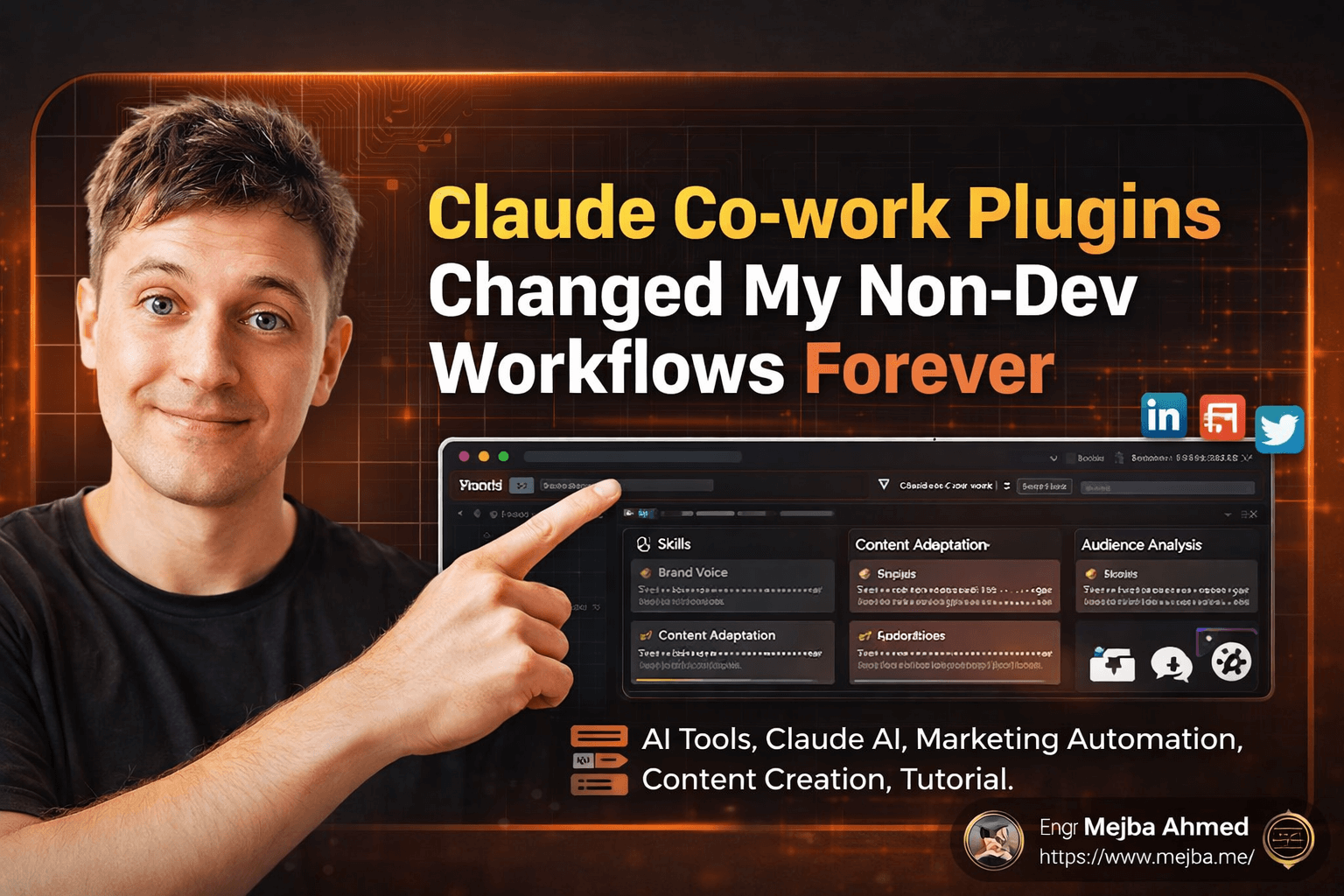
Claude Co-work Plugins Changed My Non-Dev Workflows Forever
I've been using Claude Code for months now, building AI agents, automating deployments, and writing code faster than I ever thought possible. But here's what caught me off guard: Claude Co-work is quietly becoming the powerhouse tool for everything that doesn't involve writing code. And the new plugins system? It's the missing piece that makes this tool genuinely transformational for marketers, content creators, and anyone running non-development workflows.
Last week, I spent three hours setting up a custom content repurposing plugin that turned 10 YouTube transcripts into 25+ pieces of platform-specific content. No prompting gymnastics. No copying and pasting between windows. Just one command and a structured output I could actually use.
This isn't another "AI will change everything" article. I'm going to walk you through exactly how the plugins system works, what Anthropic's official offerings look like, and how to upload your own custom plugins to build workflows that match your specific needs.
Why Claude Co-work Deserves Your Attention Now
If you've been sleeping on Claude Co-work while focusing on Claude Code, I get it. Claude Code is remarkable for development work. But Anthropic has been quietly positioning Co-work as the interface for everyone else—and the plugin ecosystem is the clearest signal yet.
The core difference comes down to user experience and specialized capabilities. Claude Code assumes you're comfortable in a terminal, working with code, and managing technical workflows. Claude Co-work provides a desktop application with visual interfaces, file management, and now a dedicated plugins marketplace.
What makes this significant is the bundling concept. Before plugins, you had individual features scattered across the interface. Skills lived in one place. Slash commands in another. Connectors to third-party apps required separate configuration. Plugins bundle all of these into coherent packages that adapt Claude's behavior for specific roles and tasks.
I've tested workflow tools for years. The pattern is always the same: powerful capabilities hidden behind complexity that prevents actual adoption. What Claude Co-work gets right is the balance between power and accessibility. Installing a plugin takes seconds. Using it feels natural. The AI understands context without requiring elaborate setup.
Understanding the Plugin Architecture
Before diving into specific plugins, understanding the architecture helps you evaluate what you're actually getting when you install something.
Every plugin can contain four components:
Skills are modular capabilities that perform specific functions. Think of them as trained behaviors. A marketing plugin might include skills for brand voice analysis, audience persona development, or campaign planning. Skills can be invoked directly or triggered automatically based on context.
Slash Commands provide explicit triggers for workflows. Type /extract-content and the plugin knows exactly what you want. These are particularly useful for repetitive tasks where you want consistent output without explaining your requirements each time.
Connectors integrate with third-party applications. A productivity plugin might connect to Notion for note-taking, Canva for design assets, or Slack for team communication. Not every plugin includes connectors—they're optional components that extend functionality when needed.
Sub-agents are smaller AI agents bundled within plugins to handle specialized tasks. A research plugin might include a sub-agent dedicated to source verification, while a content plugin might have one focused on SEO optimization.
The power comes from how these components work together. A well-designed plugin creates a coherent workflow where skills inform slash commands, connectors pull in external data, and sub-agents handle complex subtasks automatically.
Anthropic's Official Plugin Lineup
Anthropic has released eight official plugins targeting specific professional domains. This selection reveals their strategic vision: Claude Co-work is explicitly designed for non-developer power users who need AI assistance in their primary work domains.
Bio Research Plugin
Designed for scientists, researchers, and anyone working with biological data. The plugin includes skills for literature review, experimental design analysis, and data interpretation. What impressed me is the citation handling—it maintains source integrity while synthesizing information across multiple papers.
Customer Support Plugin
This one targets support teams dealing with ticket volume, knowledge base management, and customer communication. The skills help draft responses that match brand voice while ensuring technical accuracy. The tone analysis capabilities prevent the common AI mistake of sounding robotic when empathy is required.
Data and Enterprise Search Plugin
For organizations drowning in internal documentation, this plugin surfaces relevant information across connected systems. The search capabilities go beyond keyword matching—it understands conceptual queries and returns contextually relevant results.
Finance Plugin
Handles financial analysis, reporting, and documentation. The plugin understands financial terminology and conventions, which matters more than you might expect. Generic AI often mishandles financial concepts in ways that would embarrass anyone presenting to stakeholders.
Legal Plugin
Contract review, policy analysis, and legal document drafting. The plugin includes safeguards that remind users about jurisdictional variations and the importance of professional legal review. Smart constraint design that acknowledges AI limitations while still providing substantial value.
Marketing Plugin
This is where I've spent most of my testing time. Campaign planning, content strategy, audience analysis, and messaging development. The brand voice skill is particularly impressive—after analyzing your existing content, it maintains consistency across all generated output.
The marketing plugin includes connectors for several platforms, though I've found the standalone capabilities sufficient for most tasks. The slash commands for content calendaring and campaign briefs have become part of my weekly routine.
Product Management Plugin
Roadmap planning, feature prioritization, and stakeholder communication. The plugin handles the translation work that product managers constantly do—technical requirements into business language and vice versa.
Productivity Plugin
The catch-all for knowledge workers. Meeting summaries, email drafting, task management, and document organization. Less specialized than the domain-specific plugins but useful for the administrative overhead that consumes everyone's time.
Sales Plugin
Prospect research, pitch development, and objection handling. The competitive analysis skills help sales teams understand positioning without spending hours on manual research.
Installing and Managing Plugins
The plugins interface lives in a dedicated tab within the Claude Co-work desktop application. Finding it is straightforward—look for the Plugins section in your main navigation.
Installation follows the pattern you'd expect from any modern marketplace. Browse available plugins, review descriptions and capabilities, click install. Anthropic's official plugins appear with verification badges, and the marketplace will likely expand with third-party offerings over time.
What's less obvious is the manual installation capability. You can import plugins via ZIP files, which opens possibilities beyond the official marketplace. GitHub repositories containing plugin configurations can be downloaded and installed directly. This matters for teams building custom plugins or organizations with specific workflow requirements.
After installation, each plugin can be enabled, disabled, or configured independently. The settings interface lets you customize behavior, manage connector permissions, and control which skills and commands are active.
One thing I encountered during testing: the current plugin system is new enough that bugs exist. I had plugins disappear from my interface after installation, requiring an app restart to appear properly. Anthropic will fix these issues quickly—they're obvious enough that they won't persist—but expect some friction if you're an early adopter.
Building and Uploading Custom Plugins
The manual upload capability is where Claude Co-work becomes genuinely powerful for specialized workflows. You're not limited to what Anthropic provides or what appears in the marketplace.
I built a content repurposing plugin that matches my exact workflow. It extracts ideas from long-form content—podcast transcripts, video scripts, article drafts—and generates platform-specific outputs for Twitter, LinkedIn, Substack, and email newsletters.
The plugin includes skills for:
Idea Extraction — Analyzes source content to identify standalone concepts worth expanding Platform Adaptation — Transforms core ideas into format-appropriate content for each platform Thread Construction — Builds multi-post threads with proper hooks and transitions Newsletter Formatting — Structures email content with headers, pull quotes, and calls to action
Creating a custom plugin requires understanding the configuration format Anthropic uses. The learning curve exists, but it's manageable if you're comfortable editing JSON or YAML files. Documentation for plugin development is still emerging, but community resources are filling gaps quickly.
Once built, uploading a custom plugin follows the same ZIP import process used for GitHub-based plugins. Claude Co-work validates the configuration and makes skills, commands, and sub-agents available immediately.
The investment in building a custom plugin pays off when you have repetitive workflows with consistent requirements. One-off tasks don't justify the setup time. Regular processes where you want identical output structure every time? That's where custom plugins shine.
My Content Repurposing Workflow in Action
Let me walk through an actual workflow I ran this week. This demonstrates what's possible when you combine Claude Co-work's capabilities with a custom plugin designed for specific tasks.
I started with a folder containing 10 YouTube video transcripts. These ranged from 15-minute clips to hour-long deep dives, roughly 80,000 words of raw content across all files.
After opening the folder in Claude Co-work, I let the system index the transcripts. This takes a few seconds—Claude familiarizes itself with the workspace content so subsequent commands have full context.
I then invoked the content extraction skill from my custom plugin, specifying that I wanted output for all supported platforms. One command. No additional prompting.
Claude analyzed each transcript, identified distinct concepts, and generated platform-specific content. The final output:
| Content Type | Pieces Generated |
|---|---|
| Newsletter drafts | 5 |
| Substack notes | 7 |
| Twitter threads | 3 |
| LinkedIn posts | 5 |
| Short-form video scripts | 5 |
That's 25 pieces of content from one command. Each formatted appropriately for its platform. Each maintaining the core insights from the source material while adapting voice and structure.
The output came as an Excel file, though you can configure different formats. Each row contained the content piece, target platform, source transcript reference, and suggested posting timeframe based on content freshness.
In a second workflow, I used the LinkedIn post skill specifically, targeting a single transcript and requesting three posts. Claude generated markdown-formatted posts with proper hooks, insight delivery, and engagement questions. Files saved directly to my working folder.
Total time for both workflows: under 15 minutes. Manual equivalent would have taken multiple hours of writing, editing, and formatting.
Practical Tips for Getting Started
After several weeks of testing, these observations will help you get more value from Claude Co-work plugins faster.
Start with one official plugin in your primary domain. Don't install everything at once. Pick the plugin most relevant to your daily work, learn its capabilities thoroughly, and establish workflows before adding complexity.
Explore slash commands early. The command interface is underutilized by most users. These explicit triggers provide consistent results and reduce the variability you sometimes get with natural language prompts.
Use natural language alongside commands. Plugins support both approaches. You can invoke a skill explicitly with a slash command or describe what you need conversationally. Claude understands context and will use appropriate plugin capabilities automatically.
Create a test folder for experimentation. When trying new plugins or custom configurations, work with copies of your actual content rather than production files. This prevents accidental modifications while giving you realistic test conditions.
Document your custom plugin requirements before building. I wasted time iterating on plugin configurations because I hadn't clarified my exact requirements upfront. Write down the inputs you'll provide, the outputs you need, and the transformations that should happen between them.
Check for updates regularly. The plugin ecosystem is actively developing. Anthropic will push improvements to official plugins, and marketplace offerings will expand. Periodic reviews ensure you're not missing capabilities that solve current frustrations.
What This Means for Non-Developer AI Workflows
Claude Co-work with plugins represents a genuine shift in how non-technical professionals can leverage AI capabilities. The development community has had access to powerful AI tooling for years. Marketing teams, content creators, researchers, and other knowledge workers often relied on generic chat interfaces that required extensive prompting skill to produce professional results.
Plugins change that equation. The specialized behaviors, structured outputs, and integrated workflows reduce the expertise required while increasing output quality. You don't need to engineer prompts when a skill already understands your requirements.
The custom plugin capability extends this further. Organizations can encode their specific workflows into reusable packages. Brand guidelines, output formats, approval processes—all configurable once and applied consistently across every use.
I expect the plugin marketplace to grow substantially over the next year. Third-party developers will build specialized tools for niches the official plugins don't serve. Teams will share internal plugins that solve common problems. The ecosystem effects that made code-oriented tools powerful will emerge for non-development workflows.
For my own work, Claude Co-work has become the primary interface for content operations while Claude Code handles development projects. The tools complement each other, and the plugin system for Co-work finally provides the customization I need for professional output.
If you've been handling marketing, content, research, or general knowledge work with basic AI interfaces, exploring Claude Co-work's plugin ecosystem is worth an afternoon of your time. The capabilities are genuinely different from what you've used before.
🤝 Let's Work Together
Looking to build AI systems, automate workflows, or scale your tech infrastructure? I'd love to help.
- 🔗 Fiverr (custom builds & integrations): fiverr.com/s/EgxYmWD
- 🌐 Portfolio: mejba.me
- 🏢 Ramlit Limited (enterprise solutions): ramlit.com
- 🎨 ColorPark (design & branding): colorpark.io
- 🛡 xCyberSecurity (security services): xcybersecurity.io