Claude Co-work: Your 24/7 AI Employee That Actually Controls Your Computer
I've been testing AI tools obsessively for the past two years. ChatGPT, Claude, Gemini, Claude Code, Cursor — the whole ecosystem. Most of these tools do one thing reasonably well. They answer questions. They write code. They summarize documents. But they all share a fundamental limitation: they can't actually do anything on your computer.
Then Anthropic released Claude Co-work, and suddenly I had an AI that doesn't just talk about tasks — it executes them.
This isn't an incremental improvement. Claude Co-work represents a paradigm shift in how AI assists with real work. It combines the research capabilities of Claude with the coding abilities of Claude Code, then adds something neither had: autonomous control over your local machine. Files, browsers, applications — all accessible to an AI that works continuously until your task is complete.
After spending considerable time pushing Claude Co-work through real-world scenarios, I want to share everything I've learned. This is the guide I wish existed when I started.
What Makes Claude Co-work Different
Let me be direct about what sets Claude Co-work apart from every other AI assistant.
Standard Claude is brilliant at conversation. You ask questions, it provides answers. But if you want those answers turned into action, you're the one doing the work. Copy this text into a document. Navigate to that website. Organize those files manually.
Claude Code expanded things by writing and executing code. Game-changing for developers. But it operates within a terminal context — it's not reaching out to manipulate your file system, create presentations, or browse the web for real-time information.
Claude Co-work merges these capabilities and goes further. It runs in a virtual environment on your Mac, with controlled access to folders you specify. It can create documents, presentations, and spreadsheets. It browses the live web for current information. It writes code when needed but isn't limited to coding tasks. Most importantly, it operates autonomously — you describe what you want, and it works through the entire task without constant hand-holding.
The mental model shift is significant. Instead of an AI that helps you work, you have an AI that works alongside you. Like hiring an employee who happens to have their own computer connected to yours.
The Interface: Simpler Than You'd Expect
Opening Claude Co-work for the first time, I expected complexity. An AI that controls my computer should have intricate configuration screens and dense settings menus, right?
Instead, I found a clean chat interface. A conversation window, some example prompts, and a workspace area showing task progress and generated files. That's it.
The simplicity is deliberate. Claude Co-work is designed around natural language instructions. You describe what you need in plain English, and the AI figures out how to accomplish it. No scripting required. No workflow builders. Just tell it what you want.
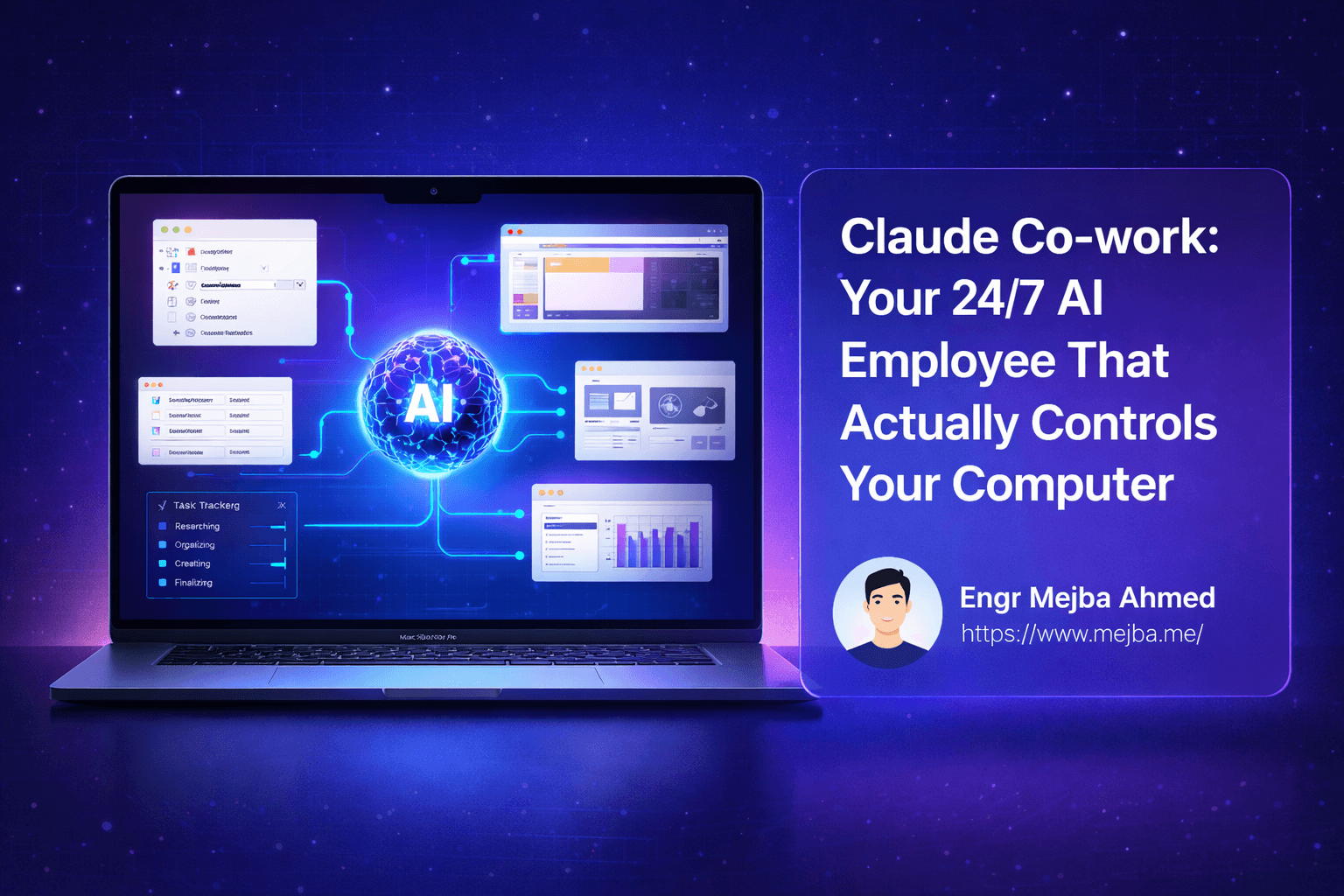
The task tracking system deserves special mention. As Claude Co-work executes your request, it displays a real-time to-do list showing each step and its status. Creating a presentation? You'll see items like "Researching topic," "Designing slides," "Adding statistics" progress from pending to complete. This visibility transforms the AI from a black box into a transparent collaborator.
Artifacts — the files Claude Co-work creates — appear in a dedicated panel. Documents, spreadsheets, presentations, code files. Each is immediately accessible, downloadable, and editable. The integration between conversation, task tracking, and output feels cohesive in a way many AI tools don't achieve.
Use Case 1: Taming a Chaotic Downloads Folder
My Downloads folder was a disaster. Several hundred files accumulated over months — screenshots, PDFs, images from various projects, random downloads I'd forgotten about. The thought of manually sorting them felt exhausting.
I gave Claude Co-work access to the folder and asked it to organize everything meaningfully.
What happened next impressed me. The AI analyzed all files, examining names, types, and even image content. It created a logical folder structure: Duplicates (files that appeared multiple times), Screenshots (organized by date), Thumbnails (small images under certain dimensions), Documents (PDFs and Word files), Project Assets (images with project-related names), and more.
The organization wasn't random. Claude Co-work explained its reasoning. It noticed patterns in file names suggesting certain images were design assets versus casual screenshots. It identified duplicate files even when names differed slightly. It grouped things in ways that made sense for how I'd actually want to find them later.
Total time for organizing several hundred files: about ten minutes of Claude Co-work processing while I did other things. The same task done manually would have consumed an entire afternoon.
The files were moved, not copied. My Downloads folder went from chaos to navigable structure without any manual intervention beyond granting access and describing the goal.
Use Case 2: Creating a Professional Media Kit
Here's a task I'd been procrastinating: creating a media kit for sponsorship outreach. A media kit needs audience statistics, engagement metrics, brand positioning, and pricing tiers — all presented professionally. Normally this means hours in PowerPoint, manually gathering data, and fighting with layouts.
I gave Claude Co-work the newsletter name and website URL. My instruction was simple: create a sponsorship media kit.
Claude Co-work browsed the live website to gather information. It analyzed available content, found social proof elements, and identified the unique value proposition. Then it built a complete presentation with audience demographics, engagement statistics, example content showcases, and tiered sponsorship packages with suggested pricing.
The output wasn't a rough draft. It was a polished, professional-looking slide deck ready for potential sponsors. The design was clean. The statistics were organized logically. The pricing tiers made sense for the audience size.
Could I have created this myself? Absolutely. But the time investment would have been substantial — probably a full workday when accounting for research, design decisions, and iteration. Claude Co-work delivered a complete first draft in minutes.
The media kit needed minor adjustments. Some specific statistics I wanted to highlight differently, a few language tweaks to match my voice. But starting from 90% complete is infinitely better than starting from zero.
Use Case 3: Auditing Subscription Expenses
This one delivered immediate financial value.
I uploaded a credit card statement and asked Claude Co-work to identify all recurring subscriptions, their costs, and how to cancel each one. A simple request that turned into an eye-opening audit.
The AI parsed the statement, identified recurring charges, and created a comprehensive spreadsheet. Each subscription was listed with the service name, monthly cost, annual cost, and specific cancellation instructions including URLs and steps.
The total annual subscription spend? Over $16,000.
Seeing that number in a clear spreadsheet hit differently than vaguely knowing I had various subscriptions. Claude Co-work had identified services I'd completely forgotten — trials that converted to paid, tools I used once and never returned to, duplicate services solving the same problem.
The cancellation instructions were particularly valuable. Each entry included the actual steps: "Log in, navigate to Settings > Billing > Cancel Subscription" with direct links where available. No hunting through websites trying to find the cancel button that every SaaS company seems to hide intentionally.
I ended up canceling enough unused subscriptions to save several hundred dollars monthly. Claude Co-work paid for itself immediately through the savings it identified.
Use Case 4: Validating an App Idea
This use case showcases Claude Co-work's potential for entrepreneurs and builders.
I described a simple app concept and asked Claude Co-work to validate the idea — research competitors, analyze market demand, assess technical feasibility, and create a product requirements document.
The AI went to work. It searched the web for existing apps in the space. It analyzed app store reviews of competitors to understand what users liked and complained about. It assessed the technical complexity of building the core features. Then it compiled everything into a comprehensive document.
The resulting product requirements document was thorough. Market analysis with specific competitor breakdowns. Feature specifications for an MVP versus future versions. Technical stack recommendations with reasoning. Development timeline estimates. Even domain name suggestions that were actually available.
This document would typically require a product manager, market researcher, and technical architect collaborating over several days. Claude Co-work produced a solid first version in a fraction of that time.
For anyone in the early stages of building something, this capability is transformative. The barrier to validating ideas drops dramatically. Instead of investing weeks in research before knowing if an idea has potential, you can get comprehensive analysis in an afternoon.
The Live Web Access Advantage
One capability deserves specific emphasis: Claude Co-work accesses the current web.
Standard Claude has a knowledge cutoff date. Ask about recent events or current information, and you're limited to what existed in training data. This creates frustrating gaps when you need real-time information.
Claude Co-work bridges this gap. When creating the media kit, it browsed my actual website for current content. When validating the app idea, it searched for competitors that launched recently. When researching topics, it pulls current articles and data.
This isn't just convenient — it's fundamental to the AI employee concept. A real employee researching a topic would naturally check current sources. Claude Co-work does the same, making its outputs relevant to the present rather than stuck in the past.
The web access also enables tasks that would be impossible with static knowledge. Checking whether specific domain names are available. Finding current pricing for competitor products. Gathering the latest statistics on market trends. Real-time information retrieval expands what the AI can meaningfully accomplish.
Understanding the Task Tracking System
The visual task list might seem like a minor feature, but it fundamentally changes the interaction model.
Traditional AI chat is opaque. You send a prompt, wait, and receive output. What happened in between? Unknown. Is the AI stuck or still processing? Hard to tell. Did it misunderstand your request? You only find out when you see the final output.
Claude Co-work's task tracker exposes the process. You watch items appear as the AI breaks down your request into subtasks. You see each subtask progress through execution. If something seems off-track, you can intervene before the AI completes the wrong thing.
This visibility builds trust. When I asked for file organization, watching the AI work through "Analyzing file types," "Identifying duplicates," "Creating folder structure," "Moving files" gave me confidence the process was thorough. When creating the media kit, seeing "Researching website content," "Gathering statistics," "Designing slides" confirmed it was taking a comprehensive approach.
The task tracker also surfaces the AI's reasoning. Sometimes you realize the AI interpreted your request differently than intended. Seeing "Categorizing by date" when you wanted categorization by project lets you course-correct mid-execution rather than starting over.
Practical Tips for Getting Maximum Value
After extensive use, certain patterns emerged for getting the most from Claude Co-work.
Be specific about scope. "Organize my files" works but "Organize my Downloads folder, grouping similar images together, separating documents by type, and identifying duplicates" works better. The AI can handle ambiguity but produces more useful results with clear parameters.
Grant appropriate folder access. Claude Co-work can only work with files you've explicitly shared. Before starting a file-related task, ensure you've given access to the relevant directories. The AI will ask for access if needed, but granting it upfront speeds things up.
Watch the task tracker for early corrections. If you see the AI moving in an unexpected direction, speak up. Adjusting course mid-task beats reviewing completed output that missed the point.
Use it for tasks you've been avoiding. We all have those nagging to-dos that never quite become priorities — organizing that folder, creating that document, researching that idea. Claude Co-work excels at these because it handles the tedious parts autonomously.
Iterate on outputs. First outputs are usually good but rarely perfect. Treat them as strong drafts and refine through conversation. "Make the tone more casual" or "Add a section about pricing" continues the work rather than starting over.
Combine capabilities. Claude Co-work can chain tasks together. "Research competitors, create a summary document, and then build a presentation from those findings" leverages multiple capabilities in a single workflow.
Current Availability and Access
Claude Co-work currently runs through the Claude desktop app on Mac. Anthropic is expanding access progressively, with higher-tier subscribers ($100 or $200 plans) getting priority access.
If you're on a lower-tier plan, a waitlist exists. Given how rapidly Anthropic expands access to new features, the wait likely won't be long.
The Mac-only limitation is real but temporary. Anthropic's pattern with new features suggests Windows and potentially web-based versions will follow. For now, Mac users have early access to experiment with the paradigm.
What This Means for AI-Assisted Work
Claude Co-work represents an evolution in what AI assistants can be.
The chat interface paradigm defined AI interactions for years. You ask, AI answers. Powerful for information retrieval and content generation but fundamentally passive. The AI provides; you execute.
Computer control flips this relationship. You describe outcomes; the AI executes. Files get organized without manual dragging. Documents get created without fighting with layouts. Research gets compiled without opening dozens of browser tabs.
This shift has implications beyond productivity gains. When AI can take actions, the types of problems it can help solve expand dramatically. It's the difference between a brilliant advisor who can only give recommendations and a capable assistant who can implement them.
We're still early in this evolution. Claude Co-work is version one of a new paradigm. The capabilities will expand. The reliability will improve. The scope of possible tasks will grow.
But even now, the practical value is substantial. Hours saved on organizational tasks. Professional outputs generated in minutes. Financial insights from simple uploads. App ideas validated before investing development time.
Getting Started Today
If you have access to Claude Co-work, here's my recommendation: spend a few minutes each day giving it tasks you've been putting off.
Start with something concrete. That messy folder. That document you've been meaning to create. That research you never had time for. Pick one task, describe it clearly, and let Claude Co-work handle it.
Watch how it breaks down the work. Note what it does well and where it needs guidance. Build intuition for how to phrase requests effectively.
Then gradually expand. More complex tasks. Chained workflows. Larger scope projects. The AI capabilities grow as your skill at directing them improves.
The future of AI assistance isn't about smarter chatbots. It's about AI that can act on your behalf, turning instructions into outcomes. Claude Co-work is an early but impressive implementation of that future.
Your AI employee is ready to work. The question is what you'll have it do first.
🤝 Hire / Work with me:
- 🔗 Fiverr (custom builds, integrations, performance): fiverr.com/s/EgxYmWD
- 🌐 Mejba Personal Portfolio: mejba.me
- 🏢 Ramlit Limited: ramlit.com
- 🎨 ColorPark Creative Agency: colorpark.io
- 🛡 xCyberSecurity Global Services: xcybersecurity.io