Claude Code for Writers: How to Build Your First AI Writing Agent in 2026
I was drowning in client work last year. Four newsletters, two blog clients, and a CEO who needed weekly thought leadership pieces. Every morning meant context-switching between voices, styles, and brand guidelines. My brain felt like a browser with 47 tabs open.
Then I discovered something that changed everything: AI writing agents in Claude Code.
Not the chatbots you've tried before. Not the generic AI writers that produce bland, detectable content. I'm talking about building your own specialized AI assistants that know your clients, maintain their voice, and produce draft-ready content while you sleep.
This is the guide I wish I had when I started. By the end, you'll have a working newsletter writing agent that actually sounds like your client—not a robot.
The Problem with Traditional AI Writing Tools
Here's what nobody tells you about Jasper, Copy.ai, or Writesonic: they're designed for marketing teams cranking out quick copy. They're not built for professional writers who need to maintain distinct voices across multiple clients.
You paste in a prompt. You get generic output. You spend an hour rewriting it anyway.
The real pain points for working writers look like this:
- Voice consistency is impossible. Every session starts from zero. The AI doesn't remember that your CEO client uses short sentences and hates semicolons.
- Context switching kills productivity. You're mentally juggling brand guidelines, audience profiles, and tone requirements for five different clients.
- Scaling means burnout. Taking on more clients means more hours, not leveraging your expertise.
- Detection tools are getting smarter. Generic AI content reads like AI content. Editors and readers notice.
Claude Code's agent architecture solves these problems—but not in the way you'd expect.
What Are Sub Agents in Claude Code?
Think of sub agents as specialized AI employees you train once and deploy forever.
Unlike a standard AI chat where every conversation starts fresh, sub agents maintain their own context. They have specific jobs. They access specific tools. And they don't contaminate your main workspace with irrelevant information.
Here's the architecture in plain terms:
Main Claude Code Session → This is your control center. You talk to Claude, ask questions, run commands.
Sub Agent (Newsletter Writer) → A specialized assistant that only handles newsletter production. It knows the client's voice, audience, and content patterns.
Sub Agent (Social Media) → Another specialist. Different skills, different context profiles, different output style.
Each agent operates independently. The newsletter agent doesn't know about your social media client's preferences. No cross-contamination. No confusion.
For writers managing multiple clients, this separation is everything.
Why Writers Should Care About Agents (Not Just Chatbots)
Let me show you the difference.
Standard AI Chat:
- You: "Write a newsletter about productivity tips"
- AI: Generic 500 words about time management
- You: Spend 45 minutes rewriting to match client voice
AI Agent with Context Profiles:
- You: "Write this week's newsletter based on the transcript"
- Agent: Loads client voice DNA, audience profile, and business context automatically
- Agent: Produces 1,200 words in the client's exact style with their signature phrases
- You: Light editing, 10 minutes max
The difference isn't just convenience. It's the difference between an AI tool and an AI workflow.
Agents don't just respond to prompts. They:
- Invoke skills (specialized capabilities like "write thought leadership newsletter")
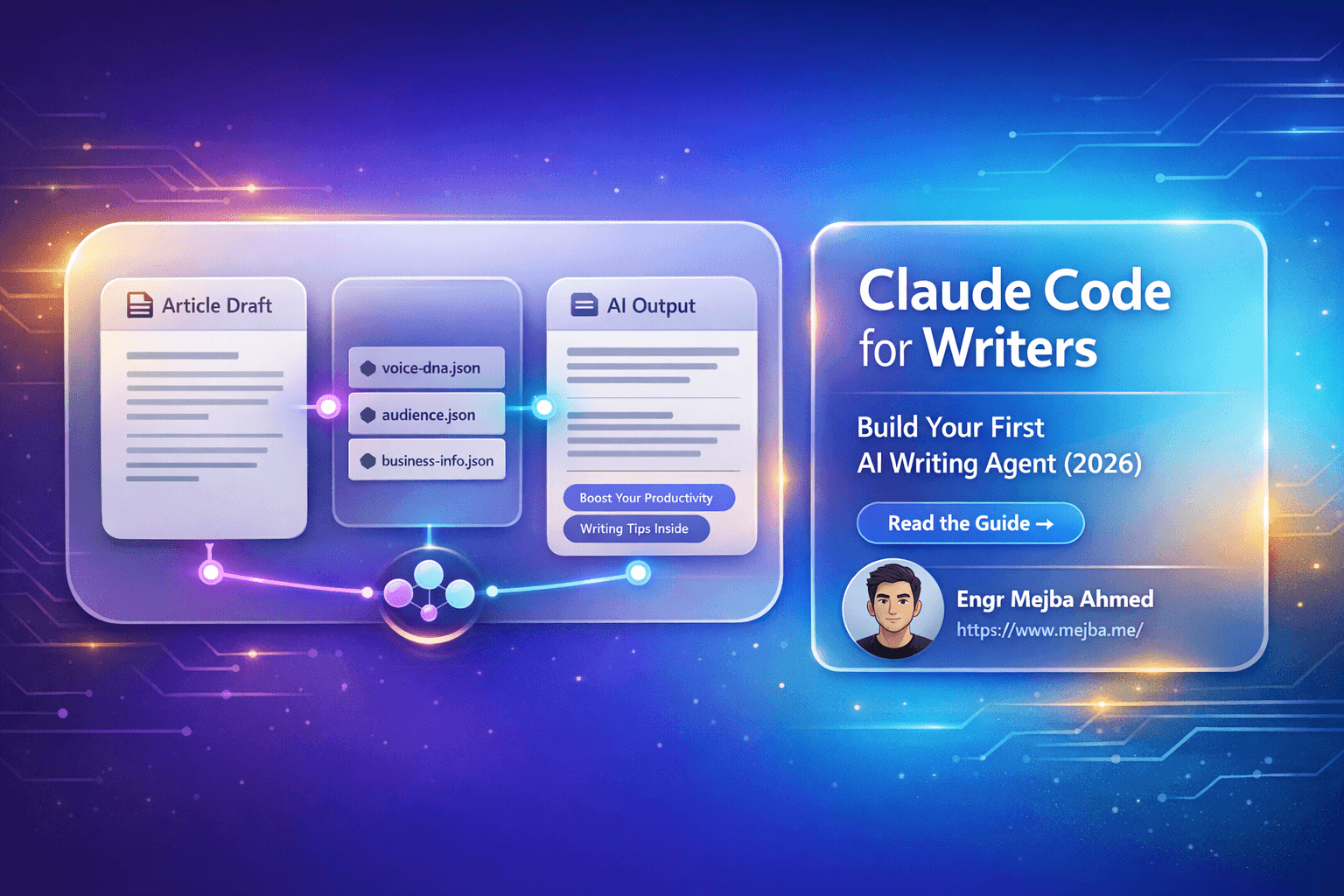
- Load context profiles (JSON files with voice DNA, audience info, brand guidelines)
- Operate autonomously (run in the background while you work on other things)
- Maintain state (remember everything about the client project)
This is what separates professionals from hobbyists using ChatGPT.
The Newsletter Writing Agent Blueprint
Let's build something real. I'll walk you through creating a newsletter writing agent from scratch.
Step 1: Define Your Sub Agent
Open Claude Code in your terminal and type:
/agent
This opens the agent configuration interface. If you have existing agents, you'll see them listed. For a fresh start, we're creating new.
Step 2: Choose Your Location
Claude Code asks where to store this agent:
- User-level: Available across all your projects
- Project-specific: Only available in this workspace
For client work, choose project-specific. This keeps each client's workflows completely siloed. Your tech startup client's newsletter agent lives in their project folder. Your healthcare client's agent lives separately.
This organization becomes critical when you're juggling five or more clients.
Step 3: Manual Configuration (The Power Move)
Claude Code offers two options: AI-generated or manual configuration.
Choose manual.
Here's why: AI-generated prompts are generic. They work, but they don't capture the nuance that makes your writing service valuable. Manual configuration gives you complete control over the agent's behavior.
Step 4: Create Your Agent ID
Keep it simple and descriptive:
newsletter-agent
Or for client-specific agents:
techstartup-newsletter
healthcare-weekly
The ID is how you'll invoke this agent later. Make it memorable.
Step 5: Write Your System Prompt
This is where the magic happens. Your system prompt defines everything about how the agent behaves.
Here's a production-ready example:
You are a newsletter production coordinator. Your job is to transform raw content (transcripts, notes, ideas) into polished newsletters that match the client's voice and engage their audience.

WORKFLOW:
1. Load context profiles (voice-dna.json, audience.json, business-info.json)
2. Analyze source material for key insights
3. Structure content using the newsletter skill
4. Generate draft in client's authentic voice
5. Include appropriate CTAs based on business goals

VOICE REQUIREMENTS:
- Match the tone, sentence structure, and vocabulary in voice-dna.json
- Use the client's signature phrases naturally
- Maintain their perspective (first person, third person, etc.)

OUTPUT:
- Newsletter ready for light editing
- 800-1500 words
- Compelling subject line options
- Suggested preview text
Step 6: Assign Tools and Model
Grant your agent access to:
- Read (for loading context files)
- Write (for saving drafts)
- Grep and Glob (for finding relevant files)
For the model, select Claude Opus if you're on the Max plan. The quality difference for long-form writing is significant. Opus handles nuance, maintains voice consistency, and produces fewer clichés.
Step 7: Import Your Skills
Skills are modular capabilities your agent can use. For newsletter writing, you'll want:
- Thought Leadership Newsletter Skill → Produces 800-1500 word newsletters that educate and position the writer as an authority
- Hook Generator Skill → Creates compelling opening lines
- CTA Writer Skill → Generates contextual calls-to-action
Skills are reusable. Build them once, use them across every client project.
Context Profiles: The Secret to Authentic AI Writing
Here's what separates AI content that reads like AI from content that sounds genuinely human: context profiles.
These are JSON files that capture everything about your client's voice and audience.
voice-dna.json
{
  "tone": "confident but approachable",
  "sentence_structure": "short sentences, rarely compound",
  "vocabulary_level": "sophisticated but not academic",
  "signature_phrases": [
    "Here's the thing—",
    "I've seen this a hundred times",
    "Let's be honest"
  ],
  "avoid": [
    "leverage",
    "synergy",
    "at the end of the day"
  ],
  "perspective": "first person",
  "quirks": "uses em-dashes frequently, never uses semicolons"
}
audience.json
{
  "primary_reader": "Series A startup founder",
  "age_range": "28-42",
  "pain_points": [
    "scaling too fast",
    "hiring mistakes",
    "investor pressure"
  ],
  "goals": [
    "product-market fit",
    "sustainable growth",
    "team building"
  ],
  "reading_context": "morning coffee, mobile device"
}
business-info.json
{
  "company": "TechVenture Advisory",
  "expertise": "B2B SaaS scaling",
  "newsletter_goal": "position as thought leader, drive consulting inquiries",
  "cta_focus": "book strategy call",
  "competitors": ["First Round Review", "Lenny's Newsletter"]
}
When your agent loads these profiles before writing, it produces content that sounds like your client wrote it on their best day.
This is the difference between commodity AI content and premium ghostwriting.
Running Your First Agent: The Practical Workflow
Let's see this in action.
You have a 20-minute podcast transcript from your client. They rambled about lessons learned from their latest product launch. Your job: turn this into next week's newsletter.
Step 1: Prepare Your Source Material
Save the transcript as source-transcript.txt in your project folder.
Step 2: Invoke the Agent
In Claude Code:
@newsletter-agent Transform the transcript in source-transcript.txt into this week's newsletter
Step 3: Watch It Work
The agent:
- Loads your context profiles
- Reads and analyzes the transcript
- Identifies the three strongest insights
- Structures them into a narrative arc
- Writes the newsletter in your client's voice
- Saves the draft to
drafts/newsletter-draft.md
This happens in 2-3 minutes. And here's the best part: it runs in the background.
While the agent produces the newsletter, you can work on something else. No waiting. No babysitting.
Step 4: Review and Refine
Open the draft. You'll find:
- Three subject line options
- A hook that matches your client's style
- 1,200 words of structured content
- A CTA aligned with their business goals
Your editing time drops from an hour to 15 minutes. The voice is already right. The structure is already solid. You're polishing, not rewriting.
Scaling Your Writing Business with AI Agents
Let's talk business reality.
Before agents, I could handle three newsletter clients before quality suffered. Each client needed about four hours per week: research, drafting, revisions.
Now I'm at seven clients. Same quality. Less time per client.
Here's how the math works:
Without agents:
- 4 hours × 3 clients = 12 hours weekly
- Revenue cap based on time, not skill
With agents:
- 1.5 hours × 7 clients = 10.5 hours weekly
- Same quality, higher revenue
But it's not just about volume. The agents give you:
- Parallel processing → Run multiple agents simultaneously. Newsletter agent working while you review another client's draft.
- Consistent quality → The agent never has a bad day. Voice profiles are loaded every time.
- Easy onboarding → New client? Build context profiles once. The agent handles the rest.
- Knowledge preservation → Your expertise is encoded in skills and prompts. It scales without depending on your memory.
For solo operators and small agencies, this is a competitive advantage that larger firms can't easily replicate.
Claude Max Plan: Worth It for Professional Writers?
Let's be direct about costs.
Free tier limitations:
- Usage caps that stop you mid-project
- Sonnet model only (good, but not Opus-level)
- No background processing
Claude Max ($100/month):
- Significantly higher usage limits
- Access to Opus for superior long-form writing
- Background agents that run while you work
- Priority processing
For hobbyists, the free tier works. For professionals billing clients, Max pays for itself with a single newsletter.
The Opus model difference is real. It handles complex voice requirements better, produces fewer clichés, and maintains consistency across longer pieces. When clients are paying premium rates for authentic content, Opus is a business expense, not a luxury.
My rule: if you're earning more than $500/month from writing, Max is the correct choice.
Common Mistakes When Building Writing Agents
I've made these so you don't have to.
Vague System Prompts
Bad: "You're a helpful newsletter writer."
Good: Detailed workflow steps, specific voice requirements, defined output format.
Your prompt is the agent's training manual. Invest time here.
Skipping Context Profiles
Agents without context profiles produce generic content. Period. The 30 minutes spent building voice-dna.json saves hours of rewriting.
Wrong Model Selection
Using Sonnet for long-form thought leadership when Opus is available. Sonnet is faster and cheaper, but for premium content where voice matters, Opus wins.
Over-Complicated Skill Chains
Starting with 12 interconnected skills that depend on each other. Build one skill. Test it. Add another. Complexity should grow organically.
Ignoring the Review Step
Agents produce drafts, not final copy. Always review. The goal is 80% reduction in effort, not 100% automation.
What's Next: Beyond Newsletters
Once your newsletter agent is running, the pattern applies everywhere:
- LinkedIn content agent → Transforms newsletter content into platform-optimized posts
- Email sequence agent → Creates nurture sequences from core content
- Blog post agent → Long-form content from client interviews
- Case study agent → Structures client success stories
Each agent is a specialized worker. You're building a team.
The writers who thrive in the next few years won't be those who avoid AI. They'll be those who learn to orchestrate it. Claude Code gives you the architecture. Skills and context profiles give you control.
The question isn't whether AI will change professional writing. It already has.
The question is whether you'll be directing the change or reacting to it.
Start with one agent. One client. One newsletter.
Build from there.
🤝 Hire / Work with me:
- 🔗 Fiverr (custom builds, integrations, performance): fiverr.com/s/EgxYmWD
- 🌐 Mejba Personal Portfolio: mejba.me
- 🏢 Ramlit Limited: ramlit.com
- 🎨 ColorPark Creative Agency: colorpark.io
- 🛡 xCyberSecurity Global Services: xcybersecurity.io