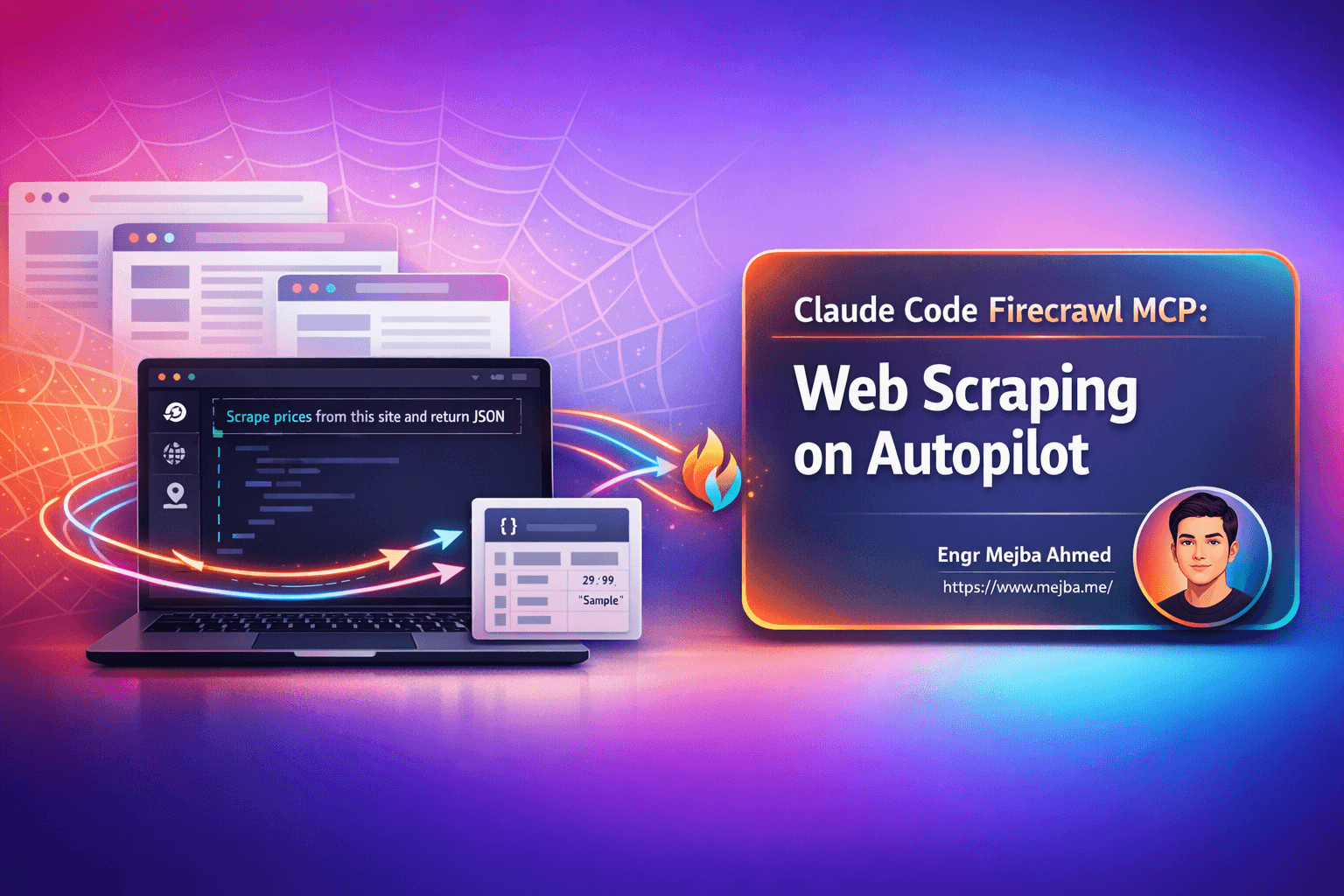
Claude Code Firecrawl MCP: Turn AI Into Your Web Scraping Powerhouse
You know that feeling. It's 2 AM, and your Puppeteer script just broke again. The website you're scraping changed their class names, added a cookie banner, or implemented some new anti-bot measure that your carefully crafted selectors can't handle anymore. You've spent more time maintaining your scraper than actually using the data it collects.
Traditional web scraping is a grind. JavaScript-rendered pages require headless browsers. Anti-bot systems demand proxy rotation and request throttling. And don't get me started on pagination, infinite scroll, or those dynamically loaded elements that require you to write sleep statements and pray they work consistently.
But here's what changed everything for me: what if you could just tell your AI assistant what data you want, and it goes and gets it? No CSS selectors. No XPath expressions. No brittle automation scripts that break every Tuesday.
That's exactly what happens when you combine Claude Code with the Firecrawl MCP server. You type a natural language command like "scrape this website and extract all the product prices" and watch as structured data flows back into your terminal. This isn't some far-off future—it's working right now, and the setup takes about five minutes.
What is Firecrawl MCP Server and Why Should You Care?
Let's break this down simply. MCP stands for Model Context Protocol—it's essentially a standardized way to give AI assistants like Claude Code superpowers beyond just reading and writing files. Think of MCP servers as plugins that extend what your AI can do.
Firecrawl built their MCP server specifically to handle web scraping, crawling, and website data extraction. When you connect it to Claude Code, you're essentially giving Claude the ability to reach out onto the internet, grab data from websites, and bring it back to you in whatever format you need.
The official Firecrawl MCP documentation describes it as enabling "web scraping, crawling, and discovery" with support for "search and content extraction" and "deep research and batch scraping." But what does that actually mean in practice?
Here's what you can do once it's set up:
- Scrape any webpage and get clean, structured content back—not raw HTML soup
- Capture full-page screenshots from top to bottom, perfect for documentation or portfolio work
- Extract specific data like prices, contact info, or product details using natural language descriptions
- Map entire websites to understand their structure and find all available pages
- Crawl multiple pages automatically, following links and gathering data at scale
- Parse PDFs and other documents hosted online
- Search within websites to find specific content without manually clicking through pages
The free tier gives you 500 requests to experiment with, which is generous enough to build real workflows before deciding if you need more capacity.
Setting Up Firecrawl MCP in Claude Code
Getting this running is surprisingly straightforward. You don't need to be a DevOps engineer or understand complex configuration files. Here's exactly how to do it.
Step 1: Get Your API Key
Head over to firecrawl.dev/app/api-keys and create an account. Once you're in, generate an API key. It'll look something like fc-abc123.... Copy this somewhere safe—you'll need it in a moment.
Step 2: Add the MCP Server to Claude Code
Open your terminal where Claude Code is installed and run this command:
claude mcp add firecrawl -e FIRECRAWL_API_KEY=fc-YOUR_API_KEY -- npx -y firecrawl-mcp
Replace fc-YOUR_API_KEY with the actual key you just copied. That's it. Really.
If you prefer the manual installation approach or want more control:
npm install -g firecrawl-mcp
Then configure it in your Claude Code MCP settings with the appropriate environment variables.
Step 3: Start a Fresh Session
Here's a gotcha that trips people up: after adding an MCP server, you typically need to start a new Claude Code session for it to recognize the new tools. Close your current session and open a fresh one.
Step 4: Verify It's Working
In your new Claude Code session, you can ask something like "What Firecrawl tools do you have available?" Claude should respond with a list of the scraping tools it can now use. If you see things like firecrawl_scrape, firecrawl_map, and firecrawl_crawl, you're good to go.
Troubleshooting Common Issues
"Command not found" errors: Make sure Node.js and npm are installed and in your PATH. Run node --version to verify.
API key not working: Double-check that you copied the entire key including the fc- prefix. Make sure there are no extra spaces.
Tools not appearing: Try completely closing Claude Code (not just the session) and reopening it. The MCP server needs to initialize properly.
Windows-specific issues: If you're on Windows, you might need to use this format instead:
cmd /c "set FIRECRAWL_API_KEY=your-api-key && npx -y firecrawl-mcp"
The Complete Firecrawl Toolset: What Each Tool Does
Now for the good stuff. Once Firecrawl is connected, you get access to a suite of scraping tools, each designed for different use cases. Understanding when to use each one will make your workflows much more efficient.
firecrawl_scrape: Your Go-To for Single Pages
This is the workhorse tool you'll use most often. Point it at any URL and it returns clean, structured content. The magic here is that Firecrawl handles all the JavaScript rendering, cookie banners, and other obstacles that typically require headless browsers.
Use it for:
- Grabbing article content from news sites
- Extracting product information from e-commerce pages
- Pulling data from documentation pages
- Parsing PDF documents hosted online
Just tell Claude something like "scrape example.com/products/widget and extract the price, description, and specifications" and watch it work.
firecrawl_map: Understanding Website Structure
Before you start crawling an entire site, you often want to understand what's there. The map tool discovers all URLs on a website and returns them in a structured format. This is invaluable for planning larger scraping jobs.
Use it for:
- Discovering all pages on a website before a full crawl
- Finding hidden or deep-linked content
- Understanding site architecture and navigation patterns
- Identifying subdomains and their structure
firecrawl_search: Targeted Content Discovery
Sometimes you don't need everything—you just need to find specific information on a large website. The search function lets you query a site's content directly.
Use it for:
- Finding specific mentions of products, people, or topics
- Locating contact pages or pricing information
- Research tasks where you're looking for particular data points
- Competitive analysis across multiple sites
firecrawl_crawl: Multi-Page Data Collection
When you need data from many pages on a site, crawling is more efficient than scraping pages one by one. The crawl tool follows links, respects your depth settings, and collects data from multiple pages automatically.
Use it for:
- Extracting all blog posts from a website
- Gathering product catalogs
- Building datasets for analysis
- Archiving website content
Screenshot Capabilities
Full-page screenshots that capture everything from header to footer are incredibly useful for documentation, client presentations, and portfolio work. Unlike browser screenshots that only capture the viewport, these capture the entire scrollable page.
firecrawl_extract: LLM-Powered Intelligent Extraction
This is where things get interesting. The extract tool uses large language models to understand page content and pull out specific structured data. Instead of writing parsing logic, you describe what you want in plain English.
Use it for:
- Extracting structured data from unstructured pages
- Pulling specific fields like "company name, founding date, and employee count"
- Converting messy web content into clean JSON
- Handling pages where traditional parsing would be complex
Real-World Use Cases That Actually Save You Hours
Let's move past the theoretical and talk about practical applications. These are workflows I've actually used, and they've genuinely transformed how I handle certain tasks.
Brand Audits and Style Extraction
Picture this: a client asks you to create marketing materials that match their existing brand. Traditionally, you'd spend time clicking through their website, screenshotting their logo, eyedropping colors, identifying fonts, and manually documenting everything.
With Firecrawl MCP, you can tell Claude: "Analyze this company's website and create a brand style guide including their color palette, typography, logo usage, and overall design tone."
In minutes, you get a document with hex codes, font families, spacing patterns, and even notes on their copywriting style. That's a task that used to take an afternoon compressed into a single command.
Competitor Research at Scale
Understanding what your competitors are doing usually means manually visiting sites, taking notes, and trying to keep track of changes over time. Firecrawl makes this systematic.
You can crawl competitor websites, extract their pricing pages, document their feature lists, and even track how their positioning evolves. Set up a workflow that runs periodically, and you've got competitive intelligence on autopilot.
E-Commerce Data Collection
Whether you're doing price monitoring, building comparison tools, or analyzing market trends, e-commerce data is gold. But e-commerce sites are notoriously difficult to scrape—they're JavaScript-heavy, use anti-bot measures, and structure data inconsistently.
Firecrawl handles the heavy lifting. Extract product listings, pricing, availability, and specifications across multiple retailers without writing a single line of scraping code.
Portfolio and Documentation Generation
Agencies and freelancers constantly need to showcase their work. Capturing full-page screenshots of client websites, organizing them into portfolios, and keeping documentation updated is tedious.
With the screenshot functionality, you can batch-capture entire websites, generate visual documentation, and keep your portfolio materials fresh with minimal effort.
RFP and Proposal Personalization
When responding to RFPs or creating proposals, personalization matters. But researching each potential client takes time. Firecrawl lets you quickly extract company information, understand their brand voice, and gather context that makes your proposals more relevant.
Scrape their about page, recent press releases, and product offerings. Use that data to tailor your pitch automatically.
Job Board Aggregation
If you're job hunting or building recruiting tools, aggregating listings from multiple job boards is a common need. Firecrawl can crawl job sites, extract posting details, and compile listings into structured datasets ready for analysis or notification systems.
Content Research and Curation
Writers, marketers, and researchers often need to gather information from multiple sources. Instead of opening dozens of tabs and manually copying content, use Firecrawl to systematically collect articles, extract key points, and build research databases.
A Complete Workflow Demonstration
Let me walk you through what a real session looks like. Say you're preparing materials for a client meeting and need to understand their current web presence.
You open Claude Code and say something like:
"I need to analyze acme-corp.com. Please:
- Take a full-page screenshot of their homepage
- Extract their brand colors, fonts, and logo
- Map all the pages on their site
- Create a summary of their company based on their about and services pages"
Claude, with Firecrawl connected, executes multiple scraping operations. It captures the screenshot, analyzes the visual design, crawls the site structure, and synthesizes the content into a cohesive brief.
The output gets organized into folders—screenshots in one place, the brand guide in a markdown document, the sitemap as a structured list, and the company overview as a separate file. All from a single conversational request.
YOLO Mode for Batch Operations
When you're running multiple scraping operations and don't want to confirm each one individually, Claude Code's YOLO mode lets operations proceed without manual approval for each step. This is particularly useful for batch jobs where you trust the process and want maximum efficiency.
Handling Rate Limits Gracefully
Firecrawl's MCP server includes built-in rate limiting with exponential backoff. If you're making many requests and hit capacity limits, the system automatically queues excess requests and retries when capacity becomes available. You don't need to build this logic yourself—it's handled at the infrastructure level.
Firecrawl MCP vs. Traditional Scraping Approaches
If you've worked with web scraping before, you're probably curious how this stacks up against tools you already know.
Compared to Puppeteer and Playwright
These are powerful browser automation libraries, but they require significant code to do anything useful. You're writing JavaScript, handling async operations, managing browser instances, and debugging selectors when sites change. Firecrawl abstracts all of this away—you describe what you want, not how to get it.
Compared to BeautifulSoup and Scrapy
Python's scraping libraries are excellent for structured extraction once you understand HTML parsing. But you still need to write parsing logic, handle pagination, deal with JavaScript-rendered content separately, and maintain your codebase as sites evolve. Firecrawl's LLM-powered extraction eliminates most of this maintenance burden.
Compared to Commercial Tools Like Apify
Services like Apify, ScrapingBee, and similar platforms offer managed scraping infrastructure. They're capable, but typically require you to learn their specific APIs, build actors or scrapers in their frameworks, and work within their paradigms. Firecrawl's natural language interface through Claude Code is more intuitive for ad-hoc tasks and integrates directly into your AI workflow.
The LLM Integration Advantage
What really sets this approach apart is the seamless integration between scraping and AI processing. When you extract data with Firecrawl, Claude can immediately analyze it, summarize it, compare it against other data, or transform it into whatever format you need. There's no export-import dance between tools—everything flows naturally in a single conversation.
Pro Tips and Best Practices
After working with this setup extensively, here are some lessons learned that will save you headaches.
One MCP Server at a Time (Usually)
Running multiple MCP servers simultaneously can bloat your context window and sometimes cause conflicts. If Firecrawl handles most of your web data needs, consider making it your primary MCP server for scraping tasks rather than juggling multiple options.
Be Specific in Your Prompts
Vague requests get vague results. Instead of "scrape this website," try "scrape the pricing page at example.com/pricing and extract the plan names, monthly prices, annual prices, and included features for each tier." Specificity dramatically improves output quality.
Use the Credit System Wisely
Your 500 free requests go further if you're strategic. Use the map tool first to understand site structure before committing to large crawls. Extract only what you need rather than scraping entire pages when you only want specific fields.
Combine with Claude Code's Other Capabilities
The real power emerges when you chain scraping with Claude Code's other abilities. Scrape data, then have Claude write code that processes it. Extract competitor information, then generate analysis reports. Capture screenshots, then get design feedback. The workflows you can build are limited only by your imagination.
Respect Website Terms of Service
Just because you can scrape a website doesn't always mean you should. Check robots.txt files, respect terms of service, and use reasonable request rates. Firecrawl's built-in rate limiting helps, but responsible scraping is ultimately on you.
Getting Started Today
The gap between wanting web data and getting it has never been smaller. What used to require specialized developers, custom infrastructure, and ongoing maintenance now happens through a conversation with your AI assistant.
If you've been putting off projects because the scraping component seemed too complex, or if you've abandoned scrapers because they kept breaking, this approach offers a genuine reset. The combination of Claude Code's natural language interface with Firecrawl's robust scraping infrastructure handles the complexity so you can focus on what actually matters—using the data.
Start with the free tier. Try mapping a site you're curious about. Extract some data that would have taken you hours to gather manually. Once you experience how natural it feels to describe what you want instead of coding how to get it, you won't want to go back.
Check out the official Firecrawl MCP documentation to get started, and let me know what workflows you build with it.
🤝 Hire / Work with me:
- 🔗 Fiverr (custom builds, integrations, performance): fiverr.com/s/EgxYmWD
- 🌐 Mejba Personal Portfolio: mejba.me
- 🏢 Ramlit Limited: ramlit.com
- 🎨 ColorPark Creative Agency: colorpark.io
- 🛡 xCyberSecurity Global Services: xcybersecurity.io