Claude Code Background Agents Changed How I Ship Code (And It's Not Even Close)
"Just wait for it to finish."
I must have muttered that phrase a thousand times over the past year while working with AI coding assistants. Security review? Wait. Refactoring analysis? Wait. Performance audit? You guessed it—wait.
The irony wasn't lost on me. Here I was, using cutting-edge AI to accelerate my development workflow, and I was still spending half my day watching a cursor blink. It felt like having a Ferrari that could only drive in one lane.
Then Anthropic quietly dropped async background agents into Claude Code. No fanfare. No elaborate blog post. Just a changelog entry that fundamentally changed how I work with AI.
The Problem Nobody Talks About
Here's the dirty secret about AI coding assistants that nobody wants to admit: most of the time, you're waiting.
You ask Claude to analyze your codebase for security vulnerabilities. It takes eight minutes. During those eight minutes, you could be doing something else. But you're not. You're watching. Refreshing. Wondering if it crashed.
The workaround most developers landed on? Multiple terminals. I had three terminal windows running separate Claude Code instances at one point. One was doing a security audit. One was refactoring a module. One was writing tests.
It was chaos.
I had to remember which terminal was doing what. Context got polluted because each instance had no idea what the others were doing. And heaven forbid I accidentally closed the wrong window—there went thirty minutes of analysis.
The worst part wasn't even the inefficiency. It was the cognitive overhead. Instead of thinking about code, I was thinking about terminals. Instead of solving problems, I was project-managing AI instances.
Something had to give.
What Background Agents Actually Do
The concept is deceptively simple: spawn an agent, give it a task, push it to the background, and keep working.
That's it. That's the feature.
But the implications? Those are massive.
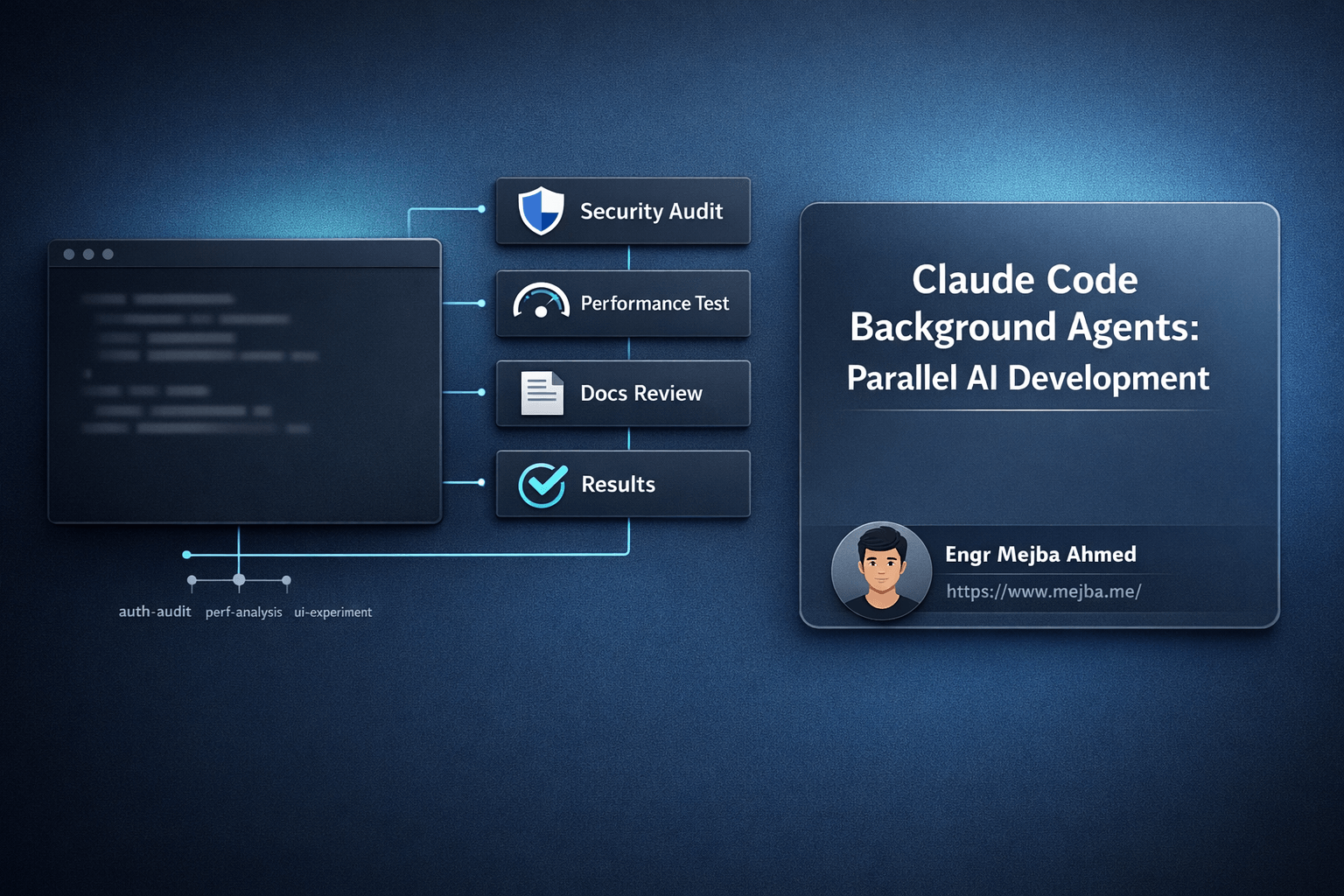
Here's what it looks like in practice. You're working on a feature, and you realize you need a security audit of the authentication module. Instead of stopping everything, you spawn a sub-agent:
> Run a comprehensive security audit on the auth module
The agent starts working. Then you hit the control command to background it. Boom—it's running in the background while your main agent stays with you.
You keep coding. You keep asking questions. You keep shipping.
When the background agent finishes its security audit, it doesn't just sit there waiting for you to check on it. It wakes up your main agent and delivers the results. No polling. No checking. No wondering if it's done.
The first time this happened to me, I genuinely thought something was broken. I was deep in a refactoring session when suddenly Claude said, "Your security audit is complete. Found three medium-severity issues in the session handling logic."
I hadn't thought about that audit in twenty minutes. It just showed up, finished, with actionable results.
The Git Work Trees Integration Nobody Saw Coming
Background agents on their own would be useful. Background agents with git work trees? That's a paradigm shift.
Let me paint you a picture.
I was working on a UI overhaul. We had three competing design approaches—a dark theme with high contrast, a light theme with subtle gradients, and a hybrid approach that adapted to system preferences. The old me would have picked one, implemented it, shown it to stakeholders, gotten feedback, probably had to try another approach, and repeated that cycle for a week.
Instead, I spun up three background agents, each working in its own git work tree.
For those unfamiliar, git work trees let you have multiple working directories attached to the same repository, each on different branches. It's like having parallel universes of your codebase.
Agent one took the dark theme implementation in work tree ui-dark. Agent two took the light theme in ui-light. Agent three handled the adaptive approach in ui-adaptive.
I kept working on unrelated features in my main branch.
Two hours later, I had three complete implementations. Three branches. Three demos to show stakeholders. We picked the adaptive approach, merged it in, and deleted the other work trees.
What would have been a week of sequential experimentation became an afternoon of parallel development. And my main work never stopped.
Where This Actually Makes Sense
Not every task belongs in the background. I learned that the hard way.
Background agents shine when you need to:
Run time-consuming analysis while you keep coding. Security audits, performance profiling, code duplication detection—these are perfect background tasks. They take time, they don't need your input, and they deliver discrete results.
Test multiple implementation approaches simultaneously. Like my UI theme example. When you're genuinely unsure which direction is best, parallel experimentation beats sequential guessing every time.
Handle research-heavy tasks. Sometimes you need Claude to dig through documentation, analyze a library's source code, or compare multiple packages. These investigations can run in the background while you focus on the code you're certain about.
Process large codebases. Full codebase analysis, dependency audits, or migration assessments—tasks that touch thousands of files benefit from background execution because they simply take a while.
Run continuous checks alongside active development. Having a background agent watch for specific patterns or issues while you refactor can catch problems before they compound.
Here's a concrete example from last week. I was refactoring our data pipeline, and I needed to:
- Analyze the current implementation for bottlenecks
- Review the new library's documentation
- Check for breaking changes in our API contracts
Three background agents. Each task isolated. Main agent stayed focused on the actual refactoring. Results came in as each completed. No context switching. No waiting.
The Gotchas Nobody Warns You About
This isn't all sunshine and parallel rainbows. There are real limitations you need to understand before you start spawning agents like they're free.
Don't background tasks that need your input. If a task is going to ask for permissions, clarifications, or approval, it'll block. And a blocked background agent is just dead weight consuming resources.
I made this mistake early. Pushed a task to background that involved file deletions. It needed confirmation. It sat there waiting. I forgot about it. Twenty minutes later I wondered why my deletion task never completed.
Now I keep interactive tasks in the foreground. Always.
Interdependent tasks will fight each other. If agent A is refactoring a module that agent B needs to analyze, you're going to have conflicts. I've seen background agents step on each other's work, create merge conflicts, or produce results based on stale code.
Rule of thumb: if task B depends on task A's output, don't parallelize them. Run A, get results, then run B.
Token usage multiplies. This is the one that'll sneak up on you. Three background agents means three separate context windows, three separate token consumptions. If you're on usage-based pricing, parallel agents will parallel your costs too.
I track my token usage now. Not obsessively, but enough to know when I'm getting expensive. Some days are worth the extra tokens. Some aren't.
Naming conventions matter more than you think. When you have multiple background agents running, you need to know which one is doing what. "Background agent 1" and "Background agent 2" aren't helpful when you're trying to check on your security audit versus your performance analysis.
I started using descriptive task names: security-auth-audit, perf-data-pipeline, refactor-user-module. Makes tracking trivial.
How This Stacks Up Against Alternatives
Let's be real: other AI coding tools exist. Cursor is popular. Copilot is everywhere. How does this compare?
From what I've seen, most alternatives still operate sequentially. You ask, it answers, you wait, you ask again. Some have limited parallel capabilities, but nothing as integrated as background agents with git work tree support.
The terminal-native approach matters here too. Background agents feel natural in Claude Code because the terminal already supports background processes. It's conceptually familiar. Push a job to the background, keep working, check on it when you need to.
IDE-integrated tools would have to invent new UI patterns to support this. Where does a background agent live in VS Code? How do you track multiple agents in a sidebar? These aren't insurmountable problems, but they're not solved either.
For now, if you want true parallel AI development, Claude Code's background agents are the most complete implementation I've found.
The Other Stuff That Shipped
Background agents grabbed all my attention, but this update included other improvements worth mentioning.
Instant Autocompact fixes something that used to drive me crazy. Compacting project history used to take minutes. Now it's seconds. This matters when you're working on large projects with extensive conversation histories.
Prompt Suggestions added a quality-of-life improvement I didn't know I needed. You can accept AI prompt completions by pressing enter or type your own. It sounds small, but it makes the interaction flow more smoothly.
The Agent Flag lets you run Claude as a specific agent type directly. Useful for delegation when you know exactly what kind of task you're assigning.
Fork Sessions introduced the ability to branch your conversation and resume it later with a resume flag. This is surprisingly useful for experimentation—fork a session, try a risky approach, and if it fails, you still have your original conversation intact.
Actually Using This Day-to-Day
After a few weeks with background agents, here's how my workflow evolved.
Morning standup reveals today's priorities. Before writing a single line of code, I spawn background agents for research and analysis tasks. Security audit on yesterday's PR? Background. Dependency update analysis? Background. Documentation review for that new API we're integrating? Background.
By the time I've finished coffee and cleared emails, my background agents are delivering results. I've got a security report, a dependency compatibility matrix, and notes on the API integration—all without dedicating focus time to any of them.
Main development happens in the foreground. Real coding, real problem-solving, real collaboration with Claude. When I hit a point where I need to experiment with multiple approaches, I spawn work tree agents and keep moving.
The key insight is that background agents handle the tasks that benefit from AI's thoroughness but don't require my creativity. Analysis, auditing, documentation, comparison—these are perfect background tasks. Architecture decisions, tricky implementations, novel problem-solving—these stay in the foreground where I can engage.
It's not about doing less. It's about doing more of the right things.
What This Means Going Forward
I'm not going to claim that background agents will revolutionize your workflow. That depends entirely on how you work, what you build, and how you think about problems.
But I will say this: the shift from sequential to parallel AI assistance changes what's possible in a day. Tasks that used to block your progress don't anymore. Experiments that felt too expensive in time now feel cheap. The friction of context-switching between multiple concerns largely disappears.
The developers who figure out how to effectively parallelize their AI workflows will ship faster. Not because they're working harder, but because they're working in parallel. While one agent investigates, another analyzes, and a third experiments—your main focus stays on the work that actually needs you.
That's the real unlock here. Not just doing more, but doing more of the work that matters while AI handles the work that just takes time.
My terminal used to be a series of waits punctuated by brief bursts of progress. Now it's a symphony of parallel progress where the waits happen in the background.
The cursor still blinks. But now it's waiting on me, not the other way around.
🤝 Hire / Work with me:
- 🔗 Fiverr (custom builds, integrations, performance): fiverr.com/s/EgxYmWD
- 🌐 Mejba Personal Portfolio: mejba.me
- 🏢 Ramlit Limited: ramlit.com
- 🎨 ColorPark Creative Agency: colorpark.io
- 🛡 xCyberSecurity Global Services: xcybersecurity.io