Claude Canvas: Your Terminal Now Has a Visual Brain
I spend most of my day inside a terminal. Git commits, server logs, API debugging — it all happens in that familiar black rectangle with blinking cursors. When Claude Code arrived, it felt like someone handed me a brilliant pair programming partner who lived right there in my terminal. But something was always missing. Complex visual tasks like reviewing email drafts, picking calendar slots, or comparing flight options felt clunky when reduced to pure text conversations.
Then I discovered Claude Canvas, and everything changed.
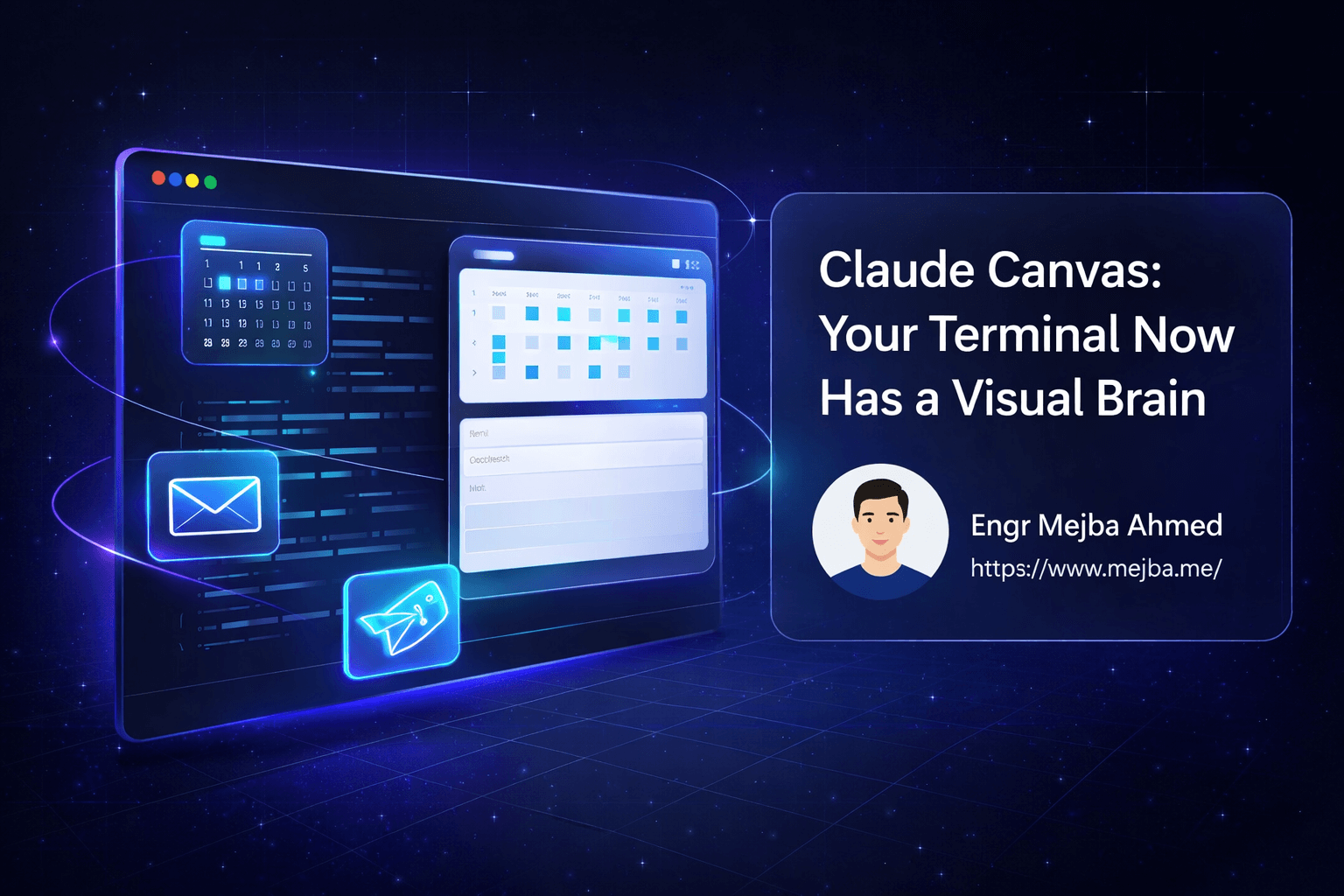
Claude Canvas isn't just another plugin. It's what happens when someone asks the question: "What if Claude Code could show me things, not just tell me?" The answer is a Text User Interface toolkit that spawns interactive panes directly in your terminal, transforming it from a single conversation window into a multi-pane visual workspace.
The Problem With Pure Conversational AI
Anyone who has used AI assistants for anything beyond simple queries knows this frustration. You ask Claude Code to draft an email, and it spits out the text. Looks good. Then you want to tweak the subject line. Now you're scrolling back up, copying, asking for a modification, getting a new version, and trying to compare the two in your head.
The same problem multiplies when you're scheduling meetings. "Show me available slots next Tuesday." Claude Code can tell you about times, but visualizing your actual calendar with availability blocks? That requires switching to a browser, opening Google Calendar, and losing your flow.
I hit this wall repeatedly. My terminal workflow was fast for code but slow for everything involving visual comparisons or selections. The AI could think brilliantly, but it was trapped behind a wall of scrolling text output.
This isn't a limitation of Claude's intelligence. It's a limitation of the interface. Conversational AI shines at reasoning and generation but struggles when the task requires spatial organization, visual comparison, or iterative selection from options.
What Claude Canvas Actually Does
Claude Canvas solves this by giving Claude Code the ability to render actual UI components inside your terminal. Using tmux for pane management, it creates a split-screen experience where Claude Code occupies one pane and interactive interfaces appear in another.
The core architecture involves three components working together. First, Claude Code itself — the AI coding agent you're already familiar with. Second, a set of skill tools that define different canvas types (email, calendar, flight booking). Third, tmux integration that handles the rendering and positioning of these visual panes.
When you ask Claude Code to draft an email, Claude Canvas doesn't just output text. It spawns a dedicated email composition interface with properly labeled fields: From, To, CC, BCC, Subject, and Message body. You see the email taking shape as if you were using a proper email client, except it's all happening inside your terminal.
The real power emerges from the two-way communication between the canvas and Claude Code. When you select a time slot in the calendar canvas, that selection flows back to the AI. Claude Code knows what you picked and can take the next logical action — sending an invite, updating a task, or continuing with the workflow. The canvas isn't just a display; it's an interactive control surface.
Setting Up Claude Canvas
Getting Claude Canvas running requires a few pieces to be in place. The process is straightforward if you're already using Claude Code, but there are specific dependencies you'll need.
First, ensure Claude Code is installed and connected to a billing account. Claude Canvas extends Claude Code's capabilities, so the base installation is mandatory. If you haven't set up Claude Code yet, that's your first step.
Next, you'll need Bun installed on your system. The skill tools that power Claude Canvas are written to run with Bun, a fast JavaScript runtime. On macOS, you can install it with a single command:
curl -fsSL https://bun.sh/install | bash
Verify the installation with bun --version. Any recent version should work fine.
The third requirement is tmux. This is what enables the split-pane magic. On macOS:
brew install tmux
Or on Ubuntu/Debian:
sudo apt install tmux
With these dependencies ready, installing Claude Canvas itself happens through Claude Code's plugin system. Start a Claude Code session and run:
/plugin marketplace
Navigate to Claude Canvas in the listing and install it. You can choose user scope (just you) or workspace scope (shared with collaborators). For personal experimentation, user scope keeps things simple.
After installation, restart Claude Code inside a tmux session. This is important — Claude Canvas needs tmux running as the parent process to spawn its panes. If you try to use canvas features outside tmux, they won't render properly.
tmux new -s claude
claude
Now you're ready to see Claude Canvas in action.
Email Composition That Actually Makes Sense
The email canvas was my first "wow" moment with Claude Canvas. I asked Claude Code to draft a business proposal email, and instead of a text dump, a proper email composition interface appeared in a split pane.
The interface shows structured fields. You see exactly what's going to whom. The subject line is clearly separated from the body. When I wanted to revise the opening paragraph, I could tell Claude Code what to change, and the canvas updated in real-time.
What made this transformative wasn't the visual layout alone. It was the iteration speed. Drafting an email through pure conversation means every revision requires re-reading the entire output, comparing mentally to the previous version, and deciding if it's better. With the canvas, the current state is always visible. My attention can focus on what needs changing rather than maintaining a mental model of the whole email.
The two-way communication enables workflows like: "Make the tone more formal" → canvas updates → "Actually, that's too stiff, somewhere in between" → canvas updates again. Each iteration takes seconds because I'm looking at the actual email, not parsing Claude's conversational explanation of what changed.
For anyone sending multiple emails daily, this acceleration compounds significantly. I've found my email drafting time dropped by roughly 40% when using the canvas interface compared to pure conversational iteration.
Calendar Scheduling Without Context Switching
The calendar canvas tackles a different problem: visualizing availability across time. When scheduling meetings, especially with multiple participants, you need to see time blocks, not just hear about them.
Claude Canvas connects with Google Calendar (with proper authentication setup) to pull your actual availability. Ask Claude Code something like "Find me a time to meet with Sarah next week for 30 minutes," and the calendar canvas appears showing your week with blocked and available slots clearly marked.
The interaction model here is particularly elegant. You can use keyboard navigation or mouse clicks to select a time slot directly on the calendar. That selection registers with Claude Code, which can then send the calendar invite, update your notes, or chain into whatever next action makes sense.
I tested this for scheduling a team standup across three different timezones. Without Claude Canvas, this would have been: open calendar, look at my availability, message teammates for theirs, try to find overlap, send invites. With the canvas, I described the constraints to Claude Code, the calendar appeared showing all participants' availability overlaid, I clicked a green slot, and the invite went out. Three minutes instead of fifteen.
The visual representation also prevents the awkward "oh wait, I actually have something then" moments. When you see your calendar, you notice that dentist appointment you forgot about. When you're just reading times from text output, those conflicts are easier to miss.
Flight Booking in Your Terminal
The flight booking canvas showcases how Claude Canvas handles comparison-heavy tasks. Booking flights requires evaluating multiple options across several dimensions: price, duration, layovers, seat availability, departure times.
When you ask Claude Code to find flights from New York to San Francisco for specific dates, the canvas displays options in a compact format. Each flight shows key details at a glance. The interface even includes seat maps when you're drilling into a specific option.
This use case demonstrates Claude Canvas as a personal agent extending beyond pure coding tasks. The AI handles the search, filtering, and structuring of options. The canvas handles the visual presentation and selection interface. You make the final choice with full visibility into what you're choosing.
For frequent travelers, this terminal-based booking flow might seem unconventional. But consider the context: you're already in your terminal, deep in work. A colleague messages asking if you can fly out for a meeting. With Claude Canvas, you can search, compare, and book without ever leaving your development environment. The context switch cost drops to nearly zero.
The Technical Architecture
Understanding how Claude Canvas works under the hood helps you get more from it and troubleshoot when things don't behave as expected.
The system relies on skill tools — essentially predefined capabilities that Claude Code can invoke. Each canvas type (email, calendar, flight) is a skill that knows how to render its specific interface and handle user interactions.
When Claude Code decides to use a canvas skill, it triggers Bun to execute the skill's code. That code communicates with tmux to create a new pane with the appropriate content. The canvas runs as a separate process in that pane, maintaining its own state and handling user input.
Communication flows both ways through a simple protocol. The canvas can receive updates from Claude Code (like "change the subject line to X"), and user actions in the canvas flow back to Claude Code (like "user selected the 2pm slot"). This bidirectional channel is what enables the fluid, interactive experience.
The tmux dependency is critical because it provides the pane management infrastructure. Without tmux, there's no way to display a second interface alongside the Claude Code conversation. If you're running Claude Code directly in Terminal or iTerm without tmux wrapping it, canvas features simply won't appear.
For macOS users, there's also a forked version that supports native terminal windows without tmux. This version can spawn canvases in iTerm2 or Apple Terminal directly, which some find more convenient. However, this fork is macOS-only and doesn't work in remote sessions or on Windows, making it less portable than the standard tmux-based approach.
Practical Integration Patterns
After using Claude Canvas for several weeks, I've developed some patterns that maximize its value.
Pattern 1: Morning Email Batch
I start my day by asking Claude Code to draft responses to overnight emails. The canvas makes this a visual workflow — see the email, approve or revise, move to the next. What used to be scattered across Gmail tabs becomes a focused terminal session.
Pattern 2: Meeting Prep
Before any meeting, I ask Claude to create an agenda and check my calendar for adjacent commitments. The calendar canvas shows my day; the conversation helps structure talking points. Having both visible simultaneously keeps context tight.
Pattern 3: Travel Planning
When a conference or client visit approaches, I use the flight canvas to explore options, then chain into asking Claude Code to update my calendar, draft an out-of-office message, and create a trip preparation checklist. The canvas makes the selection step fast; the AI handles the cascading tasks.
Pattern 4: Client Communication
Complex client emails often require getting the tone exactly right. I iterate through the email canvas, asking Claude Code to adjust formality, add specific details, or restructure arguments. Seeing the email as it will appear helps me judge readability in ways that conversational output doesn't.
Limitations and Honest Trade-offs
Claude Canvas isn't perfect, and pretending otherwise wouldn't help you decide if it fits your workflow.
The tmux requirement is a genuine friction point. If you're not already a tmux user, there's a learning curve to understanding sessions, windows, and panes. For some developers, this is no big deal — tmux is already part of their toolkit. For others, it's a new dependency that adds complexity.
Windows support is limited. The standard Claude Canvas works through tmux, which runs on Windows via WSL but not natively. The macOS-specific fork doesn't help Windows users at all. If you're developing on Windows without WSL, Claude Canvas may not be practical for you right now.
Remote session behavior can be tricky. When you're SSHed into a server running Claude Code inside tmux, the canvas panes render on that remote tmux session. If you're not forwarding your display or using a terminal that handles remote tmux well, visuals can get garbled.
The current skill set is also limited. Email, calendar, and flight booking cover common use cases, but if you need a canvas for something else — say, visualizing database schemas or reviewing PR diffs — you'd need to build that skill yourself. Claude Canvas is open source, which makes extension possible but requires development effort.
Finally, the AI-canvas synchronization isn't instant. There's a perceptible moment between Claude Code deciding to update the canvas and the update appearing. This is measured in fractions of a second, but for users expecting native-app responsiveness, it's noticeable.
Why This Matters for AI Development
Claude Canvas represents something larger than a productivity feature. It's an exploration of how AI interfaces might evolve beyond the chat paradigm.
Pure conversational AI is powerful but constrained. The back-and-forth of chat works for queries and generation but breaks down when tasks require visualization, comparison, or iterative selection. Claude Canvas demonstrates that AI agents can spawn purpose-built interfaces as needed, creating appropriate tools for the task at hand.
This points toward a future where AI doesn't just talk at us through a single text channel. Instead, AI orchestrates multiple interfaces, bringing up the right tool at the right moment. Need to compare options? Here's a comparison view. Need to pick a time? Here's a calendar. Need to review code? Here's a diff viewer.
The terminal might seem like an unusual place for this evolution to start. But terminals are where many developers live, and developer tooling often pioneers patterns that later spread to broader applications. Claude Canvas is testing ideas about AI-driven interfaces that could eventually appear in every application domain.
Getting the Most From Claude Canvas
If you're ready to try Claude Canvas, here are concrete tips from my experience.
Start simple. Use the email canvas first, even if that's not your most pressing need. It's the most intuitive demonstration of what Claude Canvas does, and it'll build your mental model before you tackle calendar or booking workflows.
Embrace tmux if you haven't. The pane management isn't just useful for Claude Canvas — it'll improve your terminal workflow generally. Spend an hour learning tmux basics (sessions, windows, panes, basic navigation) before diving deep into canvas features.
Give Claude Code explicit context. When using the calendar canvas, mentioning specific constraints ("I prefer mornings," "avoid Fridays," "needs to be before the deadline on the 15th") helps Claude Code present more relevant options.
Iterate vocally. The two-way communication is Claude Canvas's superpower. Don't just look at what appears — tell Claude Code what to adjust. "Warmer tone," "fewer bullet points," "check Tuesday instead." The canvas updates; you react; the cycle continues.
Check the Claude Canvas repository for updates. As an open-source project, it's evolving. New canvas types may appear. Bugs get fixed. Keeping current ensures you have the latest capabilities.
The Terminal Gets a Visual Upgrade
Claude Canvas doesn't replace anything in my workflow. It enhances the terminal I was already using, adding visual capabilities where pure text fell short. The email canvas means faster iteration on important messages. The calendar canvas means scheduling without context switches. The flight canvas means booking without leaving my development environment.
For developers who live in terminals, Claude Canvas fills gaps you might not have known you had. For those curious about where AI interfaces are heading, it's an early glimpse of agents that can spawn their own tools.
I'm watching this space closely. The combination of AI reasoning and dynamic interface generation opens possibilities that pure chat never could. Claude Canvas is one implementation, and others will follow. But right now, it's making my terminal smarter than it's ever been.
Links & Resources
Here are all the resources you need to get started with Claude Canvas:
| Resource | Link |
|---|---|
| Claude Canvas (Official Repo) | github.com/dvdsgl/claude-canvas |
| Claude Canvas (macOS Fork) | github.com/BEARLY-HODLING/claude-canvas |
| Demo Video | x.com/dvdsgl/status/2008685489 |
| Claude Code Installation | github.com/anthropics/claude-code |
Let's Work Together
Looking to build AI systems, automate workflows, or scale your tech infrastructure? I'd love to help.
- Fiverr (custom builds & integrations): fiverr.com/s/EgxYmWD
- Portfolio: mejba.me
- Ramlit Limited (enterprise solutions): ramlit.com
- ColorPark (design & branding): colorpark.io
- xCyberSecurity (security services): xcybersecurity.io