Claude AI Video Generator: Create Unlimited Motion Graphics Free in 2025
"You need After Effects for that."
I must have heard some version of that sentence a dozen times last month. A client needed a simple countdown animation. A friend wanted a logo reveal for their YouTube channel. My own side project needed some motion graphics for a product demo.
Every time, the answer was the same. Learn After Effects. Pay for After Effects. Spend weeks mastering keyframes and easing curves. Or hire someone for $150 to make a 10-second animation.
Then I stumbled onto something that changed everything.
A method using Claude AI and a custom renderer that generates real, usable video files from text prompts. For free. No subscriptions. No credit limits. No waitlists.
I know how that sounds. Too good to be true. Another overhyped AI promise that falls apart the moment you try it. I was skeptical too.
But then I watched it spit out a neon countdown animation in about 30 seconds. And a network visualization. And a logo reveal. And what looked like the start of a 2D animated cartoon.
Let me show you exactly how this works.
The Video Creation Problem Nobody Talks About
Here's the thing about video content in 2025: everyone needs it, almost nobody can afford to make it properly.
Think about it. You're a freelancer who needs a professional intro for client presentations. You're a small business owner who wants animated product demos. You're a content creator who sees everyone else with slick motion graphics and wonders how they're affording it.
The math doesn't work for most of us.
Adobe After Effects runs $22.99 per month at minimum. Premiere Pro is another $22.99. The full Creative Cloud suite hits $59.99 monthly. That's over $700 a year before you've created a single frame of animation.
And the software is just the start. Learning motion graphics properly takes six months to a year of dedicated practice. I've watched tutorials. I've started courses. I've abandoned projects halfway through because the learning curve felt more like a learning cliff.
The alternative? Hiring someone. Freelance motion graphics work runs anywhere from $50 to $200+ per video for basic stuff. Need something more complex? Those numbers climb fast.
So you turn to AI. Surely AI has solved this by now, right?
Sort of. But not really.
Runway ML charges $12 to $76 per month depending on your plan, and you hit generation limits fast. Pika Labs has waitlists and credit restrictions that throttle your creativity. Synthesia costs $29 to $89 monthly and only does AI avatar videos. Luma AI is impressive but limited to specific video types.
Every option has a catch. Usage caps. Subscription fees. Waitlists. Specific use cases only. Generic outputs that look obviously AI-generated.
The tool I'm about to show you has none of those limitations.
What This Claude AI Method Actually Does
Let me explain what's happening here because it's genuinely clever.
Claude AI is a large language model. It's really, really good at generating code. Including code that describes animations and visual sequences.
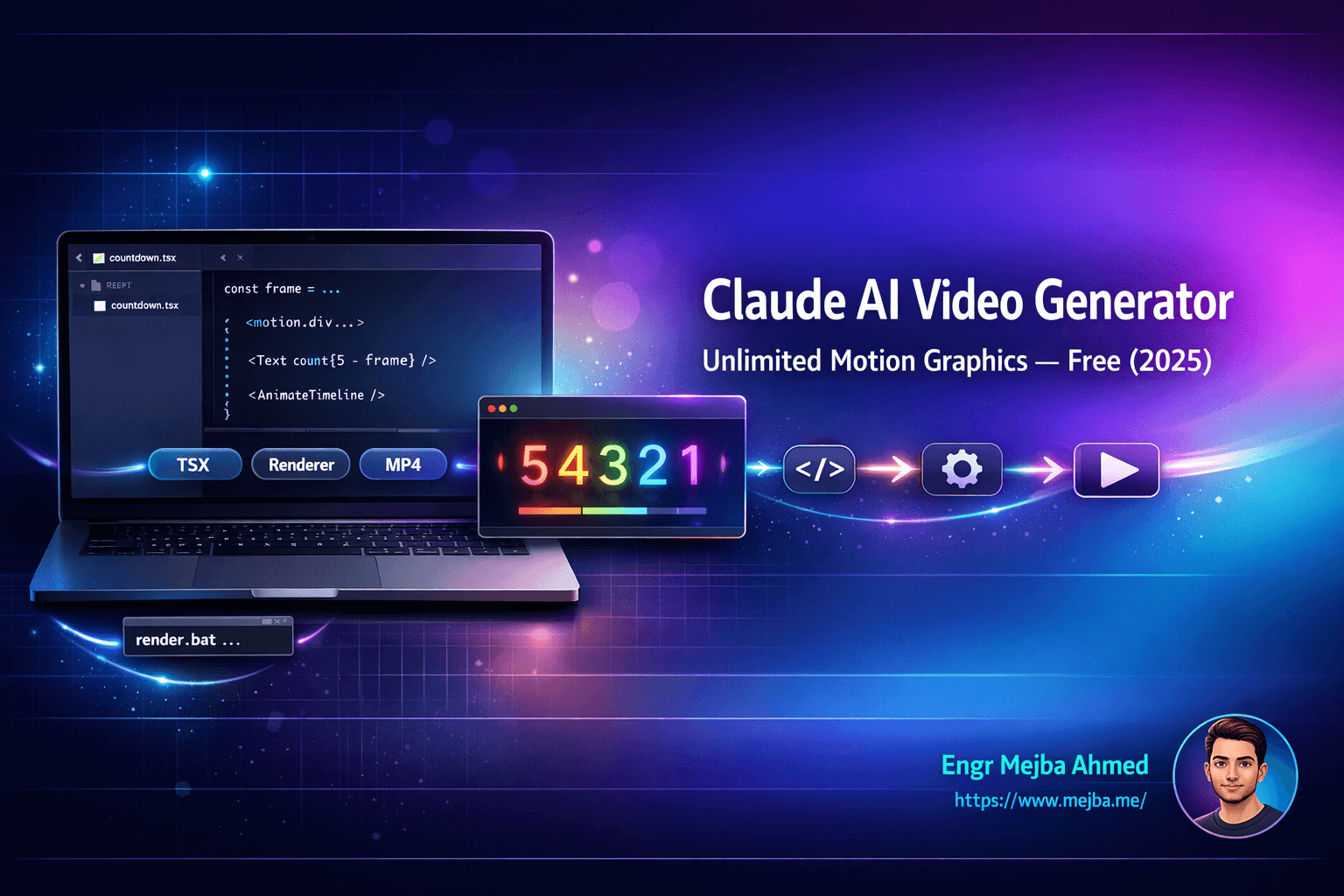
The trick is using a carefully crafted prompt that makes Claude generate a specific type of file: a TSX file that defines video structure, animations, timing, and visual elements. Think of it like writing a script that describes exactly what should happen in every frame of your video.
But a TSX file isn't a video. It's code. You can't play it.
That's where the custom renderer comes in. It takes that TSX file and actually renders it into a real video file. MP4. Playable. Shareable. Usable.
The renderer handles all the heavy lifting. It interprets the animation code, renders each frame, and compiles everything into a video file. The whole process takes seconds for most animations.
Here's what makes this different from other AI video tools:
No generation limits. Claude doesn't cap how many files you generate. The renderer runs locally on your machine. Make 100 videos today if you want.
Precise control. Because you're describing animations in text, you can be extremely specific. "5-second countdown from 5 to 1 with neon glow effect, blue to purple gradient background, each number pulses before transitioning." That level of detail.
Editable outputs. Want to change the color scheme? Adjust the timing? Add another element? Just modify your prompt and regenerate. No re-rendering complex project files.
Diverse output types. This isn't locked to one style. Countdowns. Network visualizations. Logo reveals. iOS notification mockups. 2D cartoon animations. The range is surprising.
Step-by-Step: Setting This Up
Let me walk you through the actual process. It's simpler than you'd expect.
Step 1: Create Your Claude Project
Open Claude and create a new project. Name it whatever you want. "Video Generator" works fine.
The key is what you put into the project instructions. There's a specific prompt that's been refined over time to make Claude output TSX files that the renderer can actually process. This isn't just any code generation prompt. It's been tested and tweaked to produce compatible output.
You'll need to find the current version of this prompt. The creator has made it available for free, and it's worth getting the exact wording right. Small changes in how you instruct Claude can affect whether the output renders correctly.
Step 2: Generate Your Animation
With the prompt in place, you can start describing videos. Here's an example:
"Create a 5-second countdown from 5 to 1 with neon glow effect."
Claude generates a TSX file. This file contains all the code needed to describe your animation: the visual elements, how they move, when they appear and disappear, colors, effects, everything.
Copy this code and save it as a .tsx file. Desktop works fine. Any folder works.
Step 3: Set Up the Renderer
Download the renderer files. These include a batch script and the dependencies needed to turn your TSX into video.
Place these files in the same directory as your TSX file. The renderer expects to find everything in one location.
Step 4: Render Your Video
Open a command prompt in that directory. Run the render script with your TSX filename:
render.bat your-animation.tsx
The renderer processes the file. Depending on the complexity and length of your animation, this takes anywhere from a few seconds to a minute or two.
When it's done, you have a video file. That's it.
What You Can Actually Make
I was skeptical about the range of outputs until I started experimenting. Here's what actually works:
Countdown Animations
The classic use case. Numbers counting down with various effects: neon glows, particle trails, morphing transitions. Great for YouTube intros, event teasers, story countdowns.
Network Visualizations
Nodes connecting, data flowing between points, network topology animations. Useful for tech presentations, explainer videos, anything involving systems or connections.
Logo Reveals
Fade-ins, particle assemblies, glitch effects, smooth builds. You describe how you want your logo to appear and the animation gets generated. Perfect for video intros and outros.
UI Mockups in Motion
iOS notification animations. App interface walkthroughs. Mobile screen transitions. If you're building a product and need to show it in action before it exists, this works remarkably well.
2D Cartoon Elements
This surprised me. Simple character animations, scene transitions, animated illustrations. Not Pixar quality, but solid for explainer videos and content that needs visual personality.
Text Animations
Kinetic typography. Words appearing with impact. Quote animations. Lower thirds. The foundational stuff that makes videos feel polished.
The key is being specific in your prompts. Vague descriptions get vague results. Detailed descriptions get detailed animations.
How the Rendering Actually Works
I'm simplifying here, but it helps to understand what's happening under the hood.
The TSX file you generate is essentially a React component that describes a video timeline. It specifies what elements exist, where they're positioned, how they transform over time, and what effects apply to them.
The renderer takes this component and treats it like a video editor would treat a project file. It calculates what each frame should look like based on the animation parameters you've defined.
Then it renders those frames. One by one. Compiles them into a video file with the framerate and resolution you've specified.
This is the same fundamental process that After Effects uses. The difference is that you're describing the animation in text rather than clicking and dragging on a timeline.
For simple animations, rendering takes seconds. More complex animations with multiple elements, effects, and longer durations take longer. But we're talking minutes, not hours.
The output is a standard video file. No weird formats. No special players required. MP4 that works everywhere.
The Real Cost Comparison
Let me put some numbers on this.
Adobe After Effects path:
- Software: $22.99/month ($276/year)
- Learning time: 3-6 months of tutorials and practice
- Per-video time: 2-8 hours depending on complexity
Freelancer path:
- Simple animation: $50-100
- Complex animation: $150-400
- Logo reveal package: $200-500
Runway ML path:
- Subscription: $12-76/month
- Generation limits: Hit them fast with motion graphics
- Quality control: Variable
Claude AI + Renderer path:
- Cost: Free (Claude has free tier, renderer is free)
- Learning time: An afternoon to get comfortable
- Per-video time: Minutes
The math is obvious. But cost isn't the only factor.
Control matters. With this method, you can iterate quickly. Try something, don't like it, adjust your prompt, regenerate. That feedback loop is measured in seconds, not hours.
Ownership matters. You're not dependent on a service that might change pricing, limit features, or shut down. The renderer runs locally.
Flexibility matters. Want to make five versions with different color schemes? That's five prompts and five render commands. Not five hours of duplicating project files and adjusting values.
Advanced Possibilities
Here's where things get interesting.
The people building these systems are working toward something bigger than one-off animation generation. They're building toward AI-powered video editing through prompts.
Imagine this workflow:
- Generate a video with a text prompt
- Watch the output
- Tell Claude: "Make the background more blue and slow down the middle section"
- Get an updated version in seconds
No timeline scrubbing. No keyframe adjustments. Just describe what you want changed and get the result.
This already works for simple modifications. Change colors, adjust timing, swap elements. The more complex the edit, the more you're pushing current limits. But the foundation is there.
And it goes further. 3D graphics are on the horizon. More complex character animations. Scene compositions that would take days in traditional software.
The underlying principle is powerful: describe what you want, let AI handle the technical execution. We're seeing that principle applied to more and more creative domains.
Tips for Getting the Best Results
After experimenting with this system, here's what I've learned about getting quality output:
Be Specific
"Make a cool animation" gives you generic results. "5-second countdown, numbers centered, cyan glow with 20px blur, dark gradient background from navy to black, 0.5-second transitions between numbers with scale-down effect" gives you what you actually want.
Think in Sequences
Describe your animation as a series of events. What happens first? What happens next? How do elements enter and exit? Sequential thinking produces sequential animations.
Reference Real Examples
If you've seen an effect you like, describe it. "Logo reveal similar to Netflix intro with spreading light effect" gives Claude a reference point for what you're trying to achieve.
Start Simple
Your first generations should be straightforward. Countdown. Text fade. Simple logo reveal. Get comfortable with the workflow before attempting complex multi-element animations.
Iterate Quickly
Don't try to perfect your prompt on the first attempt. Generate something, see what you get, refine your description, generate again. The speed of iteration is the biggest advantage here.
Check the TSX Before Rendering
Glance at the generated code before rendering. If it looks obviously wrong or truncated, regenerate. Better to catch issues before spending time on a render that won't work.
Who This Is Perfect For
Let me be direct about who benefits most from this approach:
Content creators who need motion graphics for intros, transitions, and visual flair but can't justify After Effects subscriptions or freelancer costs.
Freelancers and consultants who want professional video elements for client presentations and proposals without adding video editing to their skill stack.
Small business owners who need product demos, animated explainers, and marketing videos but are working with limited budgets.
Developers and product builders who want to create app previews, feature demos, and UI animations for launches and documentation.
Educators and course creators who need visual variety in their content but don't have production teams.
Anyone prototyping ideas who wants to visualize concepts quickly before investing in professional production.
This isn't going to replace a professional motion graphics studio. If you need broadcast-quality work for a major campaign, hire specialists. But for the vast majority of video content needs, this approach delivers results that would have cost hundreds of dollars and dozens of hours just a year ago.
What's Coming Next
The current state is impressive. But it's early.
The people building these systems are working toward fully automated AI video studios. Not just generating individual animations, but composing complete videos from high-level descriptions. Scene by scene. Cut by cut. With AI handling the creative execution.
We're also seeing integration with other tools. Imagine feeding in a script and getting back a complete explainer video with appropriate animations, transitions, and pacing. Or describing a product and receiving a polished demo video ready for your landing page.
3D capabilities are expanding. Character animation is getting more sophisticated. The range of possible outputs grows with each iteration of the underlying prompts and rendering systems.
This isn't speculation. The infrastructure exists. The building blocks are in place. The developers working on this are shipping improvements weekly.
A year from now, what I've described here will look like the early, manual version of something much more powerful.
Getting Started Today
Here's your action plan:
- Get the special prompt that makes Claude output compatible TSX files
- Set up a Claude project with that prompt
- Download the renderer files
- Try a simple animation: a countdown or text fade
- Experiment with more complex descriptions
- Build a library of prompts that work for your needs
The learning curve is measured in hours, not months. By the end of an afternoon, you'll be generating animations that would have taken you weeks to learn in traditional software.
I started with the same skepticism you probably have right now. Another AI promise that sounds better than it works. Another tool that falls apart when you actually try to use it.
Then I generated my first video.
The countdown animation rendered perfectly. The neon glow looked professional. The timing was exactly what I described.
In 30 seconds, I had something that would have taken me hours in After Effects. Or cost me $75 from a freelancer. Or required a subscription to a service that would limit how many I could make.
That's when it clicked.
We're not just getting cheaper access to video creation. We're getting a fundamentally different relationship with it. Describe what you want. Get what you described. Iterate until it's right.
No timelines. No keyframes. No learning curves that take months to climb.
Just text in, video out.
Try it. Make something. See what's possible now that wasn't possible before.
The party isn't over. We're just changing how we make the visuals.
🤝 Hire / Work with me:
- 🔗 Fiverr (custom builds, integrations, performance): fiverr.com/s/EgxYmWD
- 🌐 Mejba Personal Portfolio: mejba.me
- 🏢 Ramlit Limited: ramlit.com
- 🎨 ColorPark Creative Agency: colorpark.io
- 🛡 xCyberSecurity Global Services: xcybersecurity.io