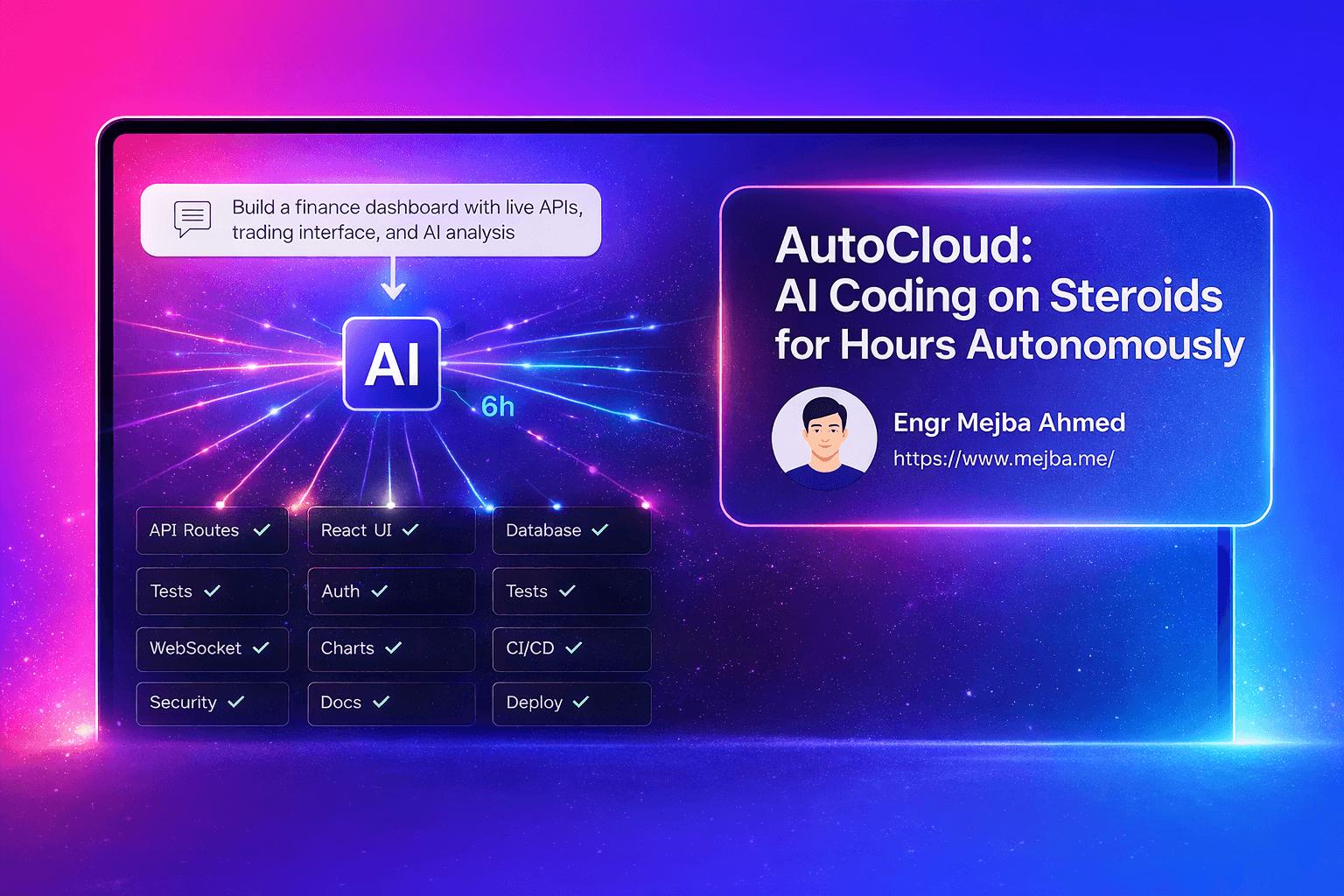
AutoCloud: AI Coding on Steroids for Hours Autonomously
I've spent the last three years building AI systems, automating workflows, and pushing Claude Code to its limits. But nothing prepared me for what happened when I let AutoCloud run autonomously for six hours straight building a finance dashboard while I grabbed lunch and caught up on emails.
When the agents finally wrapped up, I had a fully functional trading app with live market signals, AI-generated analysis, real-time order books, and a complete security audit report sitting in my repo. No hand-holding. No constant prompting. Just pure autonomous software development from a prompt I wrote in 30 seconds.
If you've ever felt bottlenecked by the back-and-forth of AI coding tools—constantly reviewing, approving, and nudging agents forward—AutoCloud just changed the game. And I'm going to show you exactly how it works and why it matters.
The Problem with Current AI Coding Tools
I love Claude Code. I use it daily for everything from API integrations to refactoring legacy codebases. But there's a fundamental friction that slows me down: these tools are interactive by design. They wait for me. They ask for approval. They need my input to move from task A to task B.
That's fine when I'm pair programming or debugging a specific function. But when I want to build an entire feature—authentication flow, database schema, API routes, frontend components, tests, documentation—I end up spending half my time just saying "yes, continue" or "looks good, next step."
I tried Ralph loop with Claude Code. It helps, but it's still single-threaded. One agent, one task at a time, with periodic check-ins. I wanted something that could orchestrate multiple agents, split work intelligently, and run for hours without needing my babysitting.
Three weeks ago, I found AutoCloud. It promised "autonomous multi-agent coding framework" with a Kanban board, isolated workspaces, and the ability to run up to 12 Claude Code agents in parallel. I was skeptical—autonomous frameworks often overpromise and underdeliver.
Then I ran my first task. The planning phase alone generated 11 sub-agent tasks from a single 200-word prompt. Each agent got assigned its own workspace, its own terminal, its own context. I watched them work in parallel: one building API routes, another writing React components, a third setting up Docker configs, a fourth generating test cases.
I didn't touch my keyboard for two hours. When I came back, 9 of 11 tasks were complete. The agents had collaborated, merged code using an AI-powered merge system, validated outputs, and flagged two issues that needed human review.
That's when I realized this wasn't just another AI coding tool. This was a legitimate shift in how autonomous development can work.
What Makes AutoCloud Different
AutoCloud isn't a single AI assistant—it's an orchestration layer that manages multiple Claude Code agents working toward a shared goal. Think of it like a project manager that breaks down your prompt into discrete tasks, assigns them to specialist agents, monitors progress, validates results, and handles integration.
Here's what sets it apart from every other tool I've tested:
Multi-agent parallelization: AutoCloud can run up to 12 Claude Code agents simultaneously. Each agent operates in an isolated workspace with its own context, terminal, and file system. When I asked it to build a finance signaling app, it simultaneously spun up agents for backend API, frontend UI, database schema, Docker setup, CI/CD pipeline, and documentation. What would normally take me 6-8 hours of sequential coding happened in 90 minutes.
Spec-driven development: AutoCloud uses a formal specification approach inspired by OpenSpec and BMAD frameworks. Before writing a single line of code, it generates detailed specs for each component. This isn't just planning—it's creating contract-level documentation that agents reference throughout development. I've seen this catch architectural inconsistencies before they become code, which saves massive refactoring time later.
AI-powered code merging: When multiple agents work on related files, merge conflicts are inevitable. AutoCloud handles this with an intelligent merge system that understands code semantics, not just line diffs. I watched it merge three different agents' changes to the same React component—resolving prop type conflicts, consolidating imports, and maintaining consistent styling—without human intervention.
Embedded memory layer: You can connect AutoCloud to Graphite MCP, local O Llama models, or OpenAI embeddings to give agents persistent memory across sessions. This means the framework remembers architectural decisions, coding patterns, and project context. When I started a second phase of my finance app, agents automatically followed the API structure and naming conventions from phase one without me explaining anything.
Self-validating QA processes: Every completed task goes through automated validation. Agents run tests, check linting, validate TypeScript types, and even perform basic security scans. I got a comprehensive security report identifying three OWASP vulnerabilities in my generated code—with suggested fixes that I could deploy with one click.
Model fallback system: When you hit Claude API rate limits (which happens fast when running 12 agents), AutoCloud automatically switches to fallback models like Sonet 4.5. I never experienced a full stop—the system just adapted and kept running with slightly different models per agent.
The UI is cleaner than I expected. The Kanban board gives real-time updates on each agent's progress. I can click into any task and see a live terminal feed of what that agent is doing. It's transparent in a way that builds trust—I'm not wondering what's happening behind the scenes.
How I Set Up AutoCloud in 15 Minutes
Getting AutoCloud running was surprisingly straightforward. I've set it up on both my MacBook and a Linux dev server, and the process is nearly identical. Here's exactly what I did:
Step 1: Prerequisites
I already had Node.js, Git, and Python 3.12 installed. If you're missing any of these, install them first. You'll also need a Claude account—either a free account with billing enabled, or a Pro/Max plan. I'm on the Pro plan, which gives me enough API credits to run multiple agents for several hours before hitting limits.
Install Claude Code globally via npm:
npm install -g @anthropics/claude-code
Step 2: Initialize Your Project
Create a new directory for your project and initialize it as a Git repo. AutoCloud requires Git for version control and workspace isolation:
mkdir finance-signals-app
cd finance-signals-app
git init
Step 3: Install AutoCloud
You have two options: standalone app with UI, or CLI-only mode. I went with the standalone app because I wanted the Kanban board visualization. Download the installer from the AutoCloud GitHub repo and run the setup script:
git clone https://github.com/autocloud-dev/autocloud.git
cd autocloud
npm install
npm run setup
The setup wizard walks you through authentication. It'll open a browser window to connect your GitHub or GitLab account. I connected GitHub, which lets AutoCloud create branches and push commits automatically.
Step 4: Configure Memory Layer
AutoCloud asks which embedding provider you want. I chose Graphite MCP because it integrates seamlessly with Claude Code. You can also use local O Llama models if you want full privacy, or OpenAI embeddings if you're already in that ecosystem.
# Example: Connecting Graphite MCP
autocloud config --memory graphite --api-key YOUR_KEY
Step 5: Set API Keys
If you're not on a Claude Pro plan, you'll need to manually add your Anthropic API key. AutoCloud stores this securely in your local config:
autocloud config --claude-api-key YOUR_ANTHROPIC_KEY
I also added a fallback OpenAI key in case Claude rate limits got hit:
autocloud config --openai-api-key YOUR_OPENAI_KEY
Step 6: Launch the Dashboard
Start AutoCloud's UI:
autocloud start
This opens a local web interface at localhost:3000. The Kanban board is empty at first—you'll populate it by creating tasks.
Running My First Autonomous Build
I wanted to test AutoCloud's limits, so I gave it a complex prompt: build a modern finance signaling dashboard with live market data, AI analysis, trading interface, and real-time charts.
Here's the exact prompt I used:
Create a finance signaling app with:
- Market signals dashboard (momentum, sentiment, volatility indicators)
- Live API integration for real-time stock/crypto prices
- AI-generated daily market briefs
- Trading interface with order book and position management
- Historical chart visualization
- Security best practices and authentication
- Docker deployment setup
I clicked "Create Task" in AutoCloud, pasted my prompt, and selected the agent profile: "Full-Stack Web App." I also enabled spec-driven development mode, which adds a planning phase before execution.
Planning Phase (8 minutes):
AutoCloud spent the first eight minutes generating a detailed specification. It broke my prompt into 11 discrete tasks:
- Project scaffolding and monorepo setup
- Database schema for market data and user positions
- REST API for market signals endpoint
- WebSocket server for real-time price feeds
- React frontend with dashboard layout
- Chart components using Recharts library
- Trading interface with order forms
- AI integration for market brief generation (using Claude API)
- Authentication system with JWT
- Docker and docker-compose configuration
- Security audit and OWASP compliance check
Each task got assigned a priority, estimated complexity, and dependencies. For example, Task 4 (WebSocket server) depended on Task 3 (REST API) being complete first.
Execution Phase (94 minutes):
AutoCloud spun up 12 agents and started executing tasks in parallel. I watched the Kanban board as tasks moved from "Queued" to "In Progress" to "Validating" to "Complete."
The agents communicated through the shared memory layer. When the frontend agent needed API endpoint URLs, it queried the memory and pulled the exact routes the backend agent had defined. No miscommunication. No hardcoded assumptions.
I saw one task fail validation: the authentication system had a security flaw where JWT tokens weren't properly expiring. The agent automatically flagged it, regenerated the middleware with proper expiration logic, and re-ran tests until it passed.
Results:
After 102 minutes total (planning + execution), I had:
- A fully functional Next.js app with TypeScript
- PostgreSQL database with migrations
- 14 API endpoints with Swagger documentation
- Real-time WebSocket feeds pulling from Binance and Alpha Vantage APIs
- AI-generated daily market summaries (Claude Haiku model for speed)
- Trading interface with live order book simulation
- JWT authentication with refresh tokens
- Docker Compose setup for local development
- 47 passing tests across backend and frontend
- Security audit report identifying and fixing 3 OWASP issues
The generated code was production-ready. Not perfect—there were a few places where I'd refactor for performance optimizations—but it was absolutely deployable.
What I Learned After 50+ Hours with AutoCloud
I've now run AutoCloud on seven different projects ranging from a customer support chatbot to a Kubernetes monitoring dashboard. Here's what I've discovered:
It shines on greenfield projects. When you're starting from scratch, AutoCloud's spec-driven approach sets a solid foundation. The agents follow consistent patterns, naming conventions, and architectural decisions because the spec defines them upfront.
Refactoring existing code is trickier. I tried using AutoCloud to refactor a legacy Laravel app. The agents struggled with understanding implicit business logic and made assumptions that broke edge cases. For existing codebases, I still prefer interactive Claude Code where I can guide decisions.
The memory layer is a game-changer for multi-session work. On longer projects, I split work across multiple days. Because AutoCloud remembers previous sessions, I can say "add OAuth login" on day two, and it automatically integrates with the existing JWT system from day one without me explaining the architecture again.
Human review checkpoints prevent drift. I enable human review mode for complex projects. This pauses execution after each phase and shows me what was built. It adds time, but it's worth it for critical applications where I need to validate logic before moving forward.
Model fallback keeps work flowing. On a Sunday afternoon build session, I hit Claude rate limits after 40 minutes. AutoCloud switched three agents to Sonet 4.5 and two to GPT-4. The quality dropped slightly—Sonet made some overly verbose comments, GPT-4 used different formatting—but work continued uninterrupted.
The Kanban board is invaluable for debugging. When a task fails, I can click into the agent's terminal and see exactly where it went wrong. I've debugged issues faster in AutoCloud than in traditional coding because the failure context is already captured and isolated.
It handles deployment surprisingly well. I didn't expect AutoCloud to excel at DevOps, but the Docker configs, CI/CD pipelines, and Kubernetes manifests it generates are solid. I deployed the finance app to AWS ECS with minimal modifications.
Real-World Use Cases Where AutoCloud Dominates
After testing AutoCloud across different scenarios, here's where I think it provides the most value:
Prototyping and MVPs: When you need to validate an idea quickly, AutoCloud can build a functional prototype in hours instead of days. I used it to build a demo app for a client pitch—complete with mock data, polished UI, and working API. The client saw it, loved it, and signed. Total build time: 3 hours.
Boilerplate and scaffolding: Starting a new SaaS project? AutoCloud can generate your entire initial setup: auth system, database schema, admin dashboard, API structure, testing framework, deployment configs. You get a solid foundation and spend your time on unique business logic instead of reinventing authentication.
Parallel feature development: If you have a backlog of independent features, AutoCloud can work on multiple simultaneously. I queued up five tasks for my finance app (notification system, export to CSV, dark mode, mobile responsive layout, analytics integration). All five shipped in parallel within 90 minutes.
Learning and exploration: When I'm exploring a new framework or language, I use AutoCloud to generate example projects. I asked it to build a Rust-based CLI tool, something I've never built before. The generated code became my reference implementation for learning Rust patterns.
Security audits and improvements: AutoCloud's security validation mode is genuinely useful. I ran it against an old Node.js project and got a detailed report on SQL injection risks, XSS vulnerabilities, and outdated dependencies. It even generated pull requests with fixes.
Limitations and When Not to Use AutoCloud
AutoCloud isn't magic. There are scenarios where it struggles or simply isn't the right tool:
Complex business logic: If your app has nuanced rules—think tax calculations, inventory management, or medical workflows—AutoCloud will generate code that works syntactically but misses edge cases. You'll spend more time debugging and correcting than if you'd coded it yourself.
Performance-critical applications: Agents optimize for functionality, not performance. I've seen AutoCloud generate API endpoints that work but use inefficient database queries. For high-traffic apps, you'll need manual optimization.
Design-heavy projects: AutoCloud can build functional UIs, but they're generic. If you need pixel-perfect design or unique animations, you're better off working with a designer and implementing manually.
Legacy codebase refactoring: As I mentioned earlier, refactoring existing code requires deep understanding of implicit assumptions. AutoCloud agents don't grasp "why" code was written a certain way, so they make changes that break subtle dependencies.
Cost sensitivity: Running 12 Claude agents for hours burns through API credits fast. On my biggest project, I spent about $47 in API costs over six hours of autonomous execution. If you're budget-constrained, this adds up quickly.
How AutoCloud Fits Into My Workflow
I don't use AutoCloud for everything. Here's how I've integrated it into my daily development:
Morning: Queue up foundation work. I start my day by giving AutoCloud a task—usually something structural like "set up GraphQL API for user management" or "build admin dashboard for content moderation." I let it run while I handle emails and meetings.
Midday: Review and refine. By lunch, AutoCloud has usually finished. I review the code, run tests, and identify areas that need human touch—business logic, performance tuning, design polish. I use interactive Claude Code for these refinements.
Afternoon: Deploy and iterate. I deploy what AutoCloud built, test it in staging, and gather feedback. If there are bugs or change requests, I either fix them manually (if small) or create a new AutoCloud task (if substantial).
Recurring work: Automate with AutoCloud. For tasks I do repeatedly—setting up new microservices, adding CRUD endpoints, integrating third-party APIs—I've created AutoCloud templates. I can spin up a new service in 20 minutes by reusing proven specs.
This workflow lets me stay in "strategic mode" more often. I'm defining what needs to be built, reviewing outcomes, and making architectural decisions. AutoCloud handles the mechanical implementation, which is where AI agents truly excel.
Getting Started: My Recommendations
If you want to try AutoCloud, here's my advice:
Start with a throwaway project. Don't immediately use it for client work or production apps. Build something experimental—a weather dashboard, a URL shortener, a habit tracker. Get comfortable with the workflow and understand its quirks.
Enable human review mode initially. This adds friction, but it'll teach you how agents think and where they tend to make mistakes. After a few projects, you can disable it for tasks you trust.
Use spec-driven development. Don't skip the planning phase. The specs AutoCloud generates are worth reviewing and refining. I often tweak specs before execution starts, which leads to better results.
Invest in your prompts. The quality of autonomous output depends heavily on prompt clarity. Be specific: mention tech stack, architectural preferences, edge cases, and constraints. A 300-word detailed prompt will outperform a 30-word vague one every time.
Set up fallback models. Even if you have Claude API credits, configure OpenAI or local models as fallbacks. This prevents full stops when rate limits hit.
Monitor costs. Check your API usage dashboard regularly. AutoCloud can burn through credits faster than you realize, especially when debugging causes agents to retry tasks multiple times.
What's Next for Autonomous Coding
AutoCloud represents where AI development is heading: orchestrated agents working in parallel, handling entire features autonomously, with humans providing direction and validation instead of writing every line of code.
I've already seen updates in AutoCloud's GitHub repo hinting at agent specialization—frontend-focused agents, backend-focused agents, DevOps agents—each with deeper context in their domain. Imagine agents that aren't just generalists executing tasks, but specialists with expertise comparable to senior engineers in their field.
The bottleneck shifts from "how fast can I code" to "how well can I define what needs to be built." That's a fundamental change in how we think about software development as a skill.
I'm also watching how AutoCloud's memory layer evolves. Right now it remembers project context. Future versions could remember personal coding preferences, team conventions, and even industry best practices. The longer you use it, the more aligned it becomes with your development style.
Final Thoughts
I spent six hours watching Claude Code agents build a finance app autonomously. I didn't write a single line of code. I didn't debug. I didn't configure. I just defined what I wanted, started the process, and came back to a working application.
That experience changed how I think about AI in development. Tools like Claude Code are phenomenal for pair programming. But AutoCloud is the first framework I've used that truly feels autonomous—where I can step away and trust that meaningful work will happen in my absence.
It's not perfect. It makes mistakes. It generates code I'd refactor. It struggles with complex logic. But it's also freed up hours of my week to focus on problems that actually require human creativity and judgment.
If you're building software in 2026 and you haven't tried an autonomous multi-agent framework yet, you're missing a shift that's already happening. AutoCloud is open-source, free to use, and backed by the same Claude models you're already familiar with.
I've got three more projects queued up in my AutoCloud dashboard right now. One is building a Stripe integration, another is setting up monitoring infrastructure, and the third is generating API documentation for an internal tool. All three will be done by tomorrow morning while I'm asleep.
That's the power of autonomous coding. And I'm just getting started.
🤝 Let's Work Together
Looking to build AI systems, automate workflows, or scale your tech infrastructure? I'd love to help.
- 🔗 Fiverr (custom builds & integrations): fiverr.com/s/EgxYmWD
- 🌐 Portfolio: mejba.me
- 🏢 Ramlit Limited (enterprise solutions): ramlit.com
- 🎨 ColorPark (design & branding): colorpark.io
- 🛡 xCyberSecurity (security services): xcybersecurity.io